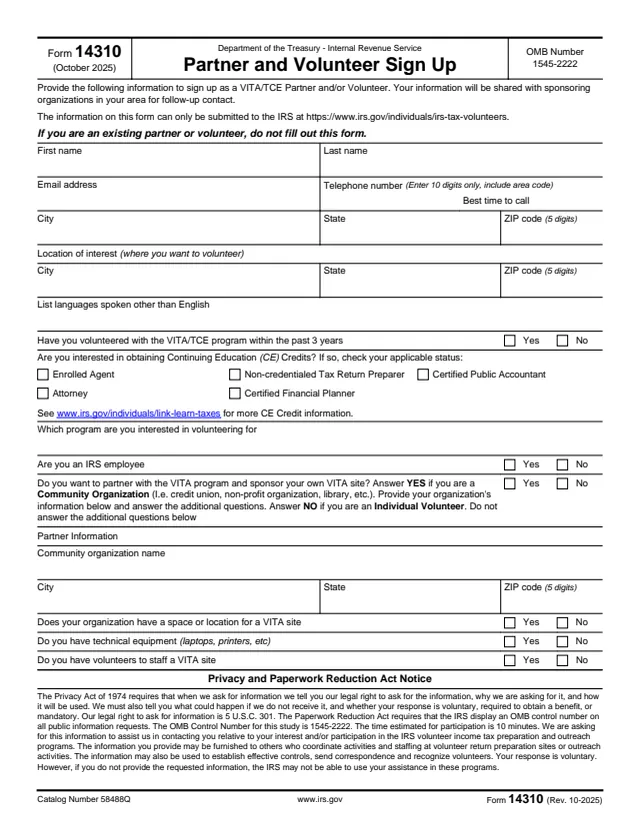
Referral header
The growth group territory the referral goes to and the date of referral.
14310-A
Potential Partner Referral from a Home Territory
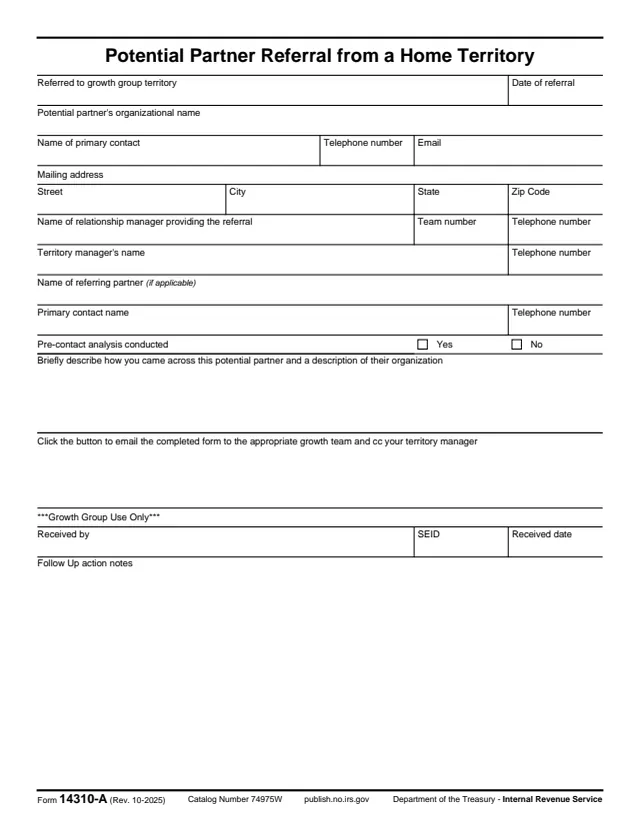
Form 14310-A, Potential Partner Referral from a Home Territory, is a one-page IRS referral form. It records an organization that could become a partner, which the form calls the potential partner, and sends that referral to a growth team.
The form is filled out by the relationship manager who provides the referral, not by the organization being referred. It asks for the organization's name, primary contact and mailing address, the relationship manager's and territory manager's names and phone numbers, any referring partner, whether a pre-contact analysis was done, and a short description of how the potential partner was found.
A button on the form emails it to the appropriate growth team, with a copy to the territory manager. The bottom section is marked for growth group use only. You can fill out Form 14310-A free in your browser on this page and download it without an account.
The growth group territory the referral goes to and the date of referral.
Organizational name, name of primary contact, telephone number, email and mailing address.
Name of the relationship manager providing the referral, team number and phone, and the territory manager's name and phone.
Name of the referring partner (if applicable), with a primary contact name and telephone number.
A Yes or No box for whether a pre-contact analysis was conducted, and a box describing how the potential partner was found and what the organization is.
Received by, SEID, received date and follow-up action notes.
Enter the growth group territory the referral goes to and the date of referral.
Enter the organization's name, its primary contact, telephone number, email and mailing address.
Enter the relationship manager's name, team number and phone, then the territory manager's name and phone.
If a partner made the referral, enter its name and its primary contact's name and phone. Otherwise leave it empty.
Check Yes or No for the pre-contact analysis and briefly describe how the potential partner was found and what the organization does.
Click the button for the right growth team to email the completed form, with the territory manager on cc. The Growth Group Use Only section is left for the growth group.
You get the real form, filled in a browser tab, with nothing standing between you and the finished PDF.
The form says to click the button to email the completed form to the appropriate growth team and cc the territory manager.
Team 107 covers MD/DC, NJ, DE, VA, TN, WV, KY, NC and SC. Team 108 covers AR, MO, LA, MS, GA, AL, FL and PR.
Team 207 covers NY, ME, NH, VT, PA, MA, RI and CT. Team 208 covers IL, IN, MI, OH, ND, SD, MN, WI and IA.
Team 307 covers WA, OR, WY, ID, MT, HI, CA and AK. Team 308 covers NV, UT, AZ, CO, NM, TX, OK, KS and NE.
No About page or instructions are linked for this form, so this page describes only what the PDF itself shows.
The form's fields show it is filled out by the person making the referral and received by a growth team. It is not an application that an organization or an individual taxpayer files.
No tool matches that search.
The relationship manager who provides the referral. The organization being referred does not fill it out; its details are entered by the referrer.
The form says to email it, using its button, to the appropriate growth team and cc the territory manager.
The form lists six teams: 107, 108, 207, 208, 307 and 308, each with the states it covers. Puerto Rico is listed under Team 108.
No. The form has no signature field. The growth group records who received it, an SEID and the received date.
The bottom part of the form, where the growth group enters who received the referral, the SEID, the received date and follow-up action notes.