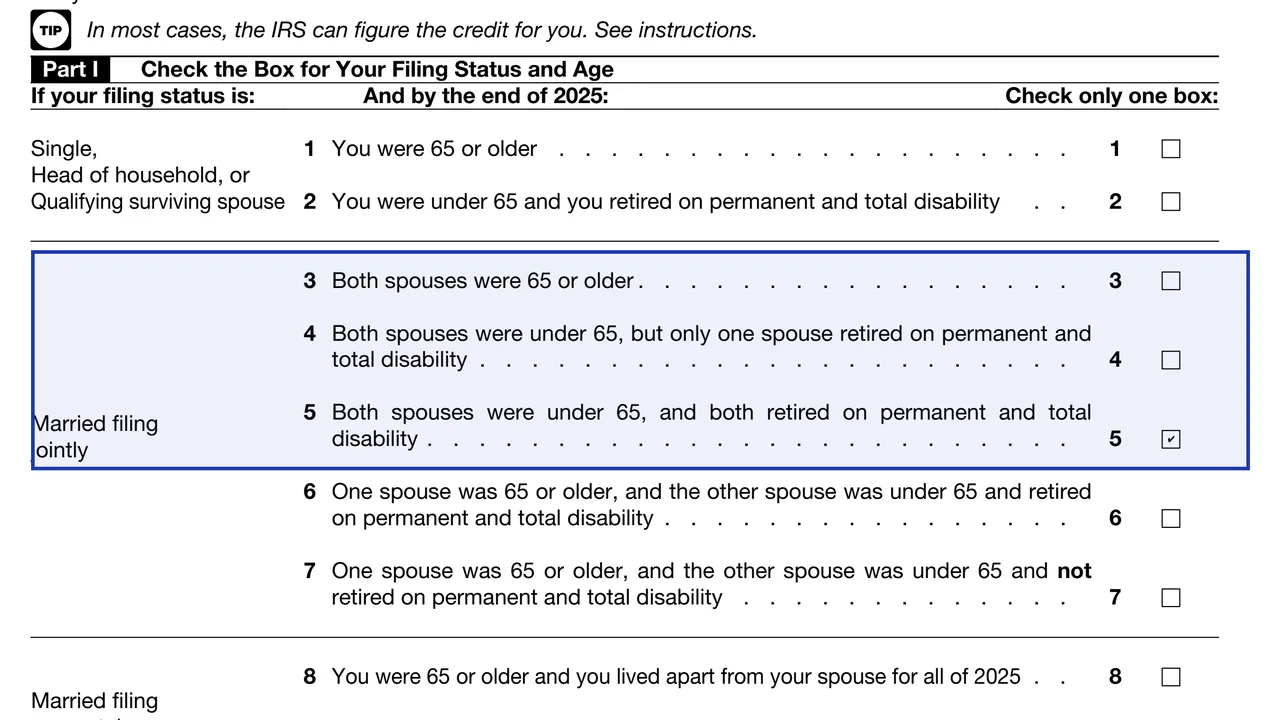
Part I: filing status and age
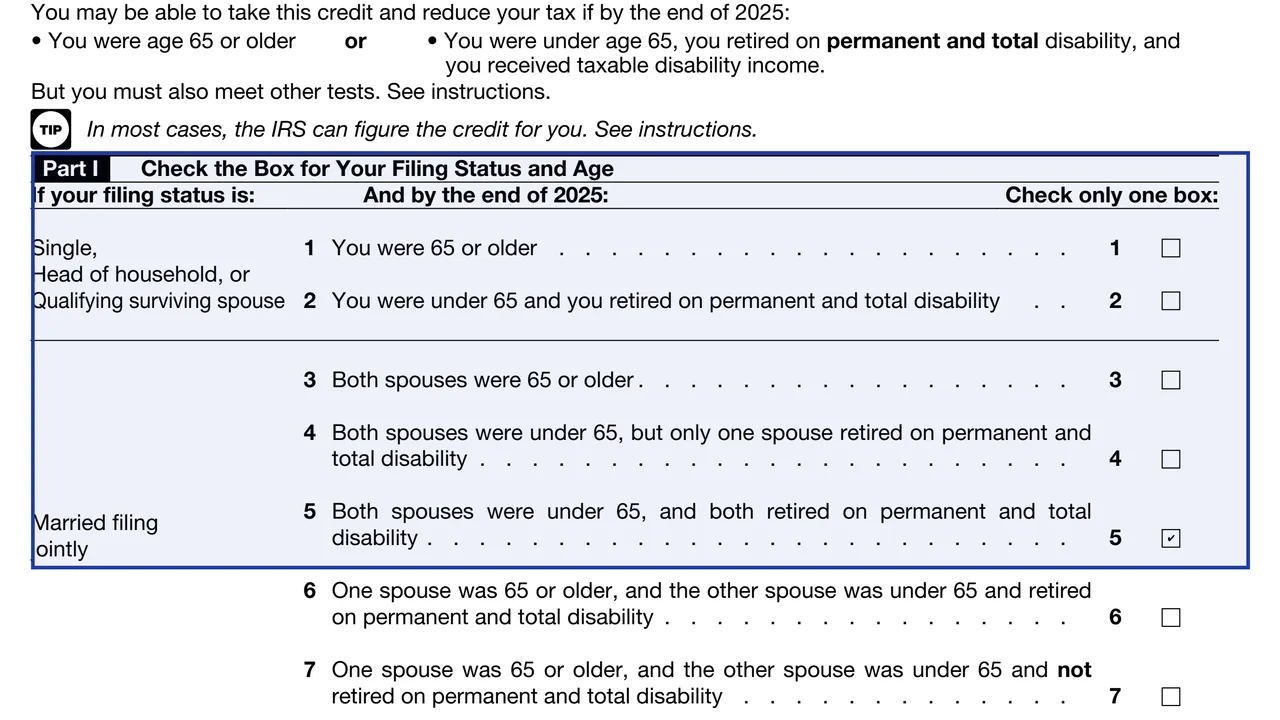
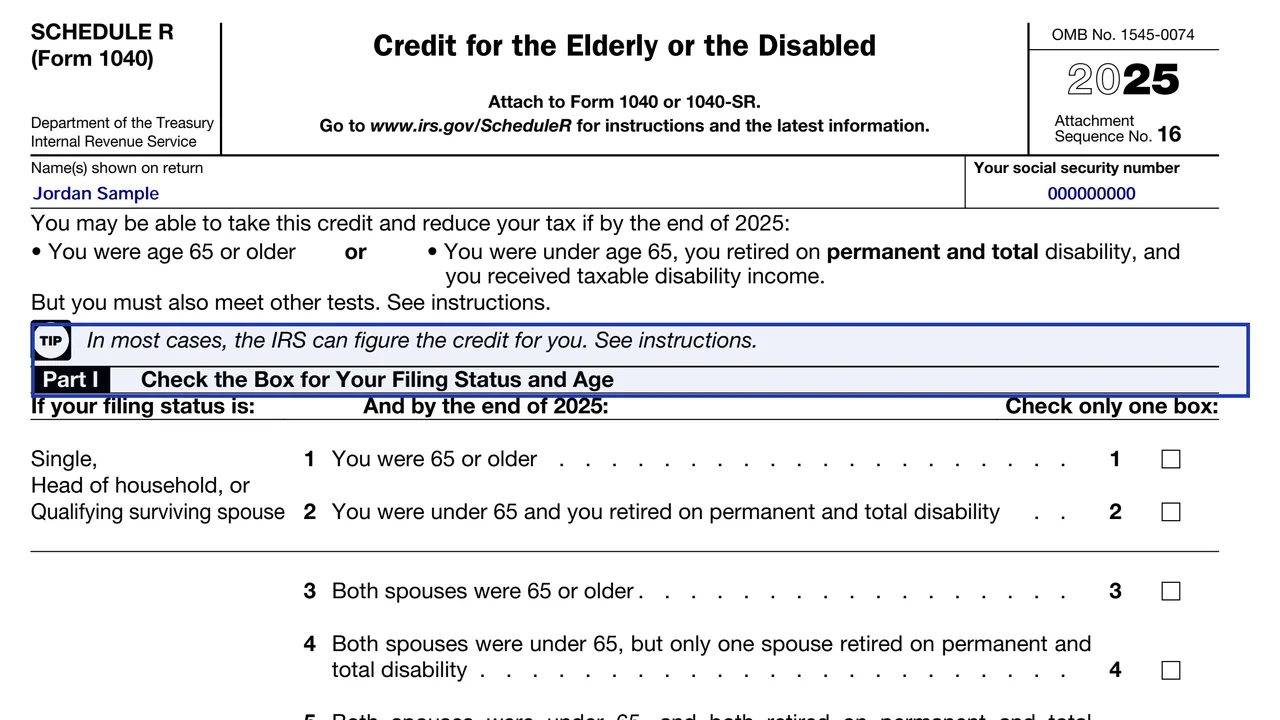
You check exactly one box that matches your filing status and whether you, your spouse or both are 65 or older or disabled. If you check box 2, 4, 5, 6 or 9, you also complete Part II.
1040
Credit for the Elderly or the Disabled
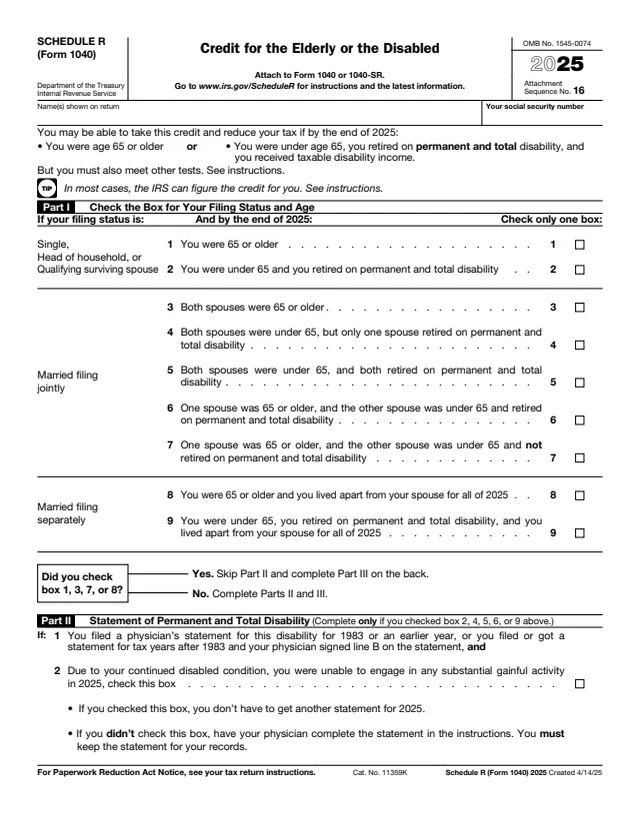
Schedule R is the attachment you use to figure the credit for the elderly or the disabled. It reduces the income tax you owe on Form 1040 or 1040-SR, and it is meant for people with low income who are 65 or older, or who retired on permanent and total disability.
The credit is not automatic. You have to check that you meet the age or disability test, that your adjusted gross income and your nontaxable Social Security or pension income stay under the limits for your filing status, and then work through the three parts of the form.
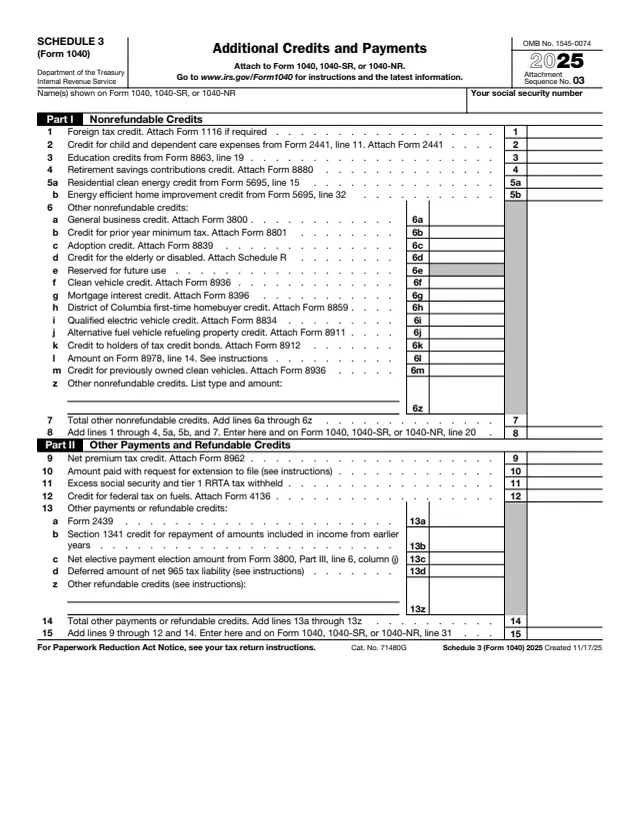
If you want, the IRS can figure the credit for you. You complete the first parts, write CFE on the credit line of Schedule 3, and attach the schedule. The IRS then calculates the amount and applies it to your return.
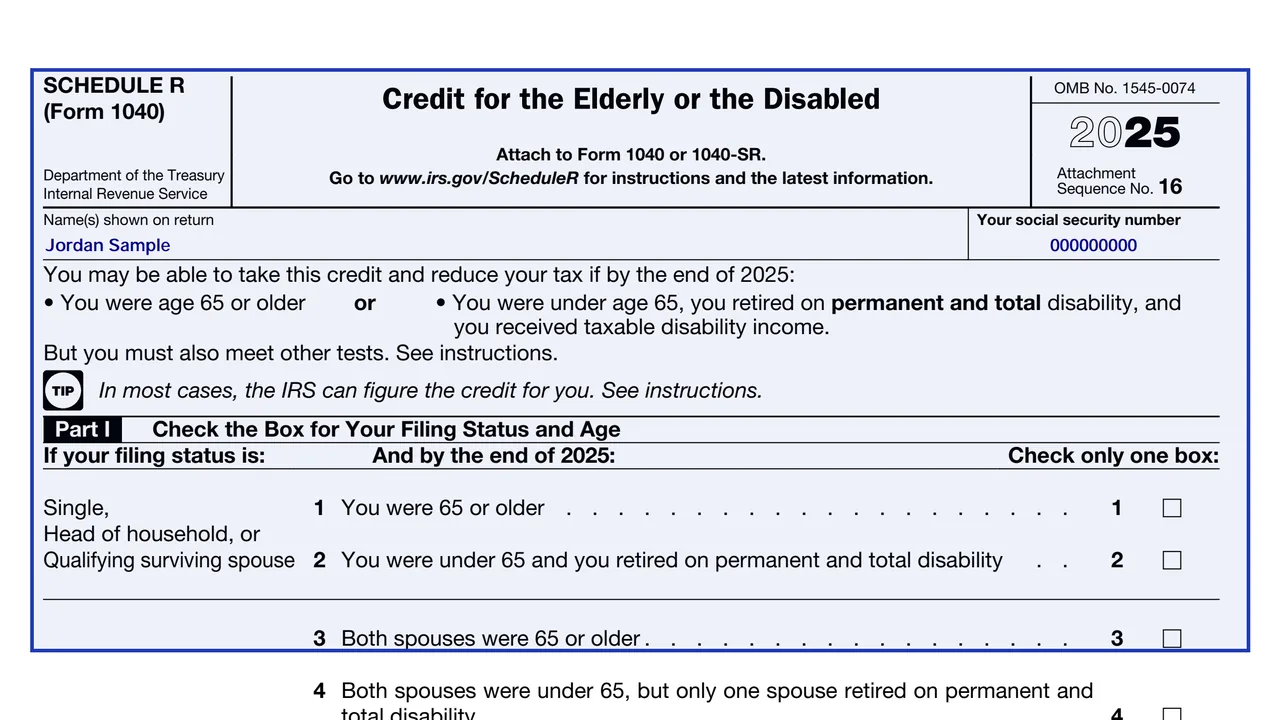
You check exactly one box that matches your filing status and whether you, your spouse or both are 65 or older or disabled. If you check box 2, 4, 5, 6 or 9, you also complete Part II.
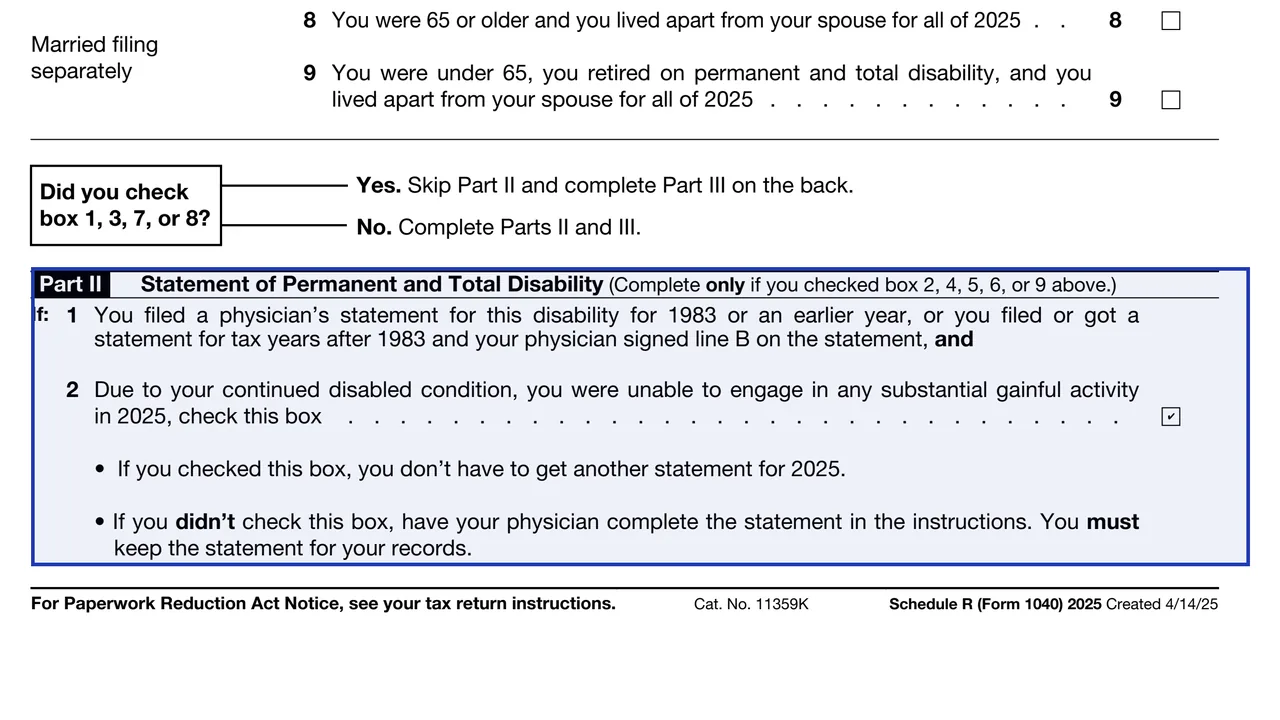
This part is for people under 65 who retired on disability. You certify permanent and total disability here. A physician statement backs this up, and you keep it with your records.
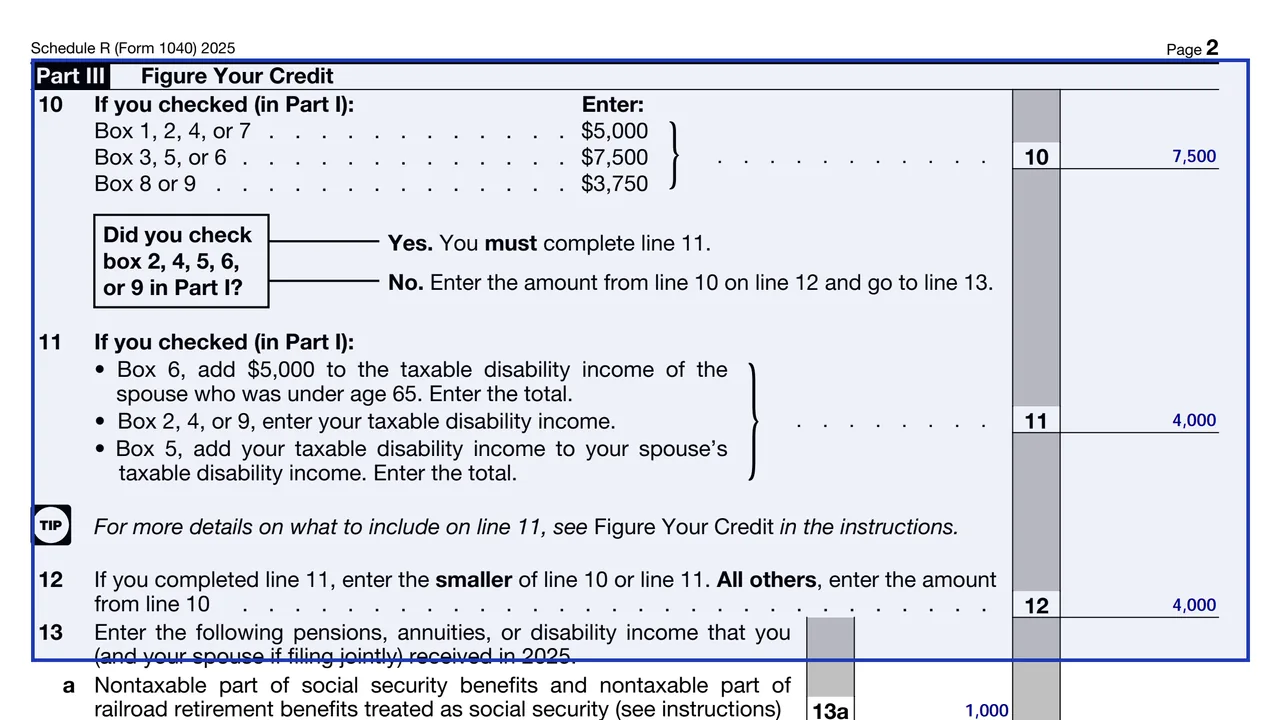
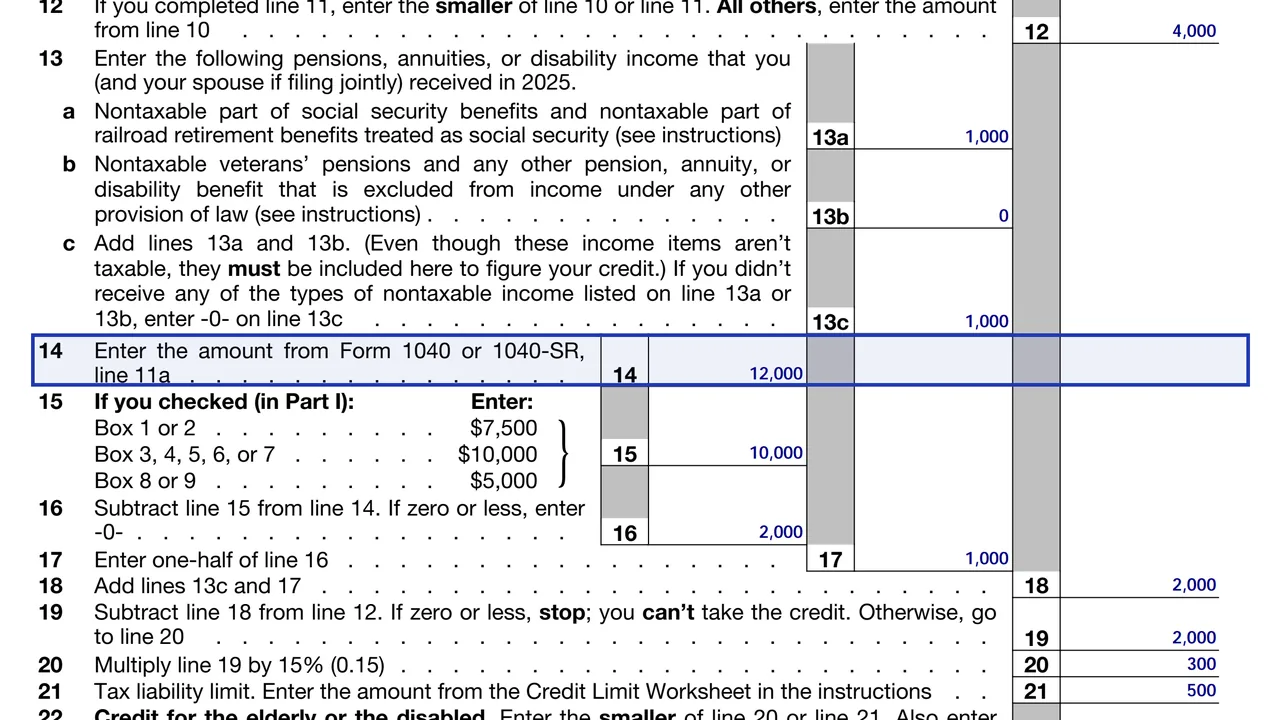
You start from an initial amount tied to the box you checked, subtract nontaxable Social Security and other nontaxable benefits, and reduce it when adjusted gross income is above a threshold. A credit limit worksheet then caps the credit at your tax.
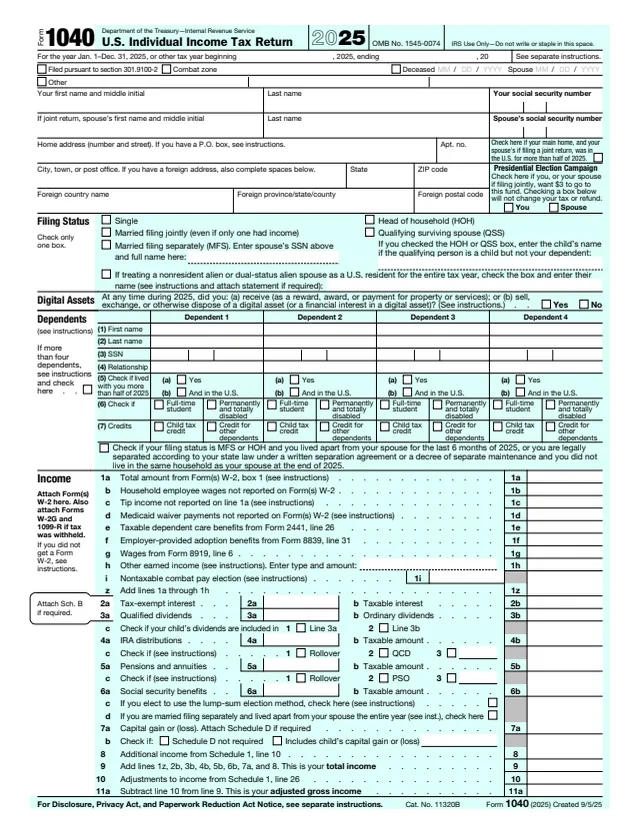
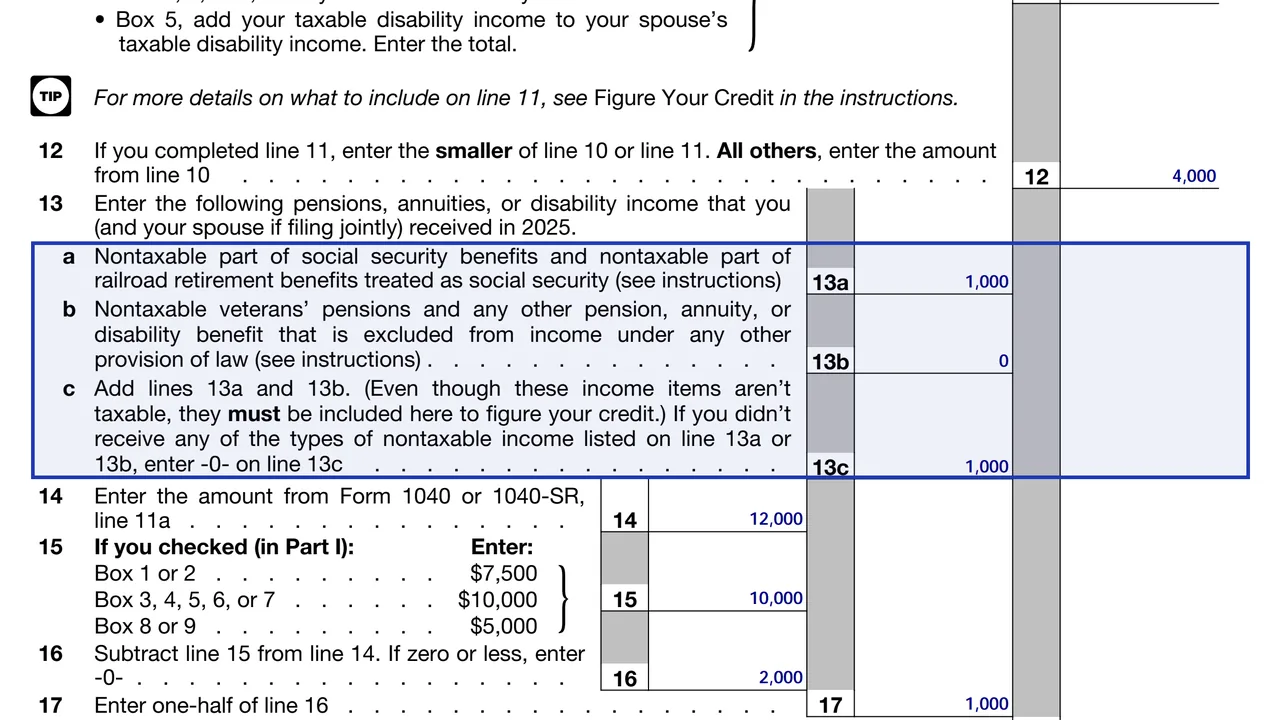
Compare your adjusted gross income, from line 11a of Form 1040, and your nontaxable benefits with Table 1 in the instructions before you do any other work.
Pick the single box that fits your filing status and age or disability. Only one box can be checked.
Under 65 filers complete it. The instructions say you generally do not attach the physician's statement, but you must keep it for your records.
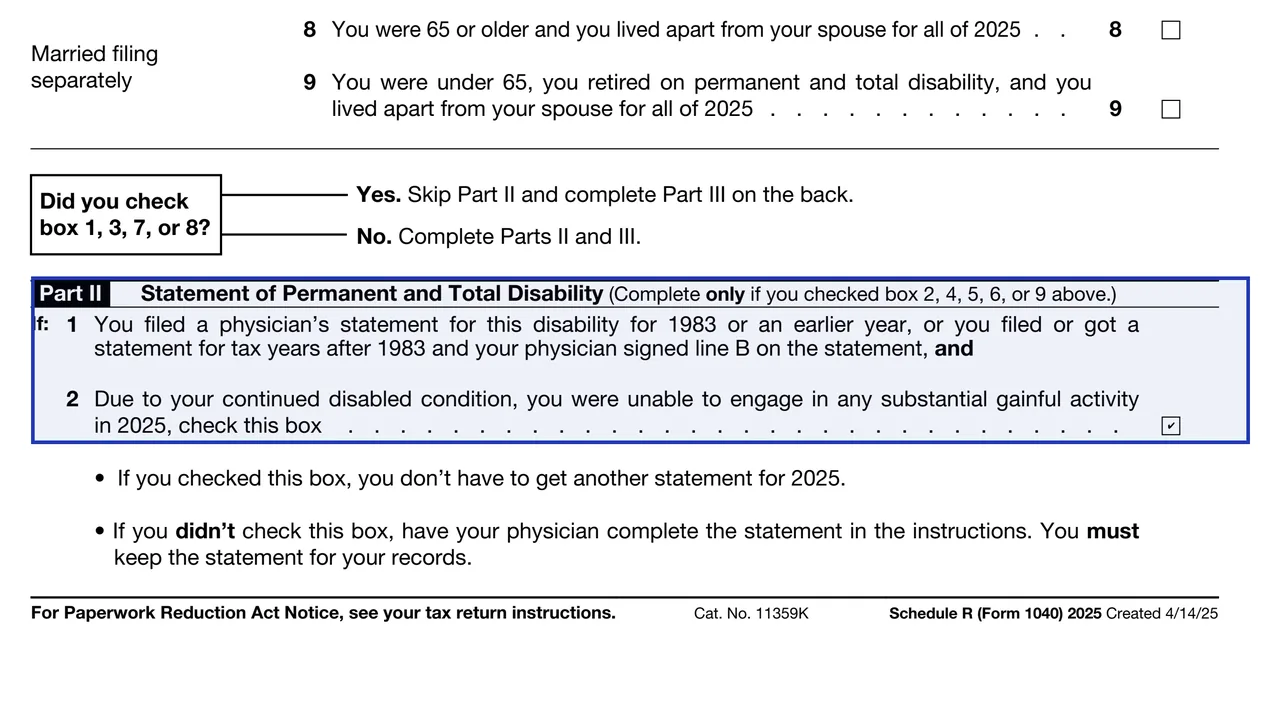
For filers under 65, the starting amount in Part III cannot be more than your taxable disability income, so the form asks you to enter that figure.
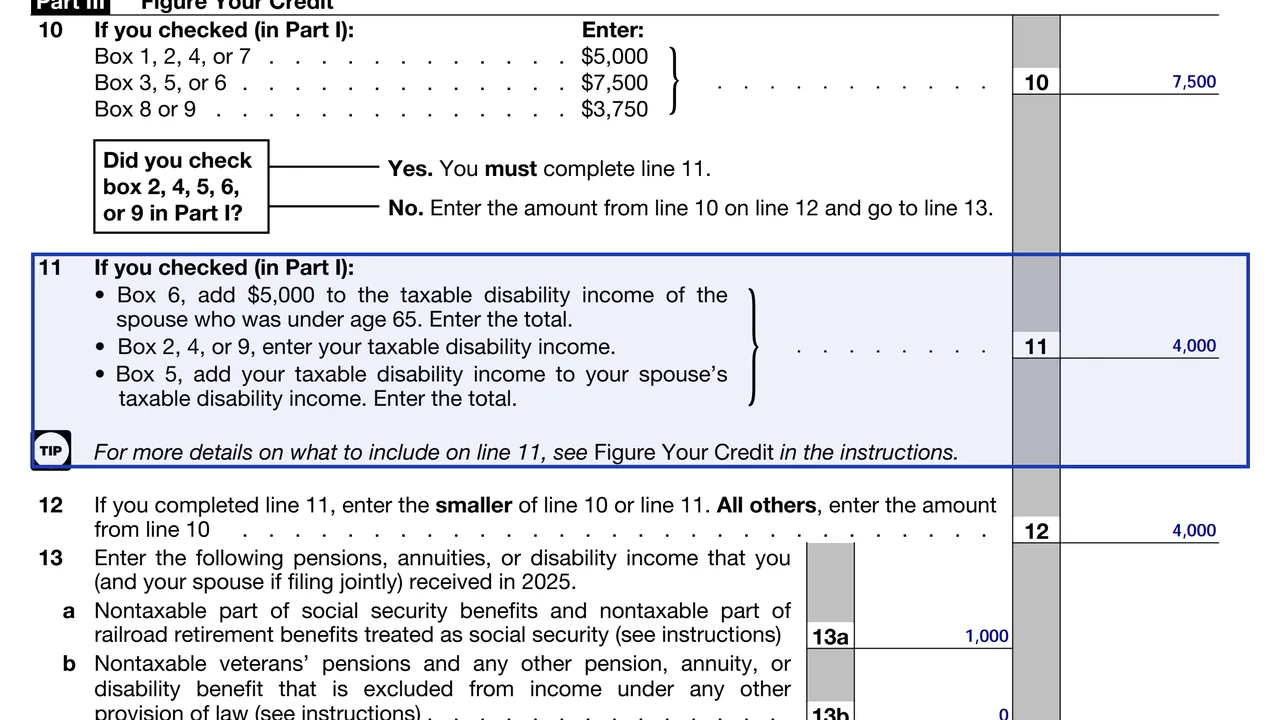
Lines 13a and 13b take away nontaxable Social Security and other nontaxable pension, annuity or disability payments from the starting amount.
The credit cannot be more than your tax, so use the worksheet in the instructions for the final figure and carry it to Schedule 3 (Form 1040), then to Form 1040.
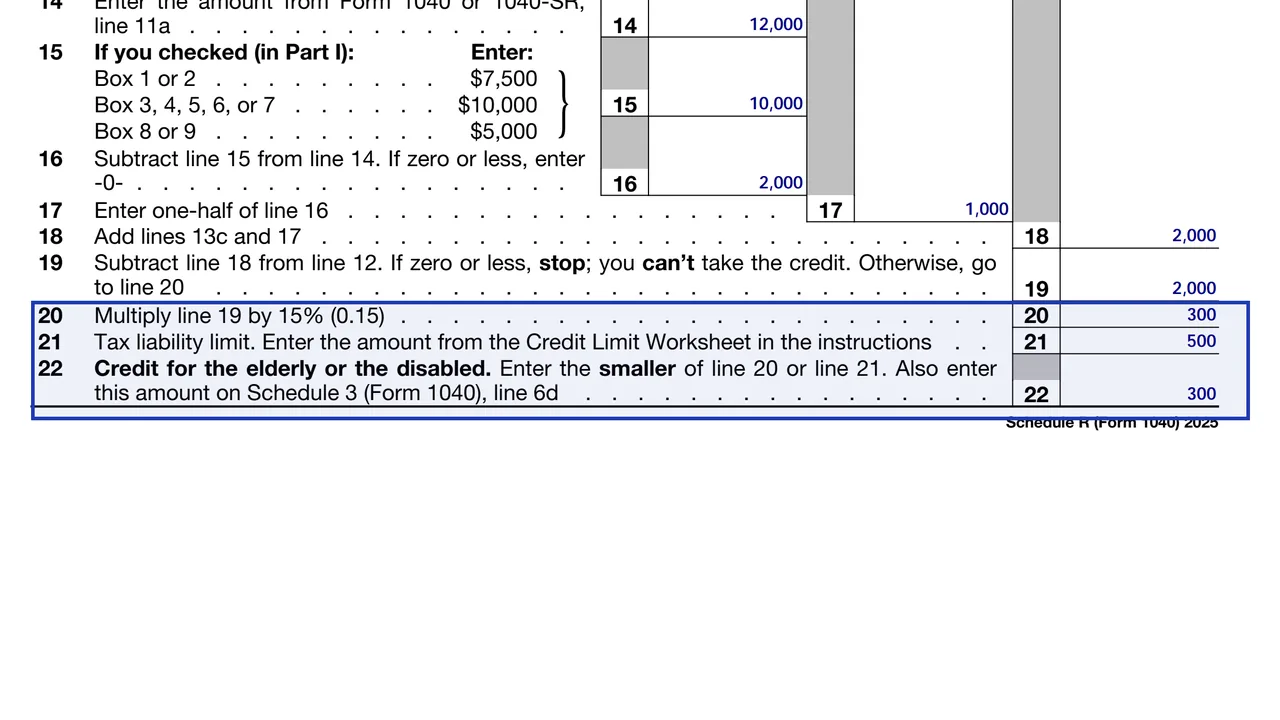
Check the Part I box, complete Part II and the required Part III lines, enter CFE on Schedule 3, line 6d, and attach Schedule R. You can fill this schedule free on this page.
You get the real form, filled in a browser tab, with nothing standing between you and the finished PDF.
Schedule R has no separate due date. It is attached to your Form 1040 or 1040-SR and is due when the return is due.
Attach it to your return. If you e-file, tax software transmits it for you. If you mail the return, follow the address chart in the Form 1040 instructions.
The schedule is free from the IRS.
Keep any physician statement and your benefit statements. Although the statement is generally not attached, you need it if the IRS asks.
Checking more than one Part I box, claiming it with income above the limits, forgetting to include nontaxable Social Security and entering the wrong disability income are the most common errors.
No tool matches that search.
Yes, and nontaxable Social Security matters. The instructions subtract nontaxable Social Security and other nontaxable benefits when figuring the credit, and they set a limit for those benefits too.
The IRS instructions say you generally do not attach the physician's statement, but you must keep it for your records.
Only if you lived apart from your spouse all year. Otherwise, married people generally file jointly to take it.
Yes. Complete Part I, Part II and the required lines of Part III, enter CFE on Schedule 3, line 6d, and attach Schedule R.
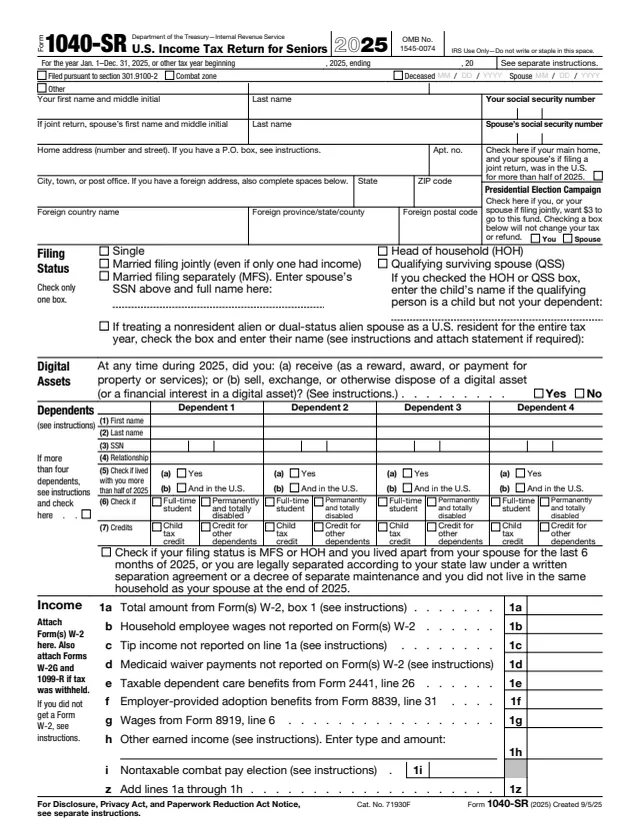
No. Form 1040-SR is a version of the main return for people 65 or older. Schedule R is a credit worksheet you attach to a Form 1040 or 1040-SR.