GZ to ZIP Converter

You get a ZIP built from the contents of your GZ file, an archive that Windows and macOS open without extra software.

To convert GZ to ZIP, add the .gz file, keep ZIP as the output format and download the result. A GZ holds one compressed stream, so indox unpacks it and packs what comes out into a new ZIP. The ZIP can be a little larger than the .gz, and if the GZ wraps a .tar, the ZIP holds the files from inside that tar.

Transfers use HTTPS, and files converted on the free tier are deleted after 24 hours, so the result is not a long-term archive. Quality depends on the source file, so open the ZIP file once before you share it.

FromGZLossless

GZ (gzip)

gzip compresses exactly one data stream with the DEFLATE method and stores a CRC-32 and the original size in a trailer. It has no notion of folders or several files, which is why bundles are first packed with tar and shipped as .tar.gz.

ToZIPLossless

ZIP (PKZIP archive)

A container that lists every file by name in a central directory and compresses each entry on its own, usually with DEFLATE. Windows and macOS open it from the file manager, and a single file can be pulled out without unpacking the rest.

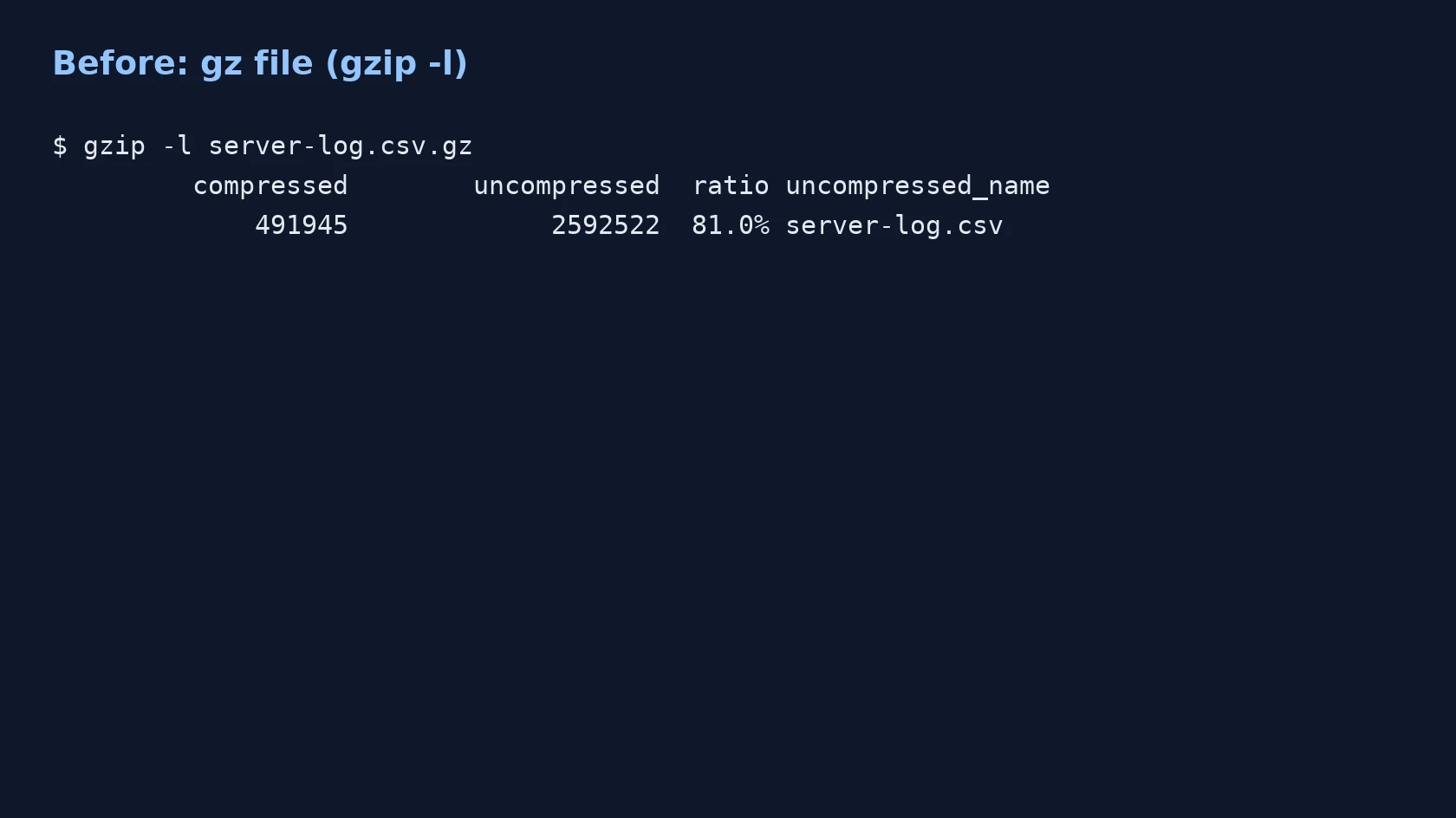
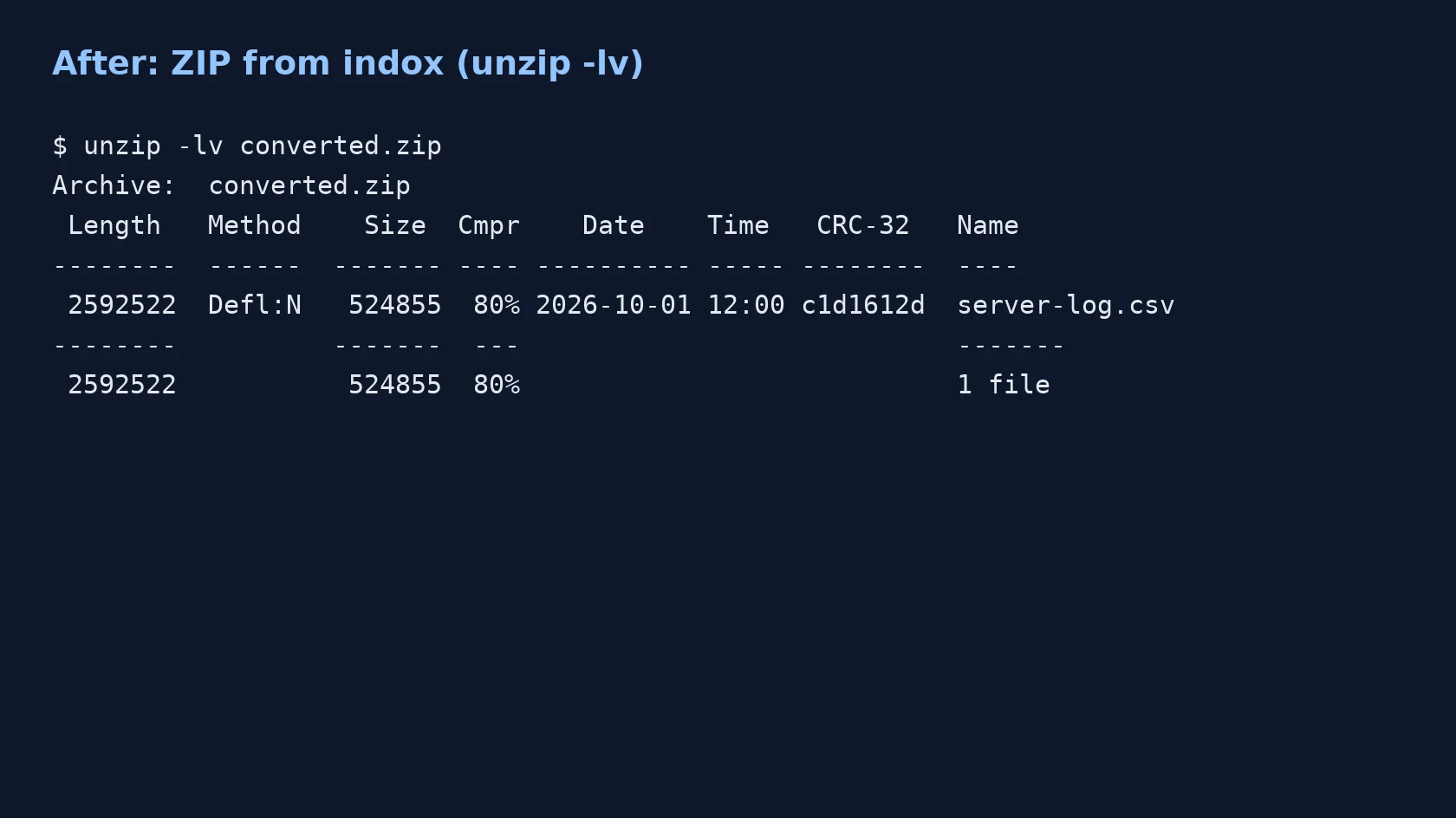
A 48,000-row synthetic server log, server-log.csv.gz (gzip -9), converted on indox.org

GZthe original, 2,592,522 bytes unpacked
491,945 B
ZIPfrom indox, 6.7% larger
525,033 B
The gzip -l listing of server-log.csv.gz, showing its compressed and uncompressed size
The unzip -lv listing of the ZIP made by indox: one entry, server-log.csv
Measured on indox.org on 4 November 2026: the .gz we uploaded and the ZIP we downloaded. Drag the handle to compare the gzip -l listing with the unzip -lv listing of the result.

Why use indox to convert GZ to ZIP?

A ZIP your colleague can open by double-click

A .gz file has no built-in support in the Windows file manager, so a Linux export often arrives as a file nobody can open. The ZIP made here opens from the context menu on Windows and macOS, with no command line.
Works without a terminal

You do not need gzip, 7-Zip or zip installed. Add the file in your browser and download the ZIP, which helps on a locked-down work PC where you cannot add software.

Handles a GZ that wraps a TAR

Many files named .gz are really a tar archive that was compressed afterwards. If the unpacked result is a single .tar, indox unpacks that as well, so the ZIP shows the files and folders themselves and you do not have to open a tar afterwards.

What happens to your file

Stays

  • The content of the file inside, byte for byte
  • The inner file name and modified time stored in the GZ header, in our test
  • Your original GZ, which is not touched

Changes

  • The container: one compressed stream becomes a ZIP with named entries
  • The size, which can grow a little because the data is compressed again
  • The compressed data, which is unpacked and packed again
  • A tar inside the GZ, which is unpacked into its files and folders
  • Symbolic links, which are removed before packing
  • The name of the download, which is a random id ending in .zip

How do I convert GZ to ZIP online?

  1. 1

    Add your GZ file

    Drop the .gz file on the box or choose it from your device. Keep the original: the conversion never changes it.

  2. 2

    Confirm ZIP, then start the conversion

    Check that ZIP is the output format and start. There are no options to set for this pair, such as compression level, password or file name.

  3. 3

    Download the ZIP and open it

    Save the ZIP and open it once. The download is named with a random id and ends in .zip, so rename it if you like. Check that the file you expected is listed, and if your GZ held a tar, check that the folder structure is there.

What do I get from indox's GZ to ZIP converter?

You add a GZ and get back a ZIP built from its contents, ready to open on Windows and macOS. The archive is unpacked and repacked on indox servers, so the tool runs in the browser and nothing is installed on your PC. A tar inside the GZ is unpacked, so you receive the files themselves. In our test the click-to-finish time was 5.8 seconds for a 492 KB file.

  • One ZIP for each GZ you add
  • Nothing to install and no command line
  • A tar wrapped inside the GZ is unpacked for you
  • Your original GZ file is left untouched
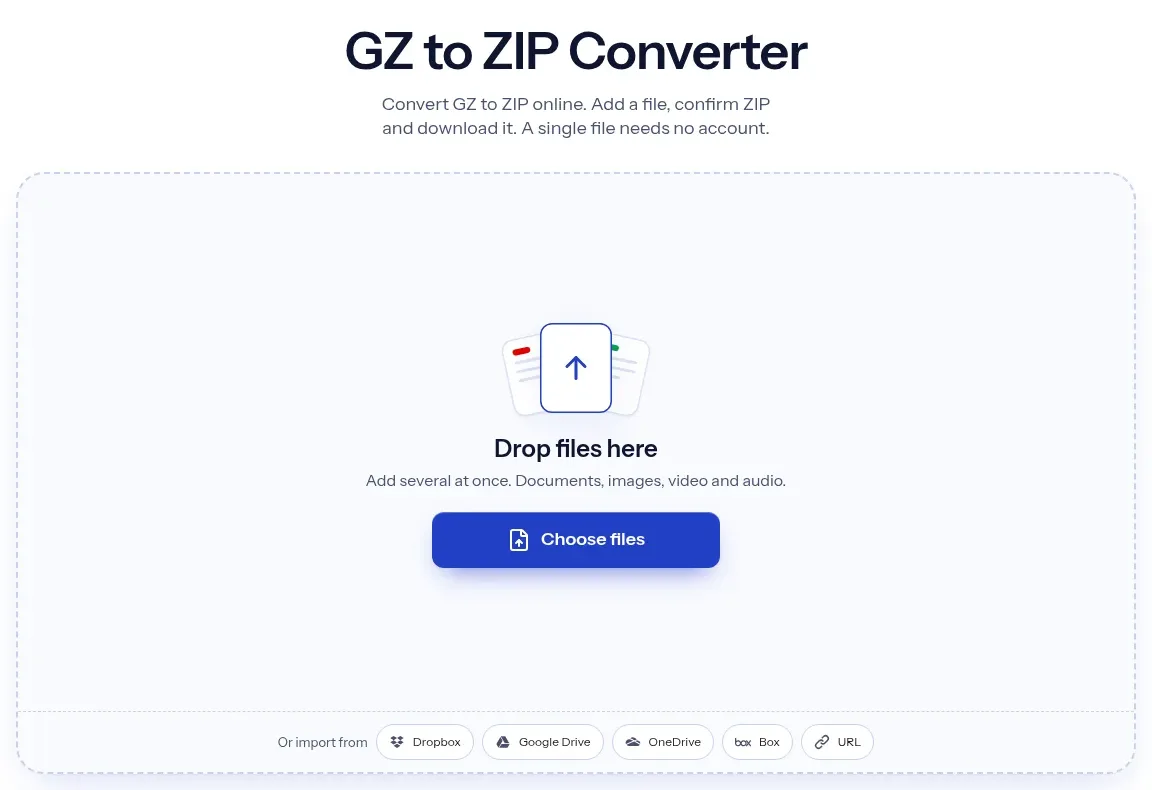
The indox GZ to ZIP converter: drop a file or choose one to convert it to ZIP

What are the limits for GZ to ZIP?

Size

The upload box shows the live size limit before you add a file. Signing in raises it; a paid plan does not change it.

Formats

GZ in, ZIP out. Pick another output on the converter if you need a different format.

Privacy

Files are encrypted in transit over HTTPS and processed on indox infrastructure.

Deletion

Free-tier files are kept for 24 hours after the job finishes, then deleted automatically.

Limits worth knowing

  • The archive is always unpacked and repacked. There is no mode that moves the compressed data into a ZIP unchanged, so the ZIP can be larger than the GZ and a very large file takes the time of a full unpack and pack.
  • A .tar inside the .gz is unpacked into the ZIP. If you need the tar kept as one file inside the ZIP, this converter is the wrong tool.
  • There are no options for this pair. You cannot set a compression level, add a password, or choose the name of the ZIP download, which is a random id.
  • The service enforces a cap on the unpacked size and on the number of entries, and a time limit per job. A GZ that expands far beyond its compressed size, or holds a huge number of files, can be rejected.
  • GZ has no encryption of its own. A GZ that was encrypted by another tool before or after compression cannot be read here, and the result is not password protected.
  • Symbolic links are removed, so a source tree that relies on them will not have them in the ZIP.

When the result is not what you expected

What you seeWhyWhat to do
The ZIP is larger than the GZThe data is unpacked and compressed again at a lower deflate level, so the size can grow a little (6.7% in our test)Compare the size of the file you get out of the ZIP with the size of the file inside your GZ
The ZIP shows folders instead of a .tarThe GZ wrapped a tar, and indox unpacks itUse the folders directly, or pick a tar target such as GZ to TAR if you need the tar kept
The conversion is rejectedThe unpacked size or number of entries is above the service capSplit the source, or unpack it locally with 7-Zip
The ZIP asks for no passwordThis pair cannot set oneProtect the ZIP with an archive tool on your own machine

What do the free and paid plans add?

Free

  • All converters
  • Daily credit refresh
  • Email support

Basic

  • Access to all features
  • AI Extract
  • Priority conversions
  • Email support
Highest priority

Premium

  • Everything in Basic
  • Highest priority queue
  • Priority support

Pay-As-You-Go

  • No subscription
  • Credits never expire
  • Opt-in auto-refill
  • Access to all features
See prices

GZ vs ZIP: what is the difference?

Compared onGZZIP
What it holdsOne compressed stream, usually one fileMany files, each as its own entry
FoldersNone, so bundles are packed with tar firstStored in the archive
File listNoneA central directory at the end of the archive
CompressionDEFLATE, with a CRC-32 checkUsually DEFLATE, applied to each entry
Opening on WindowsNeeds a tool such as 7-ZipOpens from File Explorer
Taking one file outUnpack the whole streamPull out a single entry

Who can use a GZ to ZIP converter?

  • Windows users handed a Linux export

    A colleague sends a log or database dump ending in .gz. Windows 11 does not open it in File Explorer by default, so a ZIP is the quickest way to read it.

  • Developers and admins with one compressed export

    A single data.csv.gz or huge.sql.gz needs to go into a tool or upload form that accepts only .zip. The conversion gives that tool the ZIP it asks for.

  • People sending files to non-technical recipients

    A recipient who expects a double-clickable archive gets a ZIP they can open. A Linux-style compressed file would not open for them.

When to use it

  • Opening a .gz log file on a Windows PC that has no 7-Zip installed.
  • Uploading a compressed CSV or SQL export to a form that accepts only .zip.
  • Sending a Linux server backup, saved as .gz, to a colleague who works on macOS or Windows.
  • Unwrapping a .gz that contains a tar so the folders and files are visible straight away in the ZIP.

Where can I read more about converting files?

Sources

Facts checked on November 4, 2026

Do it all with indox

View all 94 tools

GZ to ZIP FAQs

How do I convert a GZ file to ZIP?

Add the .gz file to the converter, leave ZIP selected and download the result. indox unpacks the GZ and packs its contents into a new ZIP. There are no settings to change.

Does the conversion recompress the data?

Yes, in the sense that the archive is unpacked and then packed again. indox extracts the GZ to a working folder and builds the ZIP from the extracted file. It does not reuse the compressed stream, and the lower deflate level can make the ZIP slightly larger. In our test a 491,945 byte .gz (gzip -9) became a 525,033 byte ZIP, 6.7% larger. The data inside is identical.

What is the difference between .gz and .tar.gz?

A .gz holds one compressed file. A .tar.gz is a tar archive of many files that was compressed with gzip afterwards. The tar part carries the folders and file names. Unpacking a .gz gives you the tar, and unpacking that gives you the files.

What happens if my GZ file contains a TAR?

indox unpacks the tar as well. The ZIP holds the files and folders from inside it, with no .tar file.

How do I convert tar.gz to ZIP on Windows or Linux?

Add the file to the converter and download the ZIP. If you prefer to work offline, extract the archive with 7-Zip or tar and select the extracted files to create a ZIP from them. For plain tgz and tar.gz phrasing, see [TGZ to ZIP](/convert/tgz-to-zip).

Can I convert a GZ to ZIP on Linux without uploading anything?

Yes. Run gzip -dc file.gz > file to unpack it, then zip file.zip file to pack it. That is the same unpack-and-pack route this converter uses, run on your own machine.

Can I open a GZ file on Windows without converting it?

Windows File Explorer does not open .gz files by default. A tool such as 7-Zip does. If you cannot install anything, converting to ZIP is the way to get a format Explorer can open.

Can I set a password on the ZIP?

No. This pair has no options, so the ZIP is created without a password. GZ itself has no password feature either.

Does the ZIP keep my file name and date?

In our test, yes. The ZIP held one entry named server-log.csv, with the original name and the modified time from the gzip header. A GZ may or may not record a name, and we did not test one without it. The download file is named with a random id, so rename it if you need a specific name.

Why is my ZIP bigger than the GZ?

The data is unpacked and compressed again at a lower deflate level than gzip -9 uses. That can add a few percent. In our test the ZIP was 6.7% larger. The contents are unchanged.