Notices and VA loan number
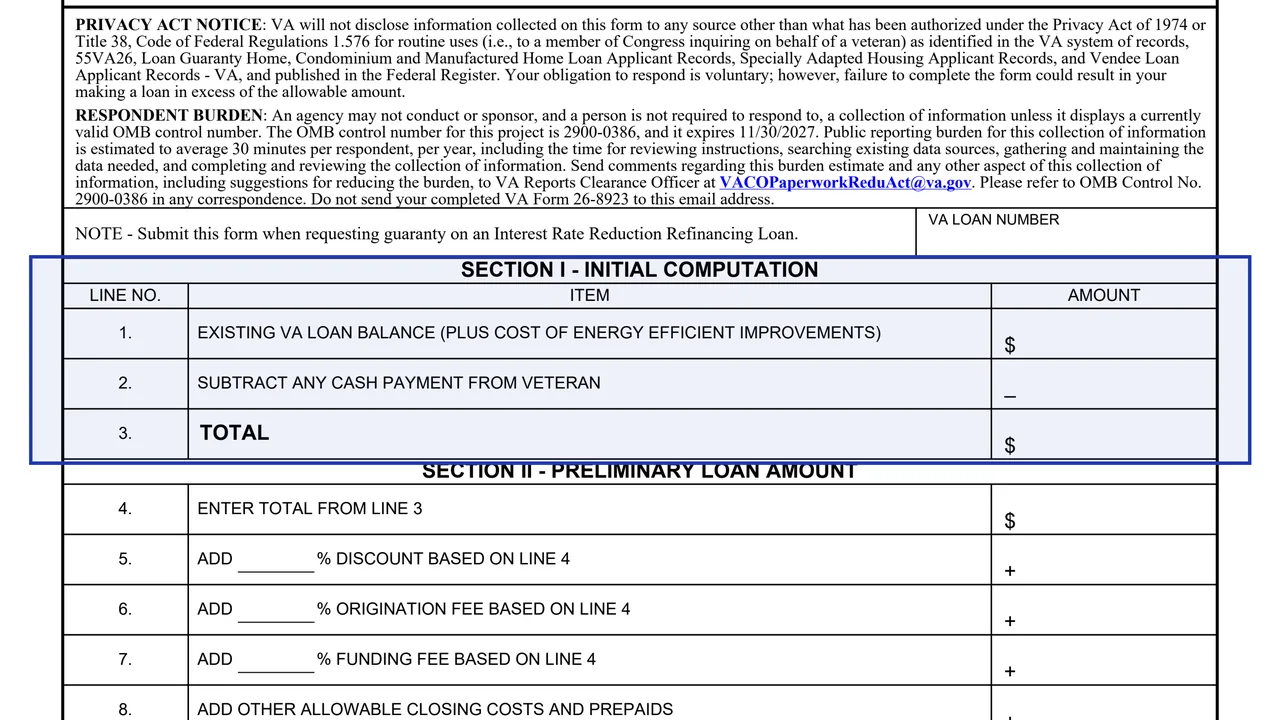
The Privacy Act notice, a respondent burden of 30 minutes, OMB Approved No. 2900-0386 expiring 11/30/2027 and a box for the VA loan number.
26-8923
Interest Rate Reduction Refinancing Loan Worksheet
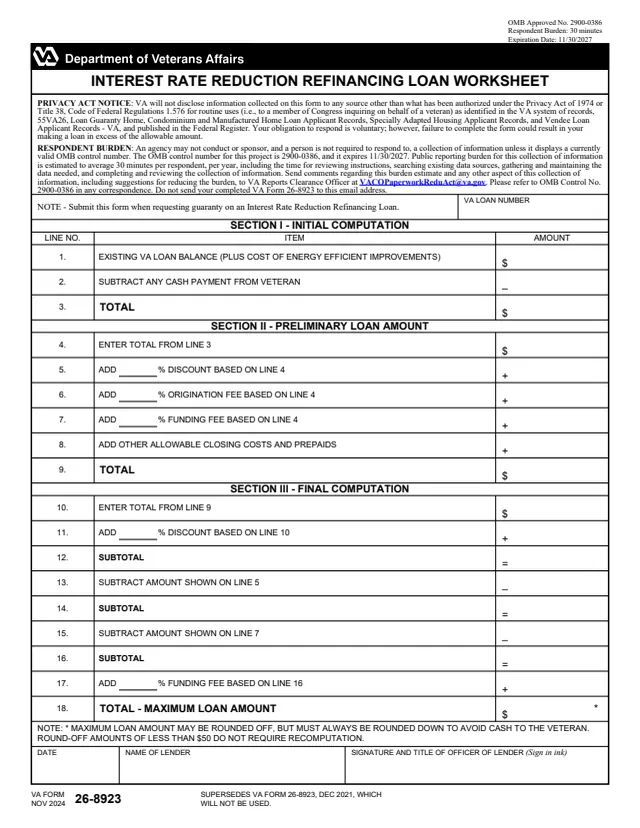
VA Form 26-8923 is the U.S. Department of Veterans Affairs Interest Rate Reduction Refinancing Loan Worksheet. A note on the form says to submit it when requesting guaranty on an Interest Rate Reduction Refinancing Loan. It is completed by the lender: it ends with the date, the name of the lender and the signature and title of an officer of the lender, signed in ink.
The one-page worksheet works out a maximum loan amount in three sections: an initial computation from the existing VA loan balance, a preliminary loan amount with discount, origination fee, funding fee and other allowable closing costs and prepaids, and a final computation. Its Privacy Act notice says failure to complete the form could result in making a loan in excess of the allowable amount. You can fill out the PDF free in your browser on this page and download the result without an account.
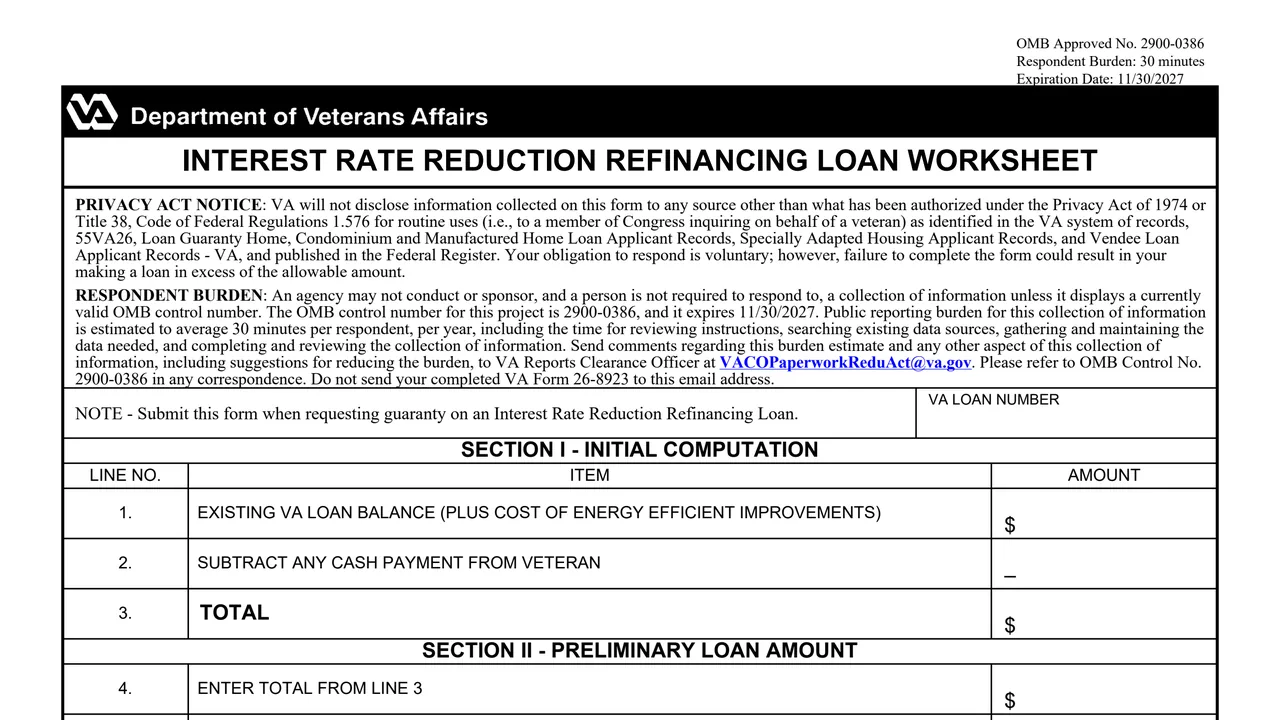
The Privacy Act notice, a respondent burden of 30 minutes, OMB Approved No. 2900-0386 expiring 11/30/2027 and a box for the VA loan number.
Lines 1 to 3: the existing VA loan balance plus the cost of energy efficient improvements, minus any cash payment from the Veteran.
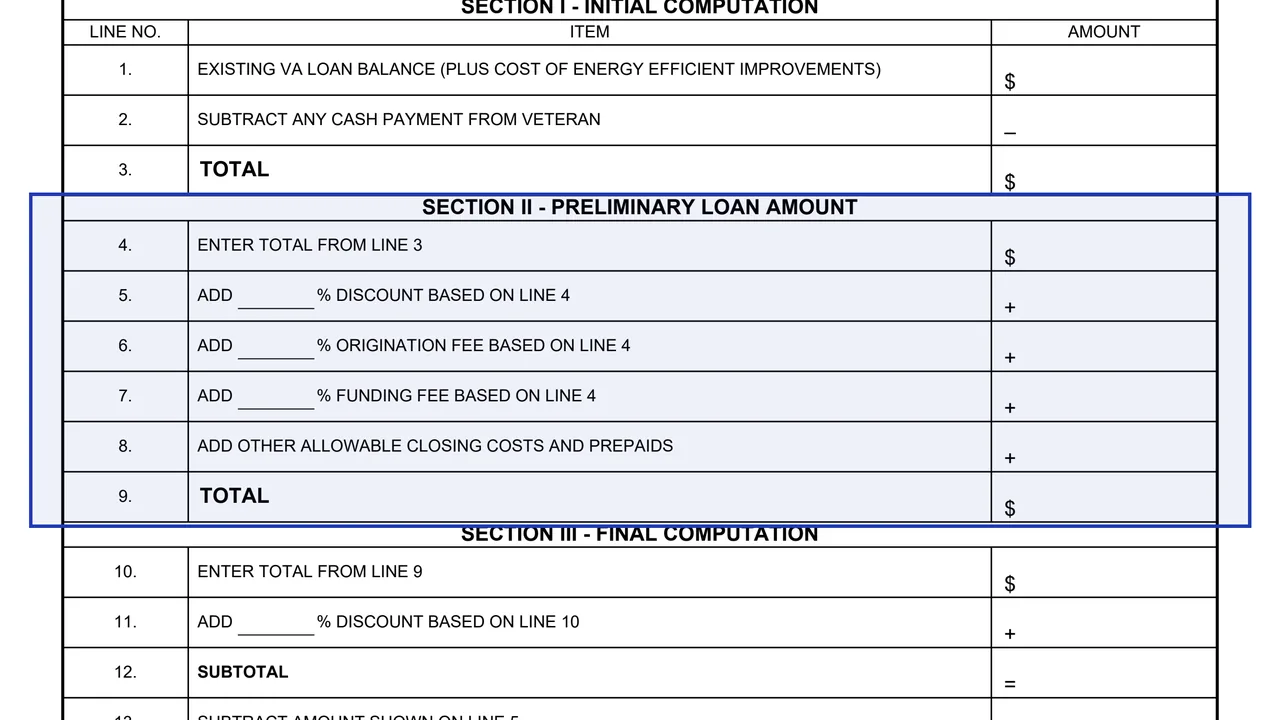
Lines 4 to 9: the line 3 total plus a percentage discount, origination fee and funding fee, each based on line 4, plus other allowable closing costs and prepaids.
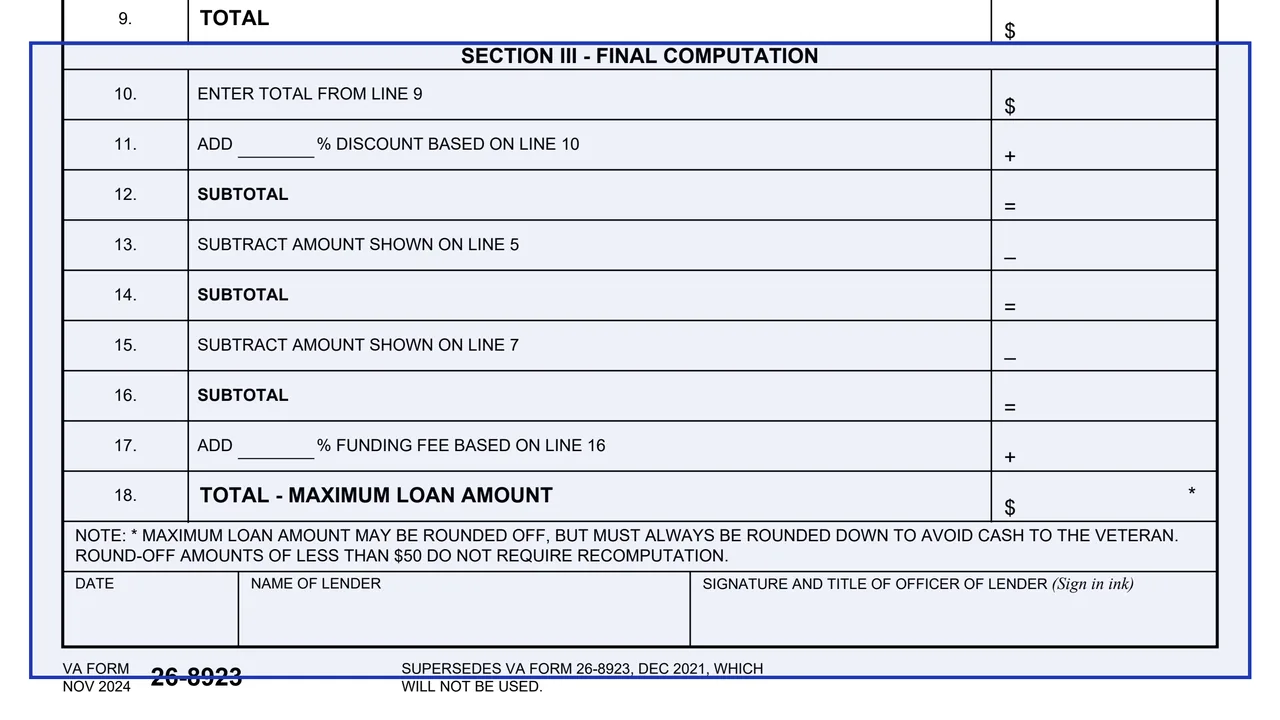
Lines 10 to 18: a discount based on line 10, minus the amounts on lines 5 and 7, plus a funding fee based on line 16, for the total maximum loan amount on line 18.
A note on rounding the maximum loan amount, then the date, the name of the lender and the signature and title of an officer of the lender.
Fill in the VA loan number box at the top of the worksheet.
Enter the existing VA loan balance on line 1, subtract any cash payment from the Veteran on line 2 and total it on line 3.
Enter the percent for the discount, origination fee and funding fee on lines 5 to 7, add other allowable closing costs and prepaids on line 8 and total on line 9.
Carry the line 9 total to line 10 and work through lines 11 to 18 to reach the maximum loan amount.
The form says the maximum loan amount may be rounded off but always rounded down to avoid cash to the Veteran, and round-off amounts of less than $50 do not require recomputation.
Enter the date and the name of the lender, and an officer of the lender signs in ink with a title.
You get the real form, filled in a browser tab, with nothing standing between you and the finished PDF.
The note on the form says to submit it when requesting guaranty on an Interest Rate Reduction Refinancing Loan.
Neither the form nor VA's form page prints a mailing address. The respondent burden note says not to send the completed VA Form 26-8923 to the VA Reports Clearance Officer email address it lists.
The NOV 2024 edition supersedes VA Form 26-8923, DEC 2021, which the form says will not be used. OMB Approved No. 2900-0386 expires 11/30/2027.
The form is completed and signed by the lender.
No tool matches that search.
It is VA's Interest Rate Reduction Refinancing Loan Worksheet, a one-page computation of the maximum loan amount. The form says to submit it when requesting guaranty on an Interest Rate Reduction Refinancing Loan.
An officer of the lender, who signs in ink and gives a title, with the date and the name of the lender. The form has no signature line for the Veteran.
No. Lines 5, 6, 7, 11 and 17 leave a blank for the percentage, and the form prints no rate.
The form says it may be rounded off but always rounded down to avoid cash to the Veteran. Round-off amounts of less than $50 do not require recomputation.
The PDF is dated NOV 2024, matching the November 2024 revision date on VA's form page. It supersedes the DEC 2021 edition.