Purpose statement
Why the approval exists, what is sent with it and what the travel card coordinator does once the approval and training certificate are received.
GSA7662
U.S. Bank Travel Card Approval Application
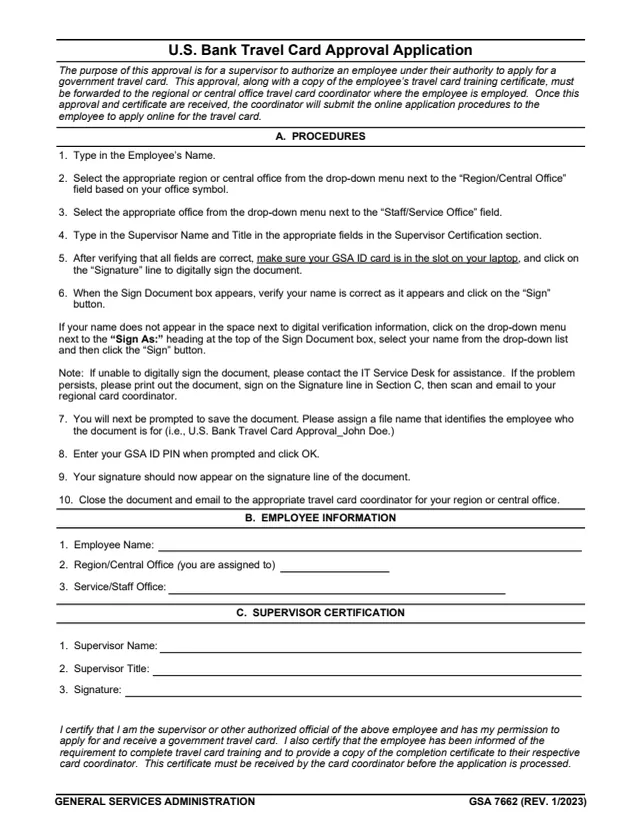
GSA Form 7662, U.S. Bank Travel Card Approval Application, is a General Services Administration form, GSA 7662 (REV. 1/2023). GSA's page lists OAS 5740.1 CHGE 1 as its authority, and GSA hosts it in its forms library.
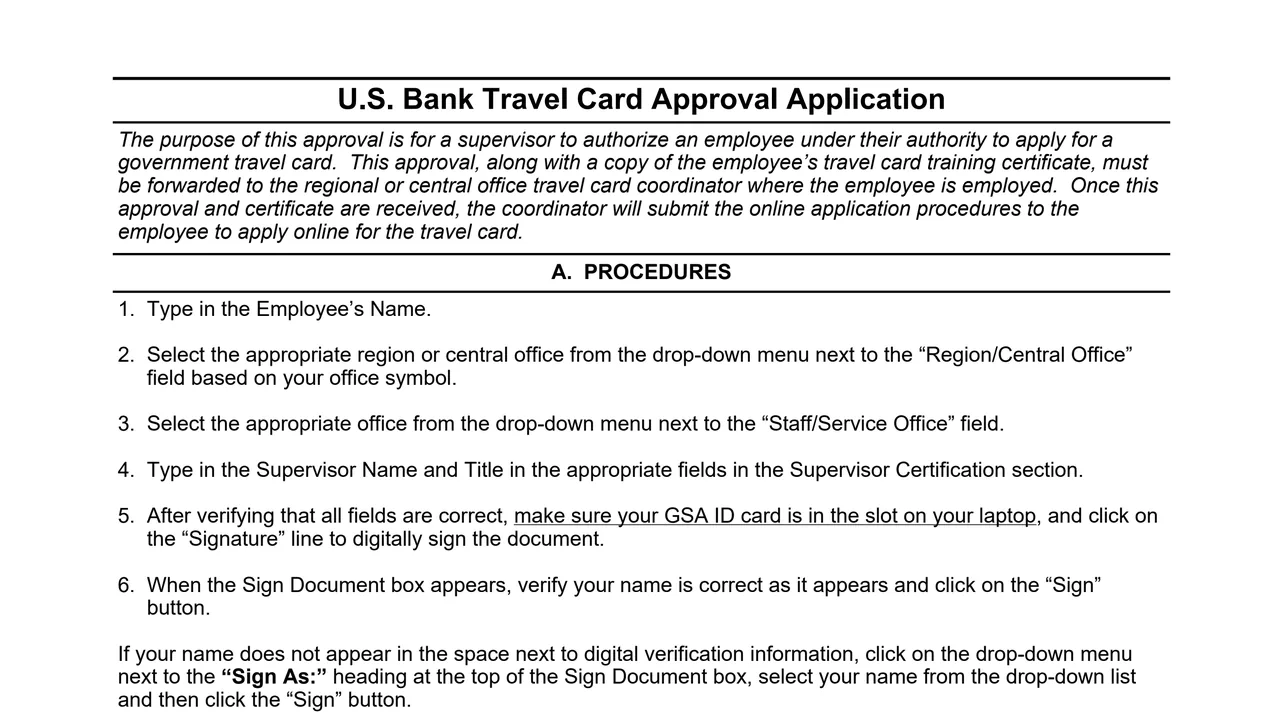
The form says its purpose is for a supervisor to authorize an employee under their authority to apply for a government travel card. It says the approval, along with a copy of the employee's travel card training certificate, must be forwarded to the regional or central office travel card coordinator where the employee is employed, and that the coordinator then sends the employee the online application procedures.
The form has three parts: A. Procedures for completing and digitally signing it, B. Employee Information and C. Supervisor Certification. You can fill it out free in your browser on this page and download the result without an account.
Why the approval exists, what is sent with it and what the travel card coordinator does once the approval and training certificate are received.
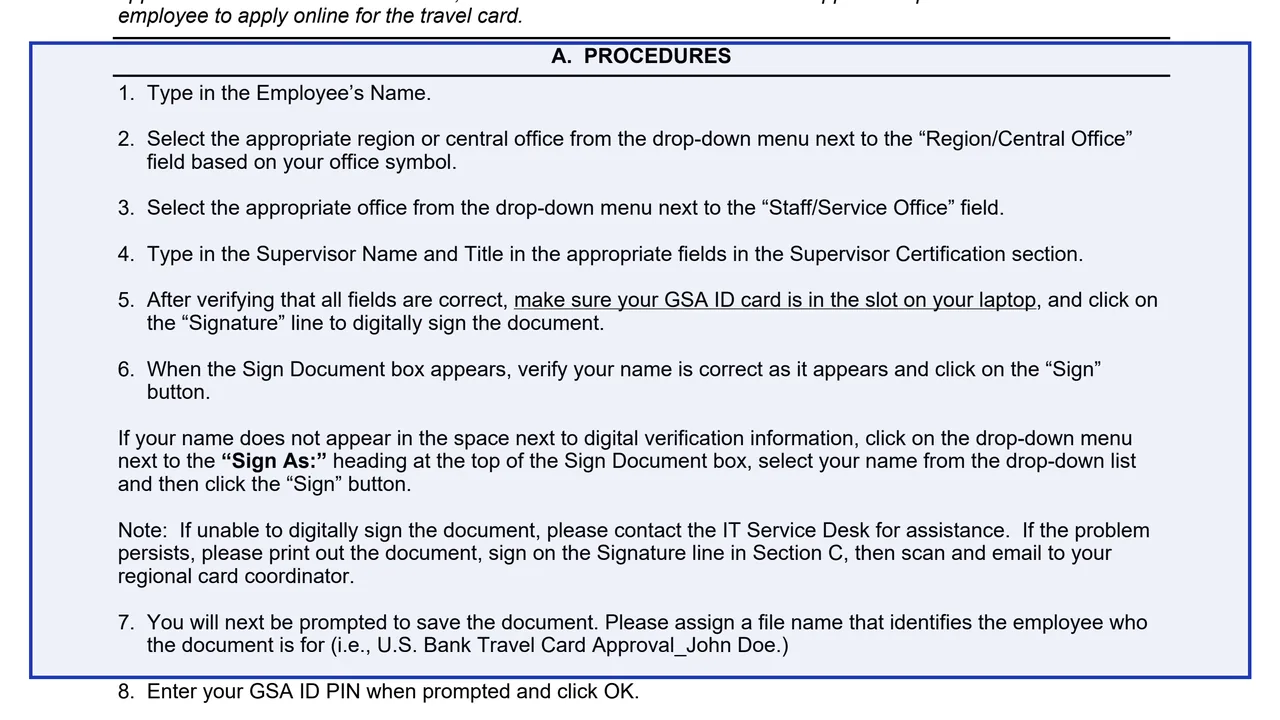
Ten numbered steps for typing in the names, selecting the offices from drop-down menus, digitally signing with a GSA ID card and PIN, saving the file and emailing it to the coordinator.
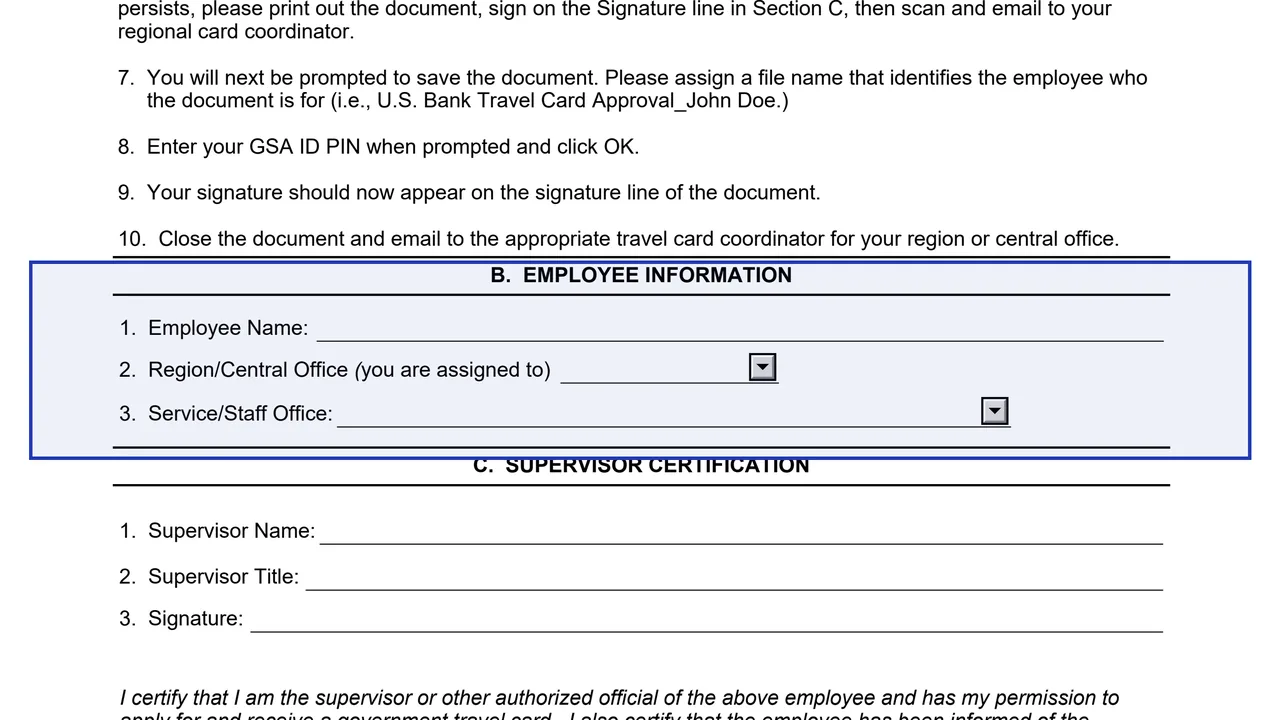
Employee name, the region or central office the employee is assigned to, and the service or staff office.
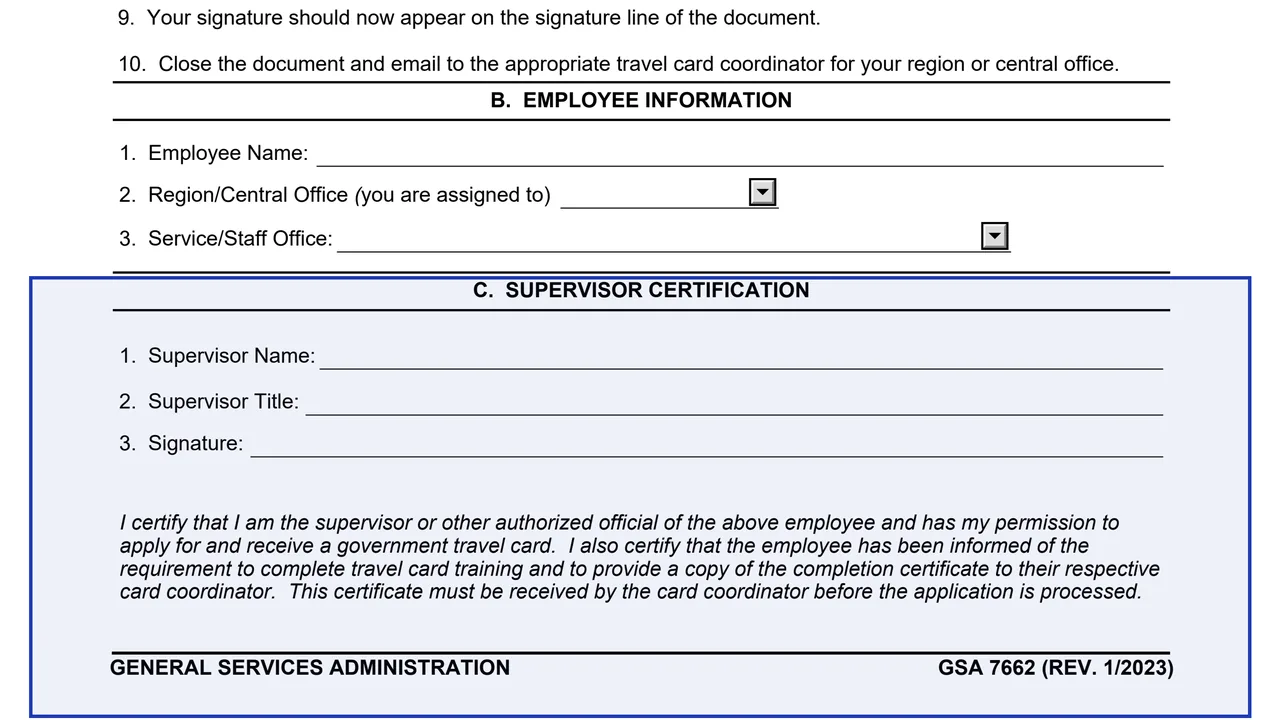
Supervisor name, supervisor title and signature, under a certification about permission to apply and the travel card training requirement.
The one-page form has a purpose statement and three lettered sections.
Type in the employee's name, then select the region or central office, based on the office symbol, and the staff or service office from the drop-down menus.
Type the supervisor name and title in the Supervisor Certification section.
After verifying all fields, the form says to make sure your GSA ID card is in the slot on your laptop, click the Signature line, confirm your name in the Sign Document box and click Sign.
Save the document with a file name that identifies the employee, such as the form's example U.S. Bank Travel Card Approval_John Doe, then enter your GSA ID PIN when prompted and click OK.
The form says to contact the IT Service Desk. If the problem persists, print the document, sign on the Signature line in Section C, then scan and email it to the regional card coordinator.
Close the document and email it to the appropriate travel card coordinator for the region or central office, along with a copy of the employee's travel card training certificate.
These steps follow the procedures printed in Section A.
You get the real form, filled in a browser tab, with nothing standing between you and the finished PDF.
The form says to email it to the appropriate travel card coordinator for the region or central office where the employee is employed, with a copy of the employee's travel card training certificate.
Once the approval and certificate are received, the form says the coordinator will submit the online application procedures to the employee to apply online for the travel card.
The certification says the training completion certificate must be received by the card coordinator before the application is processed.
GSA's page lists OAS 5740.1 CHGE 1 as the authority or regulation.
The purpose statement and Section C describe who completes, signs and receives it.
No tool matches that search.
It is printed as a General Services Administration form, GSA 7662 (REV. 1/2023). GSA's page lists OAS 5740.1 CHGE 1 as its authority.
The supervisor or other authorized official of the employee. The procedures walk the supervisor through entering the employee and supervisor details and signing Section C.
The form says it is an approval for a supervisor to authorize an employee to apply for a government travel card. After the coordinator receives it and the training certificate, the coordinator sends the employee the online application procedures.
A copy of the employee's travel card training certificate. The form says the certificate must be received by the card coordinator before the application is processed.
The form says to contact the IT Service Desk for assistance. If the problem persists, print the document, sign on the Signature line in Section C, then scan and email it to the regional card coordinator.