Employee information
First name, middle initial and last name, office, division, correspondence symbol, office phone number and office email address.
GSA7501
Internal Control Audit Tracking System (ICATS) Access Request
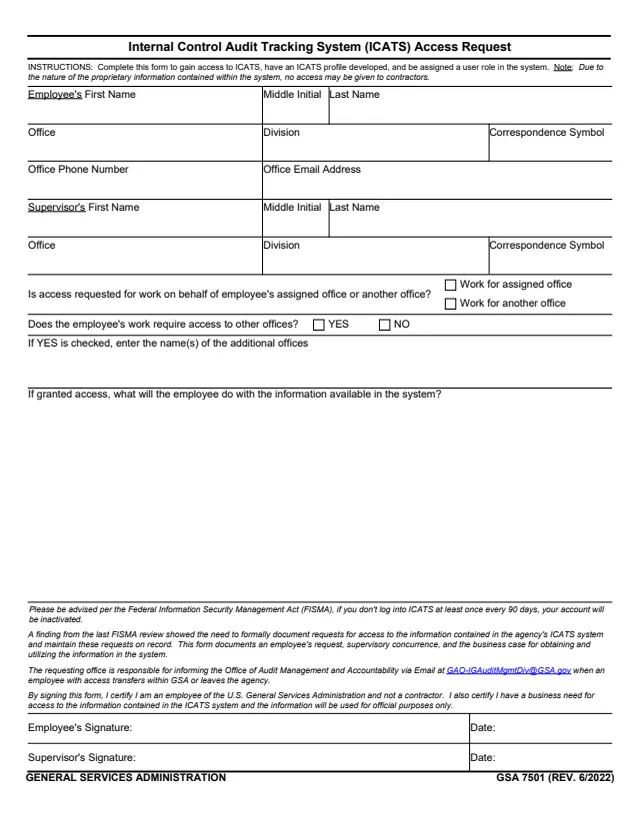
GSA Form 7501, Internal Control Audit Tracking System (ICATS) Access Request, is a General Services Administration form, GSA 7501 (REV. 6/2022). GSA's page lists ADM P 2030.2D as its authority, and GSA hosts it in its forms library.
The form says it is completed to gain access to ICATS, have an ICATS profile developed and be assigned a user role in the system. It documents an employee's request, supervisory concurrence and the business case for obtaining and using the information in the system. The instructions say that, due to the nature of the proprietary information contained within the system, no access may be given to contractors.
The one-page form asks for the employee's and the supervisor's names and offices, whether access is for the employee's assigned office or another office, and what the employee will do with the information, then takes both signatures. You can fill it out free in your browser on this page and download the result without an account.
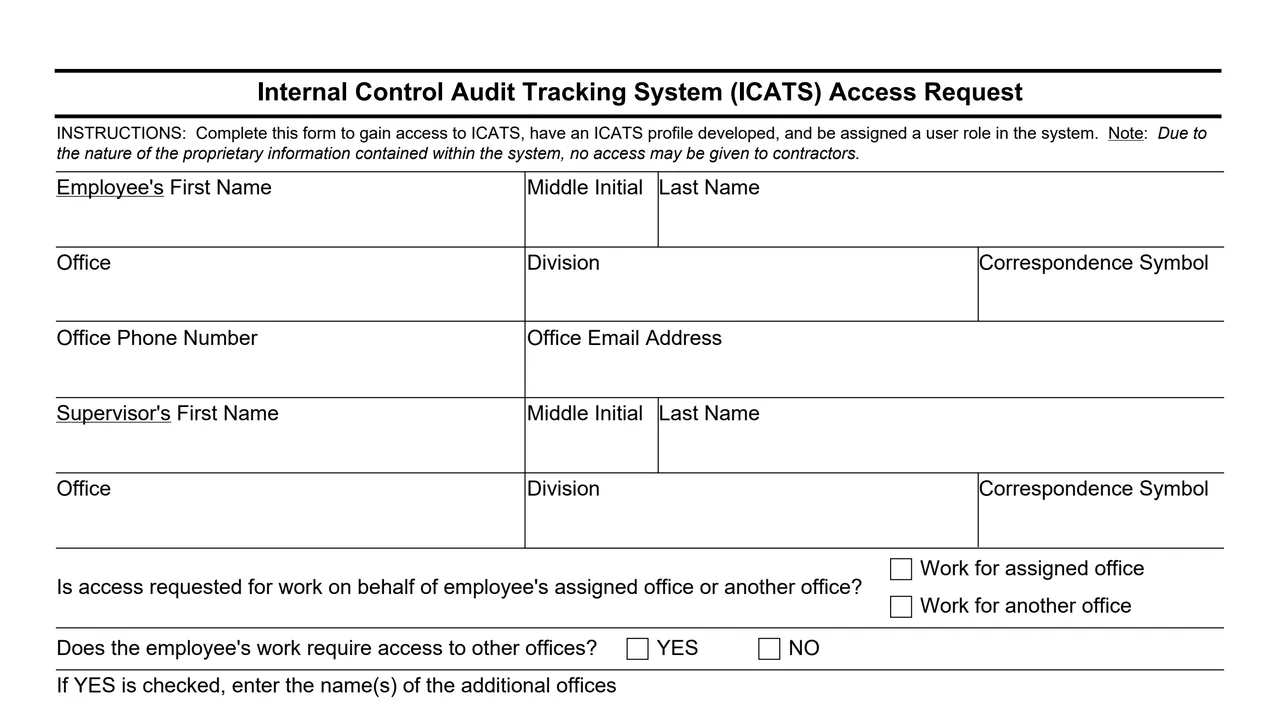
First name, middle initial and last name, office, division, correspondence symbol, office phone number and office email address.
The supervisor's first name, middle initial, last name, office, division and correspondence symbol.
Whether access is requested for work on behalf of the employee's assigned office or another office, and whether the work requires access to other offices, with YES and NO boxes and space for their names.
A box asking what the employee will do with the information available in the system if access is granted.
A FISMA notice on account inactivation, the purpose of the form, the requesting office's duty to report transfers and departures, and a certification of GSA employment, business need and official use only.
The employee's signature and date, and the supervisor's signature and date.
The one-page form has these blocks.
Fill in the employee's name, office, division, correspondence symbol, office phone number and office email address.
Fill in the supervisor's name, office, division and correspondence symbol.
Choose work for the assigned office or work for another office, check YES or NO for access to other offices and, if YES, enter the names of the additional offices.
Describe what the employee will do with the information available in the system. The form says it documents the business case for obtaining and utilizing that information.
The employee signs and dates, certifying GSA employment, a business need for access and official use only, and the supervisor signs and dates.
You get the real form, filled in a browser tab, with nothing standing between you and the finished PDF.
The PDF gives no filing address or routing instructions. The only address printed is the Office of Audit Management and Accountability email, [email protected], for reporting when an employee with access transfers within GSA or leaves the agency.
The form says that, per the Federal Information Security Management Act (FISMA), an ICATS account will be inactivated if the user does not log in at least once every 90 days.
The form says a finding from the last FISMA review showed the need to formally document requests for access to the information in ICATS and to maintain these requests on record.
GSA's page lists ADM P 2030.2D as the authority or regulation.
The instructions and certification printed on the form describe who completes and signs it.
No tool matches that search.
It is printed as a General Services Administration form, GSA 7501 (REV. 6/2022). GSA's page lists ADM P 2030.2D as its authority.
The instructions say that, due to the nature of the proprietary information contained within the system, no access may be given to contractors. The signer certifies being an employee of GSA and not a contractor.
The employee and the employee's supervisor each sign and date it. The form says it documents the employee's request and supervisory concurrence.
The form says that, per FISMA, an account will be inactivated if the user does not log into ICATS at least once every 90 days.
The form says the requesting office is responsible for informing the Office of Audit Management and Accountability by email at [email protected].