GSA3661

Purchase Card Application and Maintenance

Agency
GSA
Revision
Rev. 11/2023
Fillable fields
58
Pages
2
Official source
GSA form page
Checked
October 20, 2026
Fill GSA3661 online
Page 1 of form GSA3661

GSA Form 3661: Purchase Card Application and Maintenance

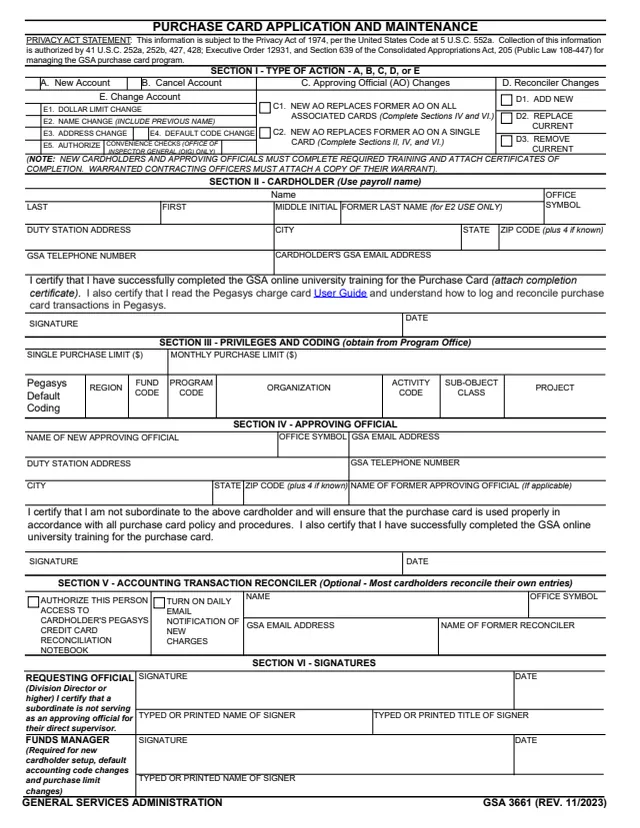
GSA Form 3661, Purchase Card Application and Maintenance, is a two-page GSA form. The footer reads GENERAL SERVICES ADMINISTRATION and GSA 3661 (REV. 11/2023), and GSA hosts it in its forms library. GSA's page lists OAS 4200.1B as the authority or regulation, and the form's Privacy Act statement says the information is collected for managing the GSA purchase card program.

Section I picks the type of action: a new account, a cancelled account, approving official changes, reconciler changes, or account changes such as a dollar limit, name, address or default code change. The other sections cover the cardholder, privileges and Pegasys default coding, the approving official, an optional accounting transaction reconciler, and the signatures of the requesting official and funds manager. The back holds the delegation of procurement authority for micro-purchase cardholders and instructions for each section, and says the form will be returned if applicable fields are omitted.

You can fill it out free in your browser on this page and download the result without an account.

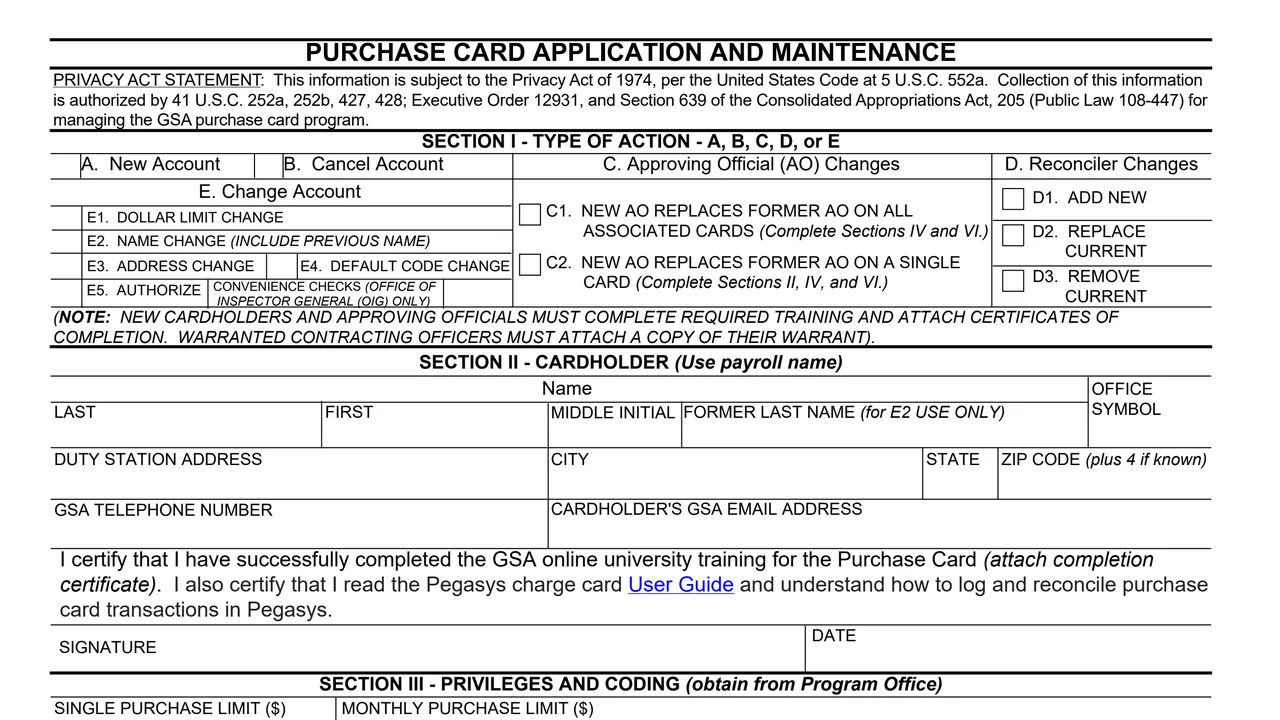
Top of page 1 of GSA Form 3661: Purchase Card Application and Maintenance, as printed by GSA

What's on GSA Form 3661

Section I: type of action

A. New Account, B. Cancel Account, C. Approving Official (AO) Changes (C1 or C2), D. Reconciler Changes (D1 add new, D2 replace current, D3 remove current) and E. Change Account (E1 dollar limit, E2 name, E3 address, E4 default code, E5 convenience checks).
Section II: cardholder

Name, former last name for E2 use only, office symbol, duty station address, GSA telephone number and GSA email address, the training certification, signature and date.

Section III: privileges and coding

Single purchase limit and monthly purchase limit in dollars, and Pegasys default coding: region, fund code, program code, organization, activity code, sub-object class and project, obtained from the program office.

Section IV: approving official

Name of the new approving official, office symbol, GSA email address, duty station address, GSA telephone number, name of the former approving official if applicable, the certification, signature and date.

Section V: accounting transaction reconciler

Name, office symbol, GSA email address and name of the former reconciler, with boxes to authorize access to the cardholder's Pegasys credit card reconciliation notebook and to turn on daily email notification of new charges.

Section VI and the back

Signatures, typed names and titles of the requesting official and funds manager, then the delegation of procurement authority for micro-purchase cardholders and instructions for each section.

How to complete GSA Form 3661

  1. 1

    Choose the action in Section I

    The instructions say a new account completes Sections II, III, IV and VI, a cancellation Sections II and VI, and reconciler changes Sections II, V and VI. Option C1 completes Sections IV and VI, and C2 Sections II, IV and VI.

  2. 2

    Complete the cardholder section

    The instructions say to use the name as listed in HRLinks, complete the fields, sign and date. The note under Section I says new cardholders and approving officials attach certificates of completion for the required training.

  3. 3

    Enter limits and coding

    Section III takes the single and monthly purchase limits and the Pegasys default coding, which the instructions say to obtain from the program office.

  4. 4

    Have the approving official complete Section IV

    The approving official completes the fields, signs and dates. A new approving official on all associated cards uses option C1, and on a single card option C2.

  5. 5

    Add a reconciler if one is used

    The instructions say Section V is completed for reconciler changes, and selected for a new account when the cardholder uses a reconciler to log transactions in Pegasys.

  6. 6

    Collect the Section VI signatures

    The requesting official signs for every type of action except cancellation of an account. The funds manager signs for Sections 1A, 1E.1 and 1E.4. The form says digital signatures are acceptable.

The instructions on the back list which sections each action needs.

Why fill Form GSA3661 on indox

You get the real form, filled in a browser tab, with nothing standing between you and the finished PDF.

  • Fill the form right in your browser, no software to install
  • Free to fill and free to download, with no account
  • The official blank straight from the GSA, not a copy someone retyped
  • Works on a phone, tablet or computer

Limits, routing and privacy

Where it goes

The PDF prints no address or office to send it to. It says the form will be returned if applicable fields are omitted.

Micro-purchase limits printed on the form

The single purchase limit may not exceed $10,000.00 for supplies and services, with exceptions of $2,000.00 for services subject to the Wage Rate Requirements (Construction) and $2,500.00 for services subject to the Service Contract Labor Standards. The recommended monthly limit is $250,000.00.

Contracting officer limits

Not to exceed $250,000.00 for purchases, and for contract payment not more than the cardholder's warrant limit. The monthly limit is $999,999.00 or the cardholder's warrant limit.

When an email is enough

The instructions say an email is acceptable to cancel the purchase card, to remove a reconciler, and for an address change, which can also be processed in U.S. Bank.

Delegation of authority

The back delegates micro-purchase cardholders to buy authorized supplies and services up to their single purchase limit, under the FAR, the GSAM and other GSA policy. It ends on separation from the agency, assignment to another GSA organization, or cancellation of the account.

Privacy

The Privacy Act statement cites 5 U.S.C. 552a and says collection is authorized by 41 U.S.C. 252a, 252b, 427, 428, Executive Order 12931 and Section 639 of the Consolidated Appropriations Act (Public Law 108-447).

Who fills out GSA Form 3661?

  • Cardholder

    Section II uses the payroll name, as listed in HRLinks. The cardholder certifies completing the GSA online university training for the purchase card and reading the Pegasys charge card User Guide, then signs and dates.

  • Approving official

    Section IV. The approving official certifies not being subordinate to the cardholder, ensuring the card is used properly, and completing the training. The instructions say the approving official should not sign as requesting official.

  • Reconciler

    Section V is optional and names a person authorized to access the cardholder's Pegasys credit card reconciliation notebook. The form says most cardholders reconcile their own entries.

  • Requesting official

    A Division Director or higher signs Section VI, certifying that a subordinate is not serving as an approving official for their direct supervisor. The instructions say requesting officials cannot designate themselves as AOs.

  • Funds manager

    Signs Section VI for new cardholder setup, default accounting code changes and purchase limit changes. The instructions list Sections 1A, 1E.1 and 1E.4.

  • Warranted contracting officers

    The note under Section I says warranted contracting officers must attach a copy of their warrant. The instructions give separate purchase limits for contracting officers.

Each section is completed or signed by a different person, as the form and its instructions describe.

Official sources and the blank

Do it all with indox

View all 94 tools

Questions about Form GSA3661

Who issues GSA Form 3661?

The footer reads GENERAL SERVICES ADMINISTRATION and GSA 3661 (REV. 11/2023). GSA hosts it in its forms library, and GSA's page lists OAS 4200.1B as the authority or regulation.

Which sections does a new account need?

The instructions say Sections II, III, IV and VI, and Section V if the cardholder uses a reconciler to log transactions in Pegasys.

Can a purchase card be cancelled by email?

The instructions say an email is acceptable to cancel the purchase card, and that the funds manager signature is not required for a cancellation.

What single purchase limit does the form print?

For micro-purchase cardholders it may not exceed $10,000.00 for supplies and services, with lower limits of $2,000.00 and $2,500.00 for services under the Wage Rate Requirements (Construction) and the Service Contract Labor Standards.

What training does the form mention?

The cardholder and approving official certify completing the GSA online university training for the purchase card. The cardholder also certifies reading the Pegasys charge card User Guide and attaches the completion certificate.

When does the delegation of procurement authority end?

The form says it terminates upon separation from the agency, upon assignment to another GSA organization, or upon cancellation of the purchase card account.