Header
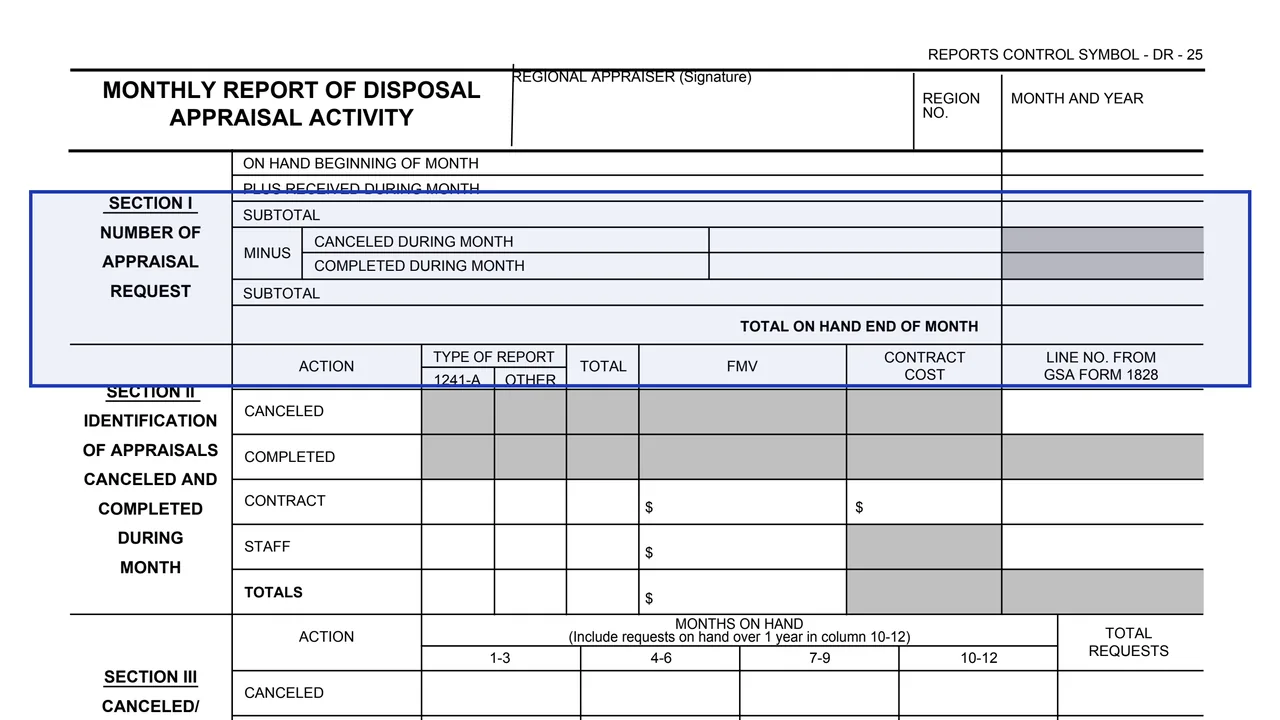
The form title, the Regional Appraiser's signature, the region number, the month and year, and Reports Control Symbol DR - 25.
GSA3526
Monthly Report of Disposal Appraisal Activity
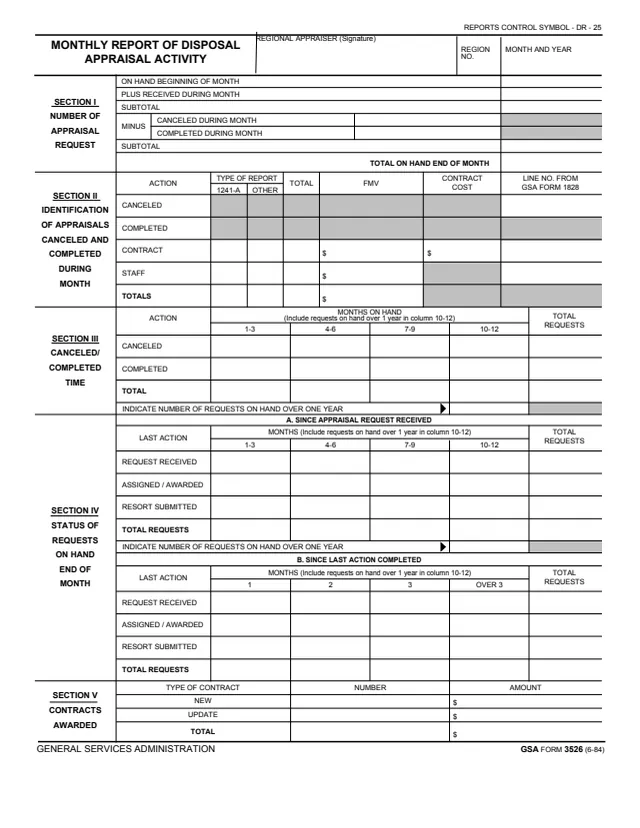
GSA Form 3526, Monthly Report of Disposal Appraisal Activity, is a General Services Administration form, GSA FORM 3526 (6-84), with Reports Control Symbol DR - 25 printed at the top. GSA hosts it in its forms library; GSA's page lists no authority or regulation.
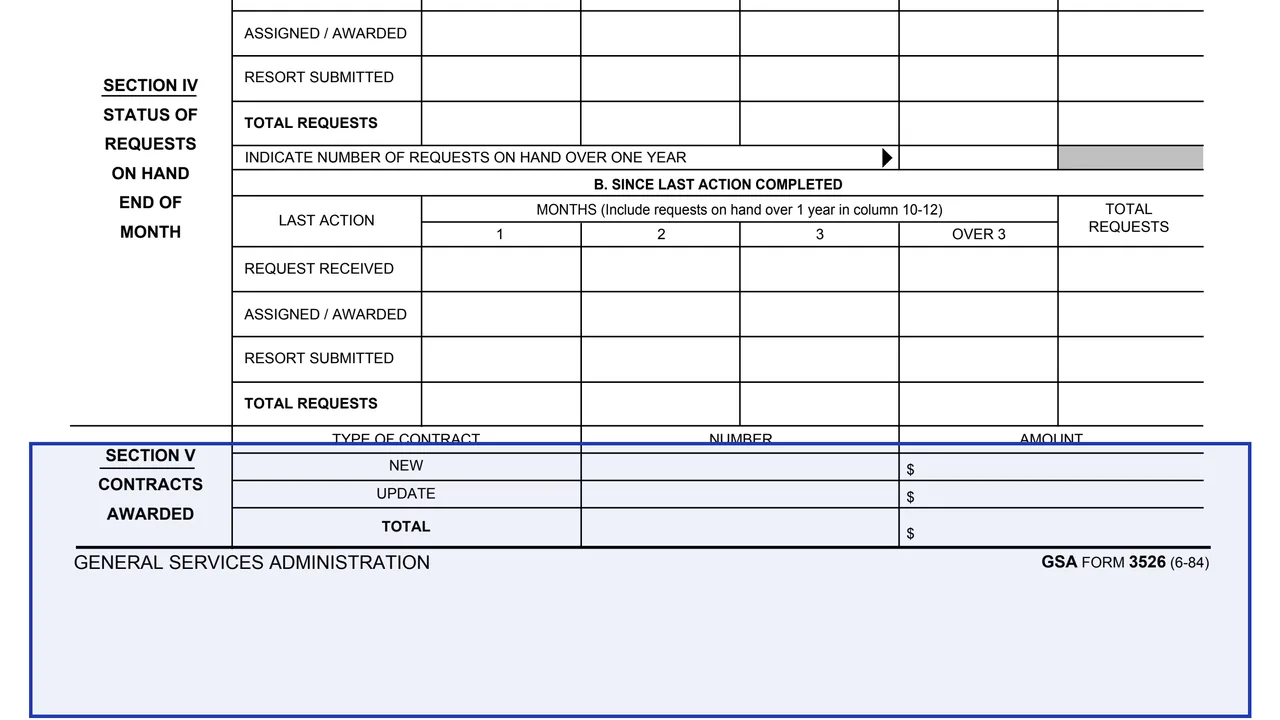
It is a one-page monthly report with a signature line for the Regional Appraiser, a region number and the month and year. Section I counts the appraisal requests on hand, received, canceled and completed during the month. Section II identifies the appraisals canceled and completed, with FMV and contract cost columns. Sections III and IV show how many months requests were on hand, and Section V lists the contracts awarded.
The form prints no instructions, filing address, Privacy Act statement or burden estimate. You can fill it out free in your browser on this page and download the result without an account.
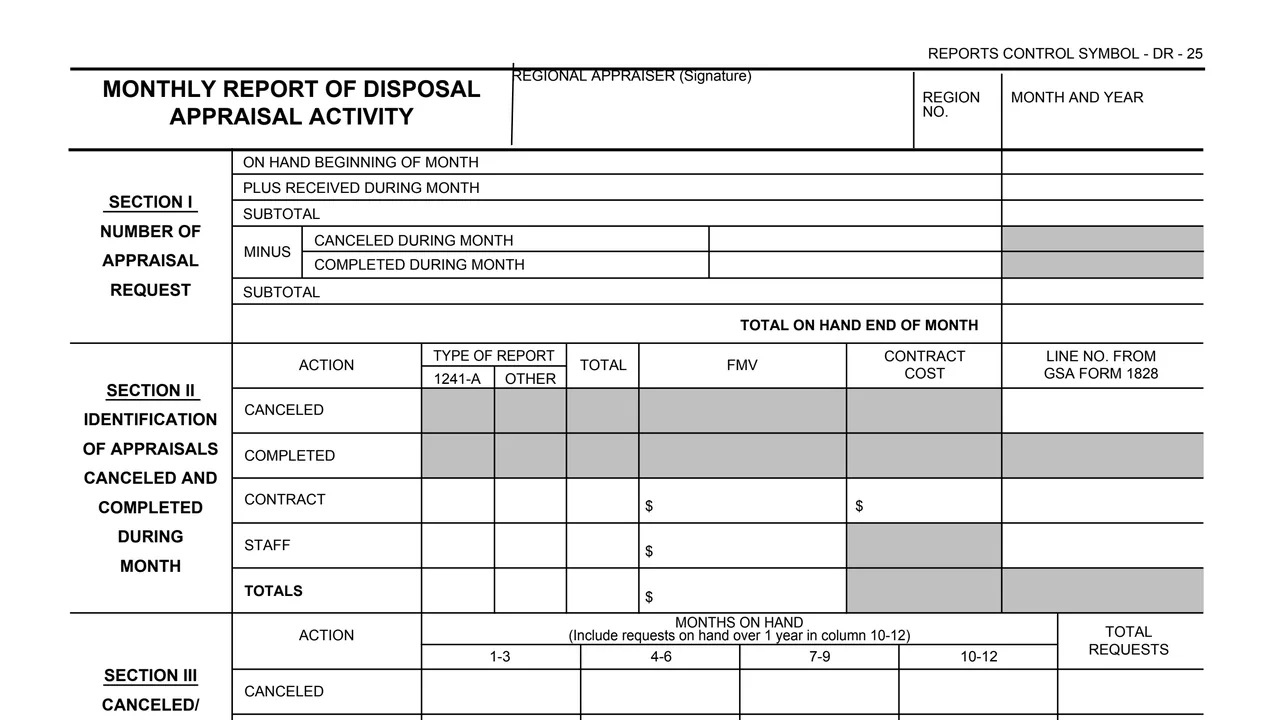
The form title, the Regional Appraiser's signature, the region number, the month and year, and Reports Control Symbol DR - 25.
On hand at the beginning of the month, plus received during the month, a subtotal, minus canceled and completed during the month, another subtotal and the total on hand at the end of the month.
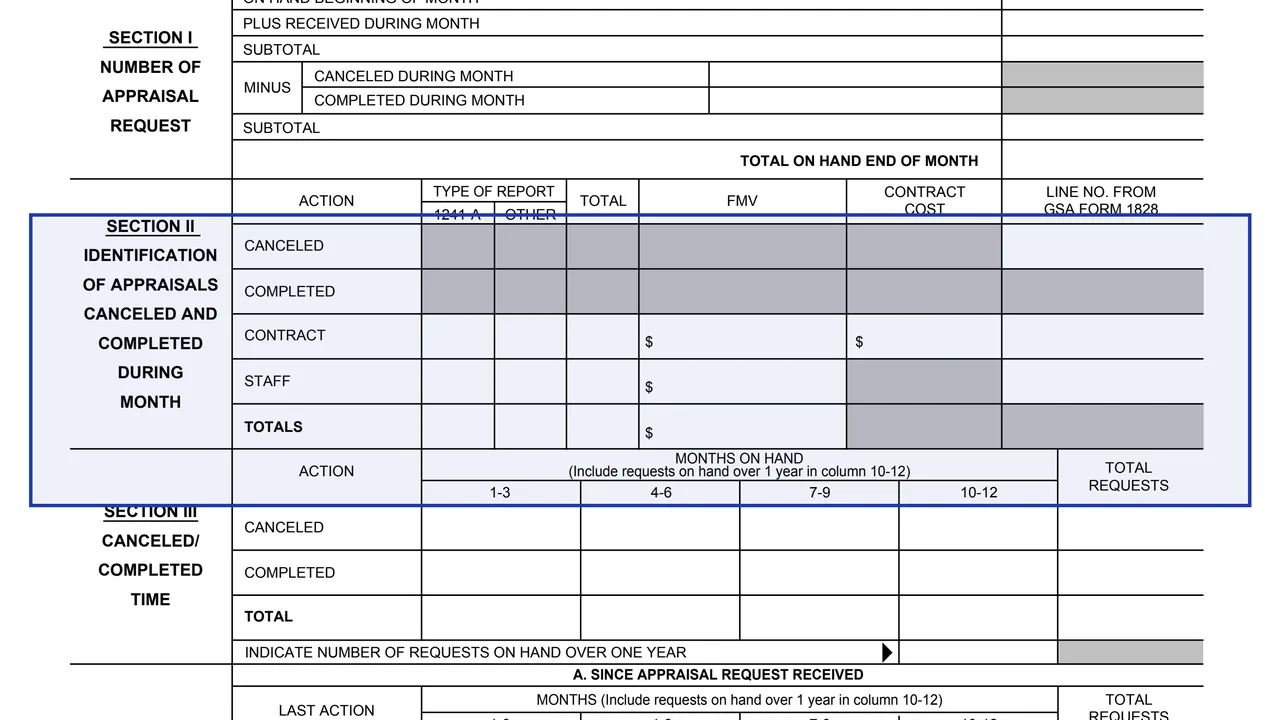
Rows for canceled, completed, contract, staff and totals, with columns for type of report (1241-A or other), total, FMV, contract cost and line number from GSA Form 1828.
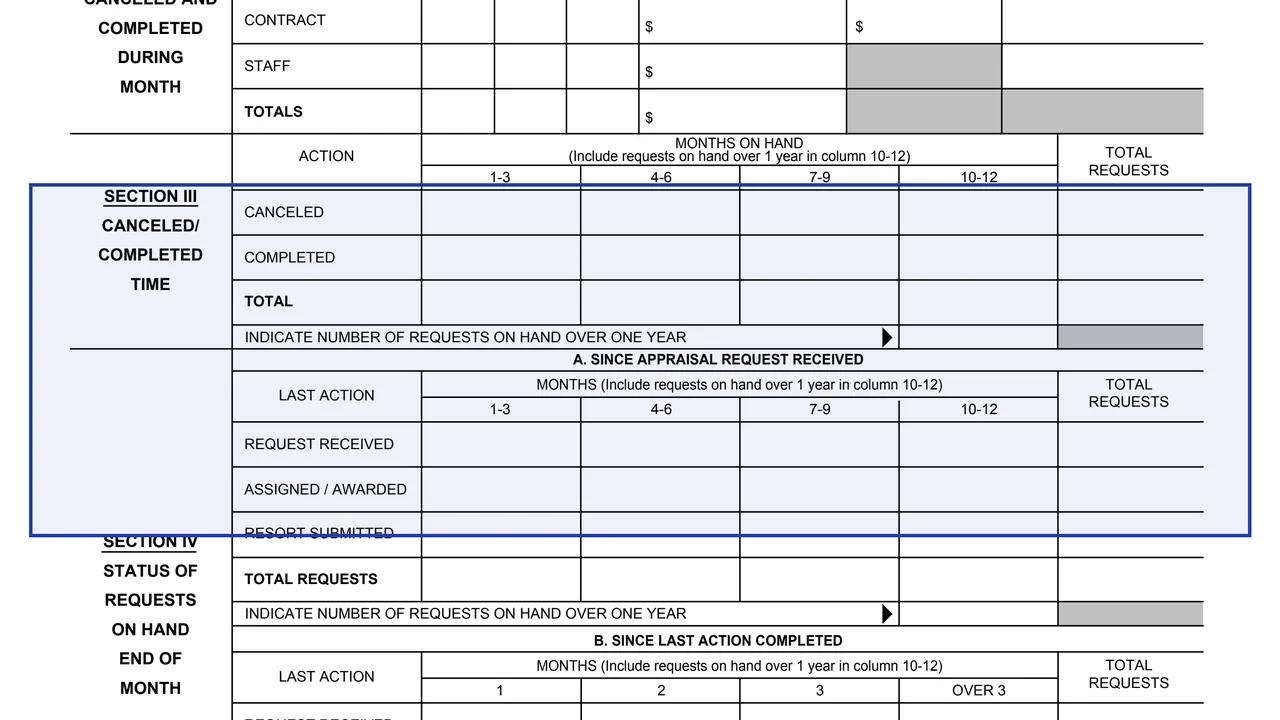
Canceled and completed requests counted by months on hand, in columns 1-3, 4-6, 7-9 and 10-12, with a line for the number of requests on hand over one year.
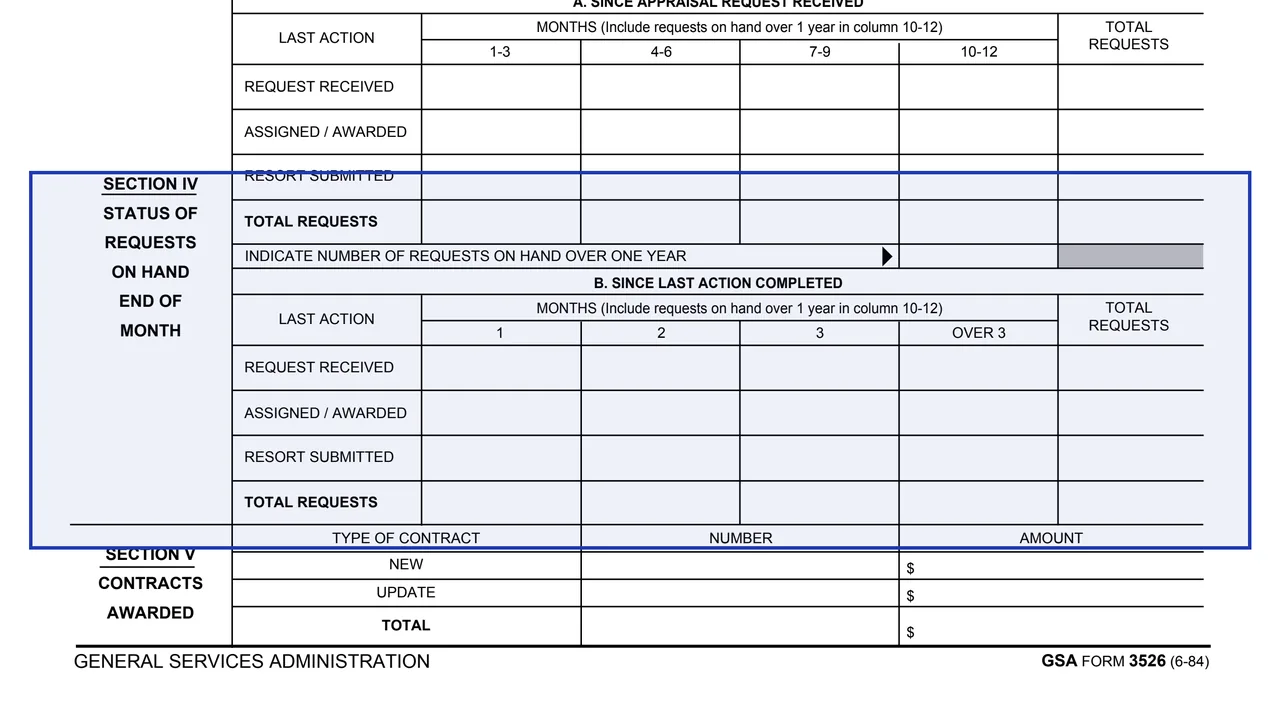
Requests on hand at the end of the month by last action: request received, assigned / awarded and resort submitted. Part A counts months since the request was received; Part B counts months since the last action was completed.
The number and dollar amount of new and update contracts, with a total for each column.
The form has a header and five numbered sections.
Enter the region number and the month and year the report covers.
Start from the requests on hand at the beginning of the month, add those received, subtract those canceled and completed, and enter the total on hand at the end of the month.
Enter counts by type of report and the dollar FMV for contract and staff appraisals. The contract row also has a contract cost column, and a column takes the line number from GSA Form 1828.
Spread the counts across the months on hand columns. The form says to include requests on hand over 1 year in column 10-12, and each section has a line for the number on hand over one year.
Enter the number and dollar amount of new and update contracts awarded during the month, then the totals.
The Regional Appraiser signs in the header. The form prints no routing or filing address.
The form prints no instructions. These steps follow the order of its blocks.
You get the real form, filled in a browser tab, with nothing standing between you and the finished PDF.
The form prints no filing address and does not name a recipient. It carries Reports Control Symbol DR - 25.
The footer reads GSA FORM 3526 (6-84). GSA's page gives a current revision date of 06/1984 and lists no authority or regulation.
Section II has a type of report column headed 1241-A and a column for the line number from GSA Form 1828. The form does not describe either one further.
The form prints no instructions, no Privacy Act statement and no burden estimate.
The form names one signer and covers one region for one month.
No tool matches that search.
The header has a signature line for the Regional Appraiser. The form prints no other signature or approval block.
One month. The header has boxes for the region number and the month and year, and Section I runs from the requests on hand at the beginning of the month to the total on hand at the end of the month.
The form says to include requests on hand over 1 year in column 10-12. Sections III and IV also each have a line to indicate the number of requests on hand over one year.
The form does not say. It prints no recipient or address, only Reports Control Symbol DR - 25 at the top.
No. The PDF hosted by GSA is a single page with the report blocks only. It prints no instructions, Privacy Act statement or burden estimate.