Rating symbol
The RATING SYMBOL block in the header. The form does not define the symbol.
GSA2206
DO Priority Rating Register
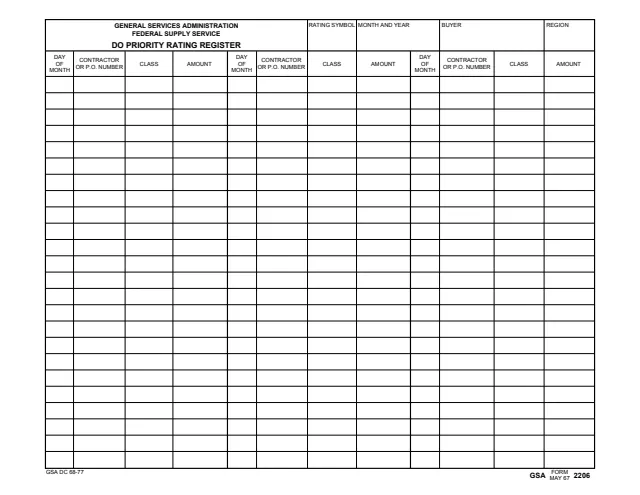
GSA Form 2206, DO Priority Rating Register, is a General Services Administration, Federal Supply Service form. Its footer reads FORM GSA MAY 67 2206, and GSA's page lists 05/1967 as the current revision date and no authority or regulation. GSA hosts it in its forms library.
The form is a one-page landscape register. The header has blocks for the RATING SYMBOL, MONTH AND YEAR, BUYER and REGION. Below it, three side-by-side sets of columns, each with 24 rows, record the DAY OF MONTH, CONTRACTOR OR P.O. NUMBER, CLASS and AMOUNT for each entry.
The PDF prints no instructions, so it does not explain the rating symbol, what counts as an entry or who reviews the register. It has no signature or approval blocks. You can fill it out free in your browser on this page and download the result without an account.
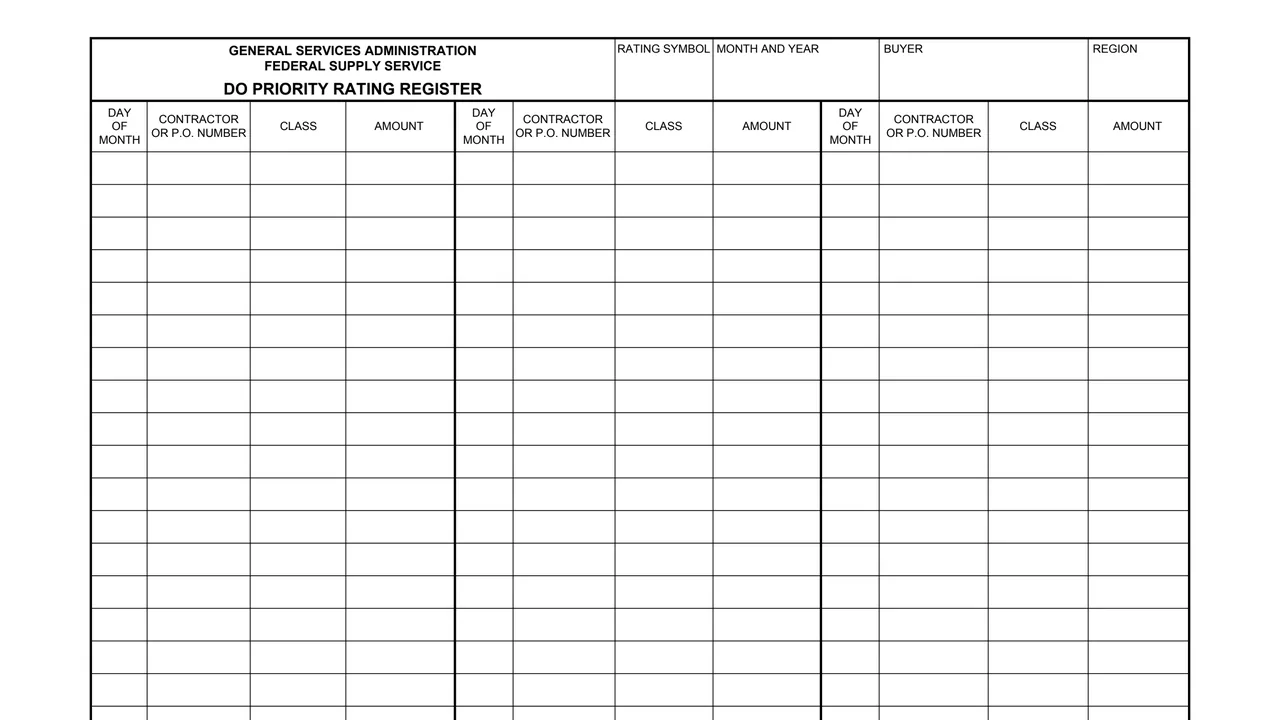
The RATING SYMBOL block in the header. The form does not define the symbol.
Header blocks for the MONTH AND YEAR the register covers, the BUYER and the REGION.
The first column of each set records the DAY OF MONTH for the entry.
A column for the CONTRACTOR OR P.O. NUMBER of each entry.
A CLASS column and an AMOUNT column for each entry. The form does not say what units the amount is in.
The four columns repeat three times across the page, each set with 24 rows. The footer prints GSA DC 68-77 and FORM GSA MAY 67 2206.
Enter the rating symbol, the month and year, the buyer and the region at the top of the page.
Write the day of the month in the first column of the row.
Enter the contractor or P.O. number for the entry in the next column.
Complete the CLASS and AMOUNT columns for the same row.
When the 24 rows of the first set are full, continue in the second and then the third set of columns.
You get the real form, filled in a browser tab, with nothing standing between you and the finished PDF.
The PDF prints no address, recipient or instructions, and GSA's page lists no authority or regulation for the form.
The footer reads FORM GSA MAY 67 2206 with the print code GSA DC 68-77. GSA's page lists 05/1967 as the current revision date.
The form prints no OMB number, burden statement or privacy notice.
The form has no instructions. Its header and columns name these people.
No tool matches that search.
It is a register with a header for the rating symbol, month and year, buyer and region, and rows for the day of month, contractor or P.O. number, class and amount of each entry.
No. The PDF prints no instructions. It has a RATING SYMBOL block in the header but does not define the symbol or say how an entry is rated.
The header has a BUYER block and a REGION block, and the form prints Federal Supply Service under the agency name. It does not say who else completes or reviews it.
The page has three sets of columns, each with 24 rows, so 72 rows in all.
The footer reads FORM GSA MAY 67 2206, and GSA's page lists 05/1967 as the current revision date.