Purchase type check boxes
DEPOT REQUISITION, BLANKET PURCHASE ARRANGEMENT and PURCHASE ORDER.
GSA1667
Register of Purchases (Retail Operations)
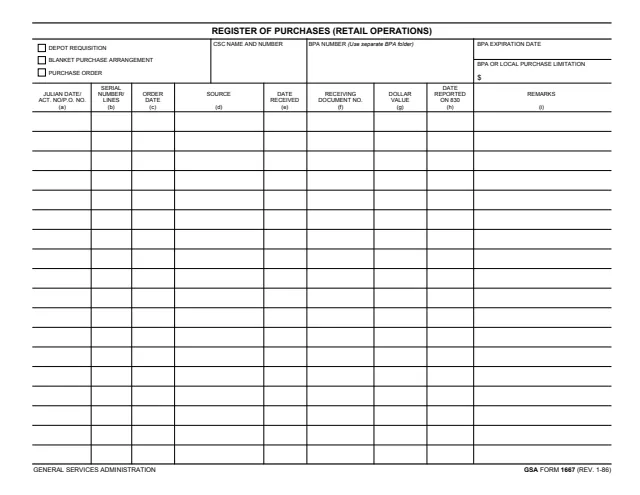
GSA Form 1667, Register of Purchases (Retail Operations), is a General Services Administration form. Its footer prints GENERAL SERVICES ADMINISTRATION and GSA FORM 1667 (REV. 1-86), and GSA hosts it in its forms library. GSA's page lists no authority or regulation for it.
It is a one-page log with nine columns, (a) to (i). Check boxes at the top mark the purchase type as a depot requisition, a blanket purchase arrangement or a purchase order, beside the CSC name and number, the BPA number, the BPA expiration date and the BPA or local purchase limitation in dollars. Each row records one order: its number, order date, source, date received, receiving document number, dollar value and the date reported on 830.
The form prints no instructions and does not say who keeps it. You can fill it out free in your browser on this page and download the result without an account.
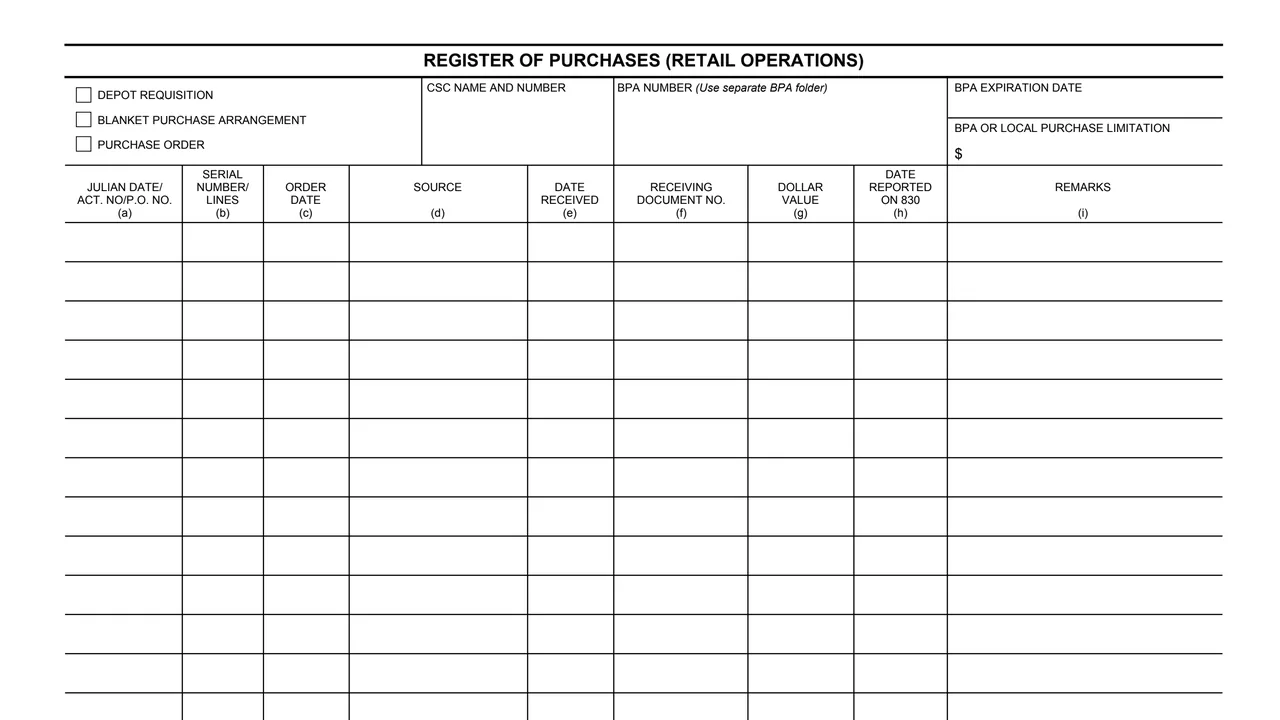
DEPOT REQUISITION, BLANKET PURCHASE ARRANGEMENT and PURCHASE ORDER.
The CSC name and number, and the BPA number, with the note Use separate BPA folder.
The BPA expiration date, and the BPA or local purchase limitation with a $ sign.
Julian date/act. no/P.O. no., serial number/lines and order date.
Source, date received, receiving document number and dollar value.
Date reported on 830, and remarks.
Check DEPOT REQUISITION, BLANKET PURCHASE ARRANGEMENT or PURCHASE ORDER at the top left.
Enter the CSC name and number, the BPA number, the BPA expiration date and the BPA or local purchase limitation.
Enter the Julian date/act. no/P.O. no., serial number/lines, order date and source in columns (a) to (d).
Enter the date received, the receiving document number and the dollar value in columns (e) to (g).
Column (h) takes the date reported on 830 and column (i) any remarks.
The PDF prints no instructions. These steps follow the order of the blocks on the form.
You get the real form, filled in a browser tab, with nothing standing between you and the finished PDF.
The PDF gives no routing, address or filing instructions. It is a register, and the BPA number block says to use a separate BPA folder.
Column (h) is headed DATE REPORTED ON 830. The PDF does not name or describe 830 further.
The form prints no OMB number, Privacy Act notice or burden estimate, and GSA's page lists no authority or regulation for it.
The form has no instructions and names no person, title or office that fills it out. This is what the printed form shows about its use.
No tool matches that search.
The footer prints GENERAL SERVICES ADMINISTRATION and GSA FORM 1667 (REV. 1-86). GSA hosts it in its forms library, and GSA's page gives 01/1986 as the current revision date.
No. The downloaded PDF is a single page with the header blocks and columns (a) to (i), and no instructions.
Check boxes at the top mark depot requisition, blanket purchase arrangement or purchase order.
Column (h) is headed DATE REPORTED ON 830. The form does not explain 830 further.