Items 1 to 4: header
Building, field office, month and year.
GSA138
Record of Keys Issued
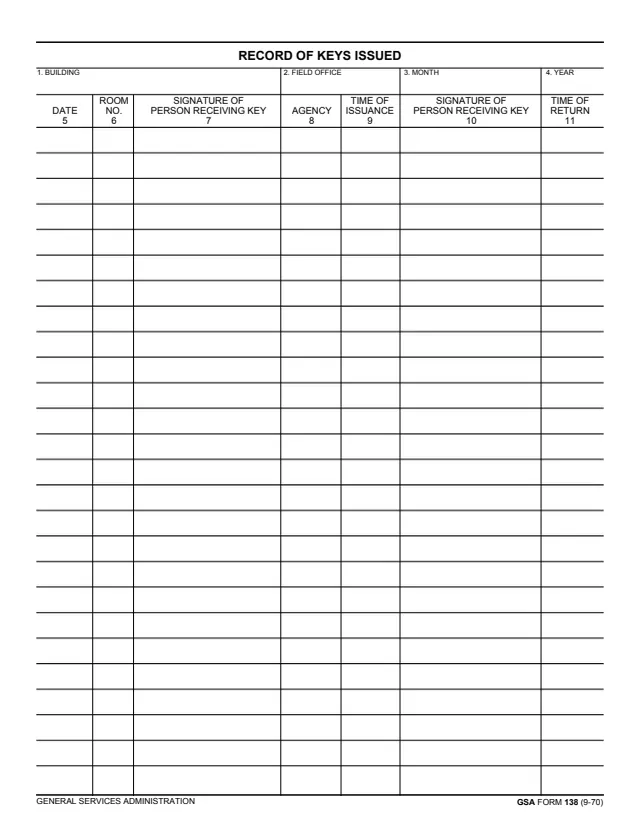
GSA Form 138, Record of Keys Issued, is a General Services Administration form dated 9-70 in its footer. GSA's page lists PMS P 5930.1 as its authority, and GSA hosts it in its forms library.
The header records the building, the field office, the month and the year. Each row of the table records the date, the room number, the signature of the person receiving the key, the agency, the time of issuance, a second column also headed SIGNATURE OF PERSON RECEIVING KEY, and the time of return.
The back page repeats the same header and table. The PDF prints no instructions, so it does not say who keeps the record or where it is filed. You can fill it out free in your browser on this page and download the result without an account.
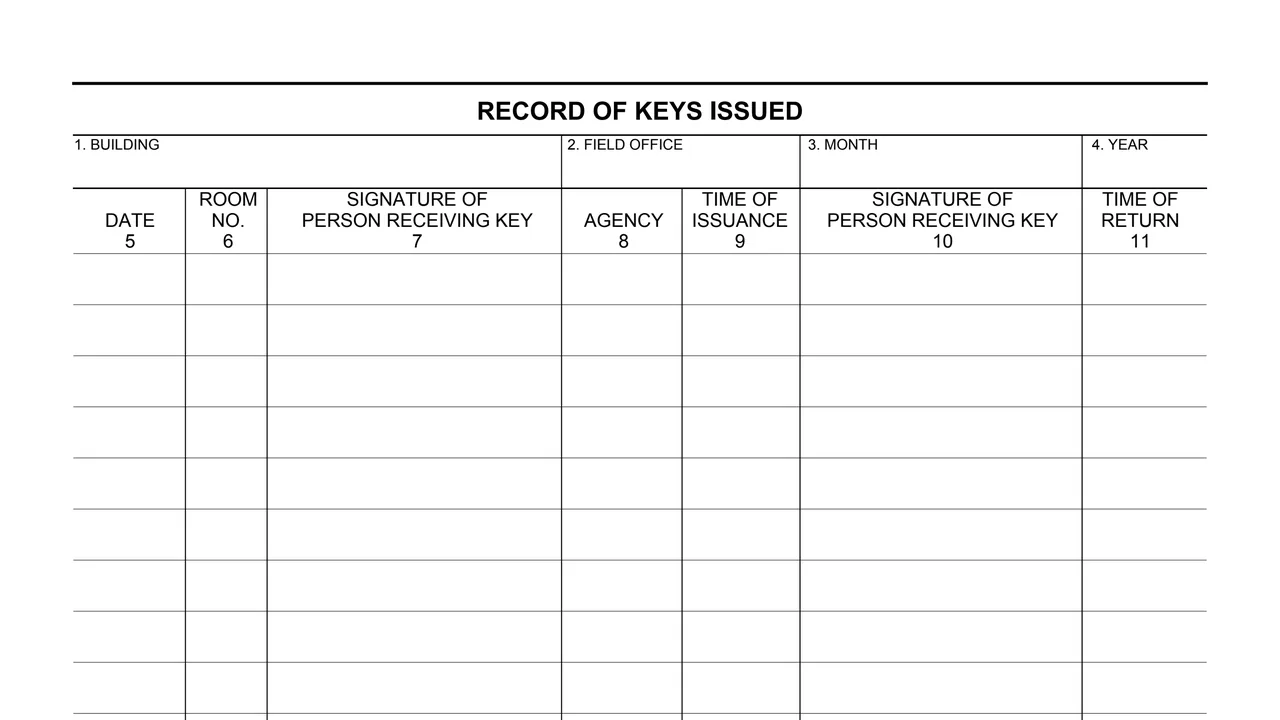
Building, field office, month and year.
The date of the entry and the room number.
The signature of the person receiving the key and the agency.
The time the key was issued.
A second column headed SIGNATURE OF PERSON RECEIVING KEY, then the time of return.
The back page, marked GSA FORM 138 (9-70) BACK, repeats the header and the table.
Items 1 to 11 are numbered on the form.
Enter the building, field office, month and year in items 1 to 4.
Enter the date in item 5 and the room number in item 6.
The person receiving the key signs in item 7. Enter the agency in item 8 and the time of issuance in item 9.
Item 10 is the second SIGNATURE OF PERSON RECEIVING KEY column and item 11 the TIME OF RETURN.
When the front is full, the back page offers the same header and table.
You get the real form, filled in a browser tab, with nothing standing between you and the finished PDF.
The PDF gives no filing address or routing, and it prints no instructions.
GSA's page lists PMS P 5930.1 as the authority or regulation.
The PDF has two pages. The footer marks the second one as GSA FORM 138 (9-70) BACK.
The PDF prints no Privacy Act notice, OMB number or burden estimate.
The PDF prints no instructions. These are the people and places its numbered items name.
No tool matches that search.
The form is printed as a General Services Administration form, dated 9-70 in its footer. GSA's page lists PMS P 5930.1 as its authority.
Items 7 and 10 are both headed SIGNATURE OF PERSON RECEIVING KEY. The form prints no other signature line.
The date, room number, signature of the person receiving the key, agency, time of issuance, a second signature and the time of return.
No. The PDF prints only the header blocks and the table, with no instructions, Privacy Act notice or OMB number.
The PDF does not say. It gives no filing address and does not name who keeps the record.