Works for .tar.xz and for a lone .xz
A .tar.xz holds a tar archive inside xz, so you get that tar back as a repacked .tar. A single .xz that is not a tar, such as a compressed log, is also accepted and comes back as a tar holding that one file.
Add a .tar.xz or .xz file and get an uncompressed .tar back. Files inside keep their contents; symlinks are dropped.
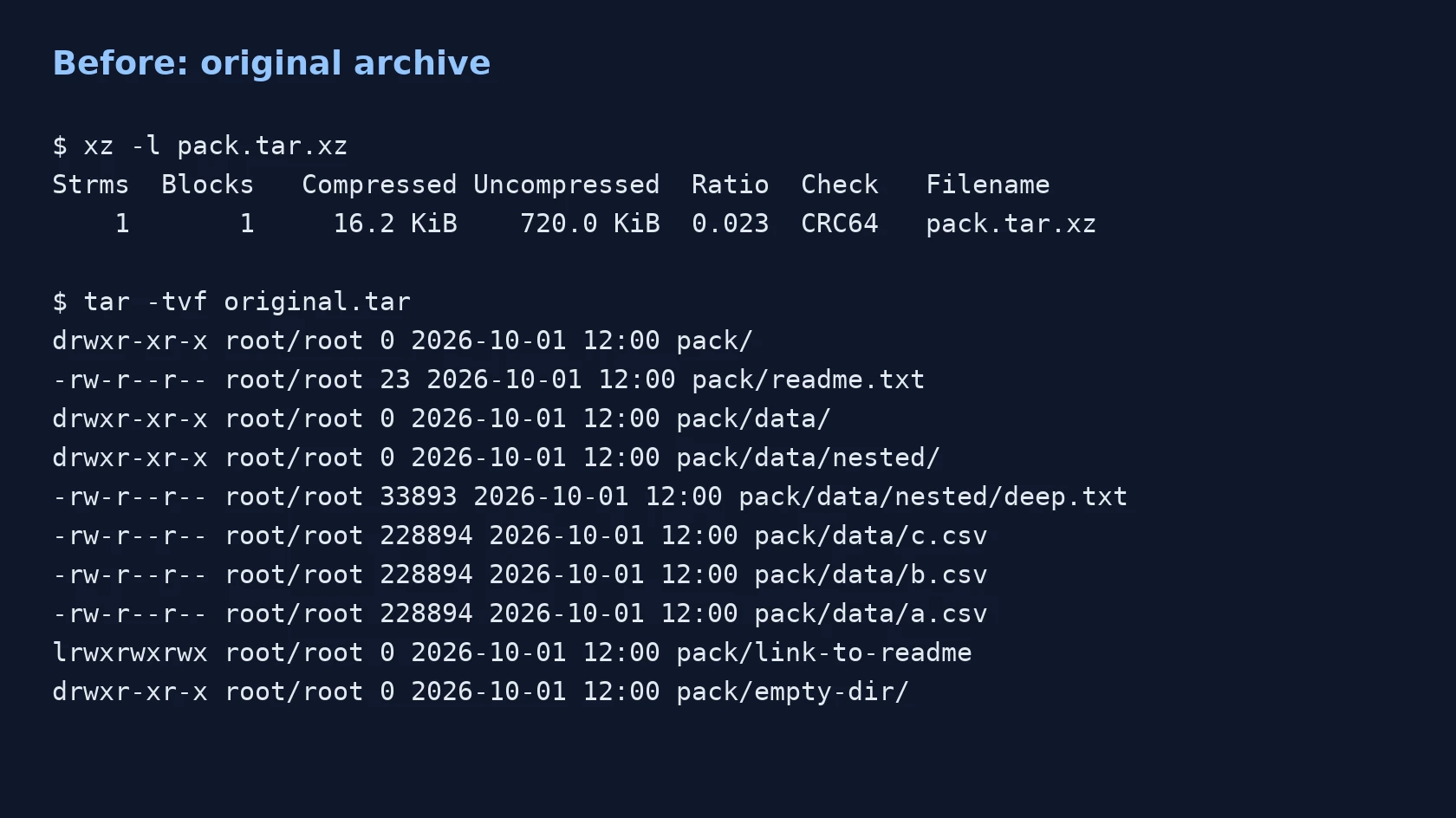
To convert xz to tar, add the .tar.xz or .xz file, keep TAR as the output format and download the result. In our test, a 16,620-byte tar.xz became a 737,280-byte tar, 44.4 times larger, because the xz compression layer was removed and the files inside were repacked.
Transfers use HTTPS, and files converted on the free tier are deleted after 24 hours, so the result is not a long-term archive. Quality depends on the source file, so open the TAR file once before you share it.
XZ (xz compressed data)
xz compresses one data stream, normally with LZMA2, and adds an index and an integrity check such as CRC32, CRC64 or SHA-256. Like gzip it stores no file names or folders, so bundles are packed with tar first and shipped as .tar.xz. The format was designed by Lasse Collin and Igor Pavlov.
TAR (tape archive)
tar began as a way to write files to backup tape. It joins any number of files and folders into one byte stream, giving each item a 512-byte header record and ending the archive with two empty blocks. A plain .tar is normally not compressed; compression such as gzip or xz is added around it, which gives .tar.gz and .tar.xz.
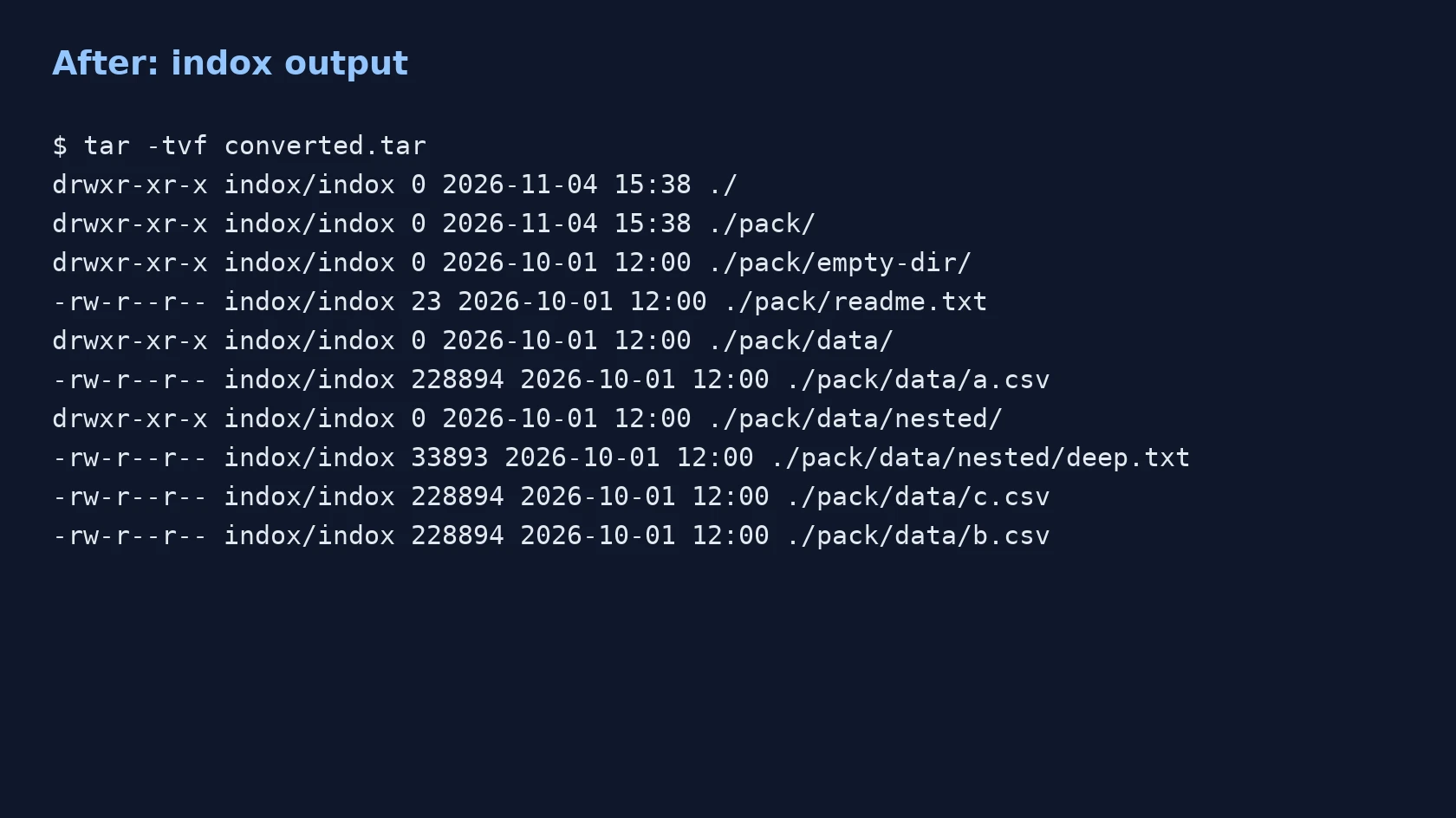
A tar.xz test archive with 5 files, one empty folder and one symlink, converted on indox.org
A .tar.xz holds a tar archive inside xz, so you get that tar back as a repacked .tar. A single .xz that is not a tar, such as a compressed log, is also accepted and comes back as a tar holding that one file.
The conversion runs on indox servers, so Windows, Mac, Linux, Android and iPhone all work from a browser. You need no xz or tar program.
The output is a new tar, so its bytes differ from the original. The differences are a leading ./ on names, member order, owner and dropped symlinks, and we checked each one in a real run.
Drop the file on the box or choose it from your device. Keep the original, because the converter returns a new file and leaves yours alone.
Check that TAR is the output format and start. We saw no other options on the page. In our test it took 3.8 seconds from the click to Completed.
Save the file and run tar -tvf on it or open it in an archive tool. Check that the files you need are present, since symlinks are not.
You hand over a .tar.xz or .xz and take away a plain .tar, for tools that cannot read xz. Before you convert, the page lists what the repack changes, so you can decide whether it fits the job.
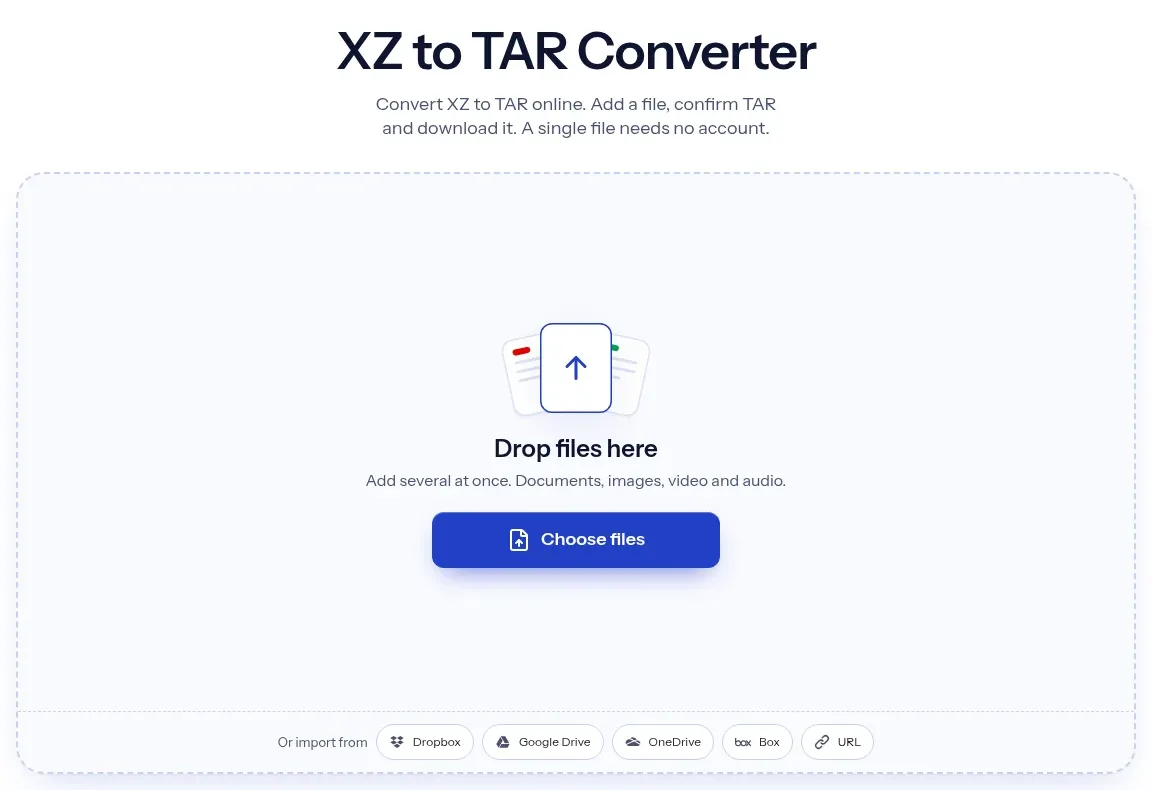
The upload box shows the live size limit before you add a file. Signing in raises it; a paid plan does not change it.
XZ in, TAR out. Pick another output on the converter if you need a different format.
Files are encrypted in transit over HTTPS and processed on indox infrastructure.
Free-tier files are kept for 24 hours after the job finishes, then deleted automatically.
| What you see | Why | What to do |
|---|---|---|
| The file is much larger | The xz compression was removed | Expected for compressible data; keep the .tar.xz for storage and use the tar for tools that need it |
| A symlink is missing | The repack drops symbolic links | Extract locally with tar -xJf if you need links |
| Files show owner indox | Owner is not carried over | Set ownership again after extracting with chown |
| A name starts with a long hex string | You added a lone .xz, which gets an upload prefix | Rename the file after extracting |
| Checksum of the tar differs | The tar is rebuilt, not copied | Compare file contents, not the whole archive |
| Conversion fails on a damaged file | The xz data may be corrupt | Test it with xz -t file.xz, then try a fresh download |
Facts checked on November 4, 2026
No tool matches that search.
Open the converter, add your .tar.xz or .xz file, keep TAR as the output and download the result. Nothing needs to be installed.
No. The contents are still xz-compressed, so a tar program will reject the renamed file. The xz layer has to be removed, which is what the conversion does.
No. indox extracts the archive and packs a new tar. In our test every file matched by sha256, but the tar as a whole did not, because names, order and owner differ.
The compression is removed. Our 16,620-byte tar.xz gave a 737,280-byte tar. Archives of text or repeated data grow most.
Modification times and file contents were kept in our test. The owner became indox/indox and symlinks were dropped. We did not test every mode bit, so check the listing.
The converter accepts it and returns a tar holding the one file. In our test a 478,020-byte log.txt.xz became a 1,771,520-byte tar. The inner name had a long hex prefix.
The file is probably a single xz stream, not a tar inside xz. You can check with xz -dc file.xz | file - on a Linux computer.
Run xz -dk file.tar.xz to get file.tar and keep the original. Without -k, xz deletes the source. Do not use tar xzf for xz, because z means gzip; use tar xJf.
Many archive programs on Windows read plain .tar. The file made here is a standard tar, so it should open in those, but we did not test a specific Windows tool.