Items 1 to 6: the company
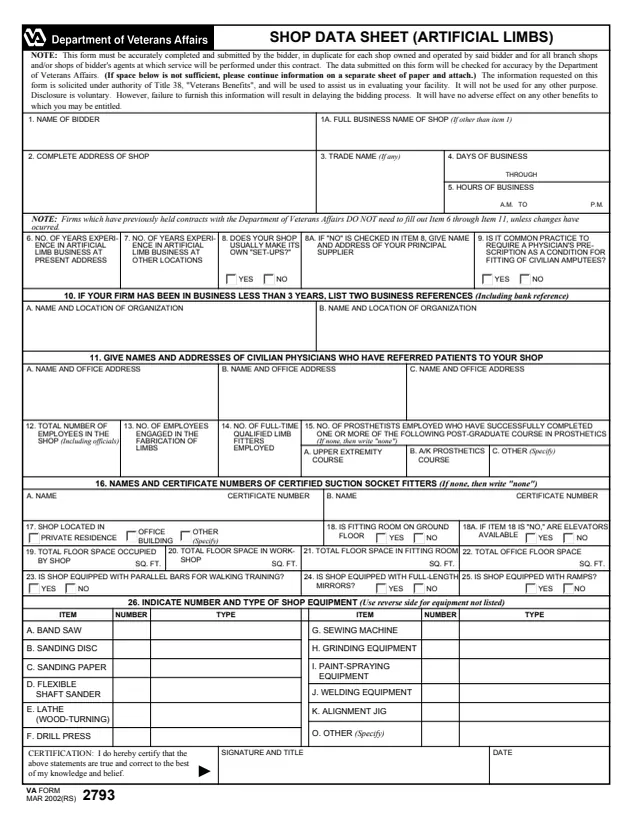
Company name and address, name and title of the principal executive, business hours Monday through Friday and Saturday, and current Central Office and local contract numbers.
VA2130
Inspection Sheet—Prosthetic Dealer
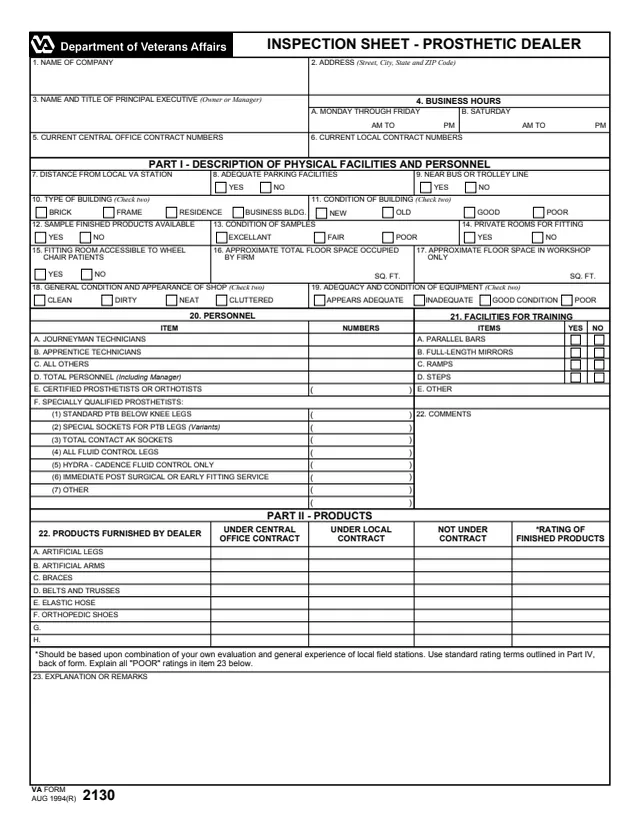
VA Form VA2130 is the U.S. Department of Veterans Affairs Inspection Sheet for a prosthetic dealer. VA's page lists it as related to VACO. It is an inspection report on a company that furnishes products such as artificial legs and arms, braces, belts and trusses, elastic hose and orthopedic shoes, signed by the reporting official who did the inspection. It is not a Veterans benefit application and has no fields for a Veteran's request.
The form is two pages. The top identifies the company, its principal executive, business hours and contract numbers. Part I describes physical facilities and personnel, Part II the products, Part III the service and work relationship with local VA stations, and Part IV special information and a general evaluation, followed by the reporting official's signature and the dates of inspection and report. The form prints no instructions, mailing address or OMB number. You can fill out the PDF free in your browser on this page and download the result without an account.
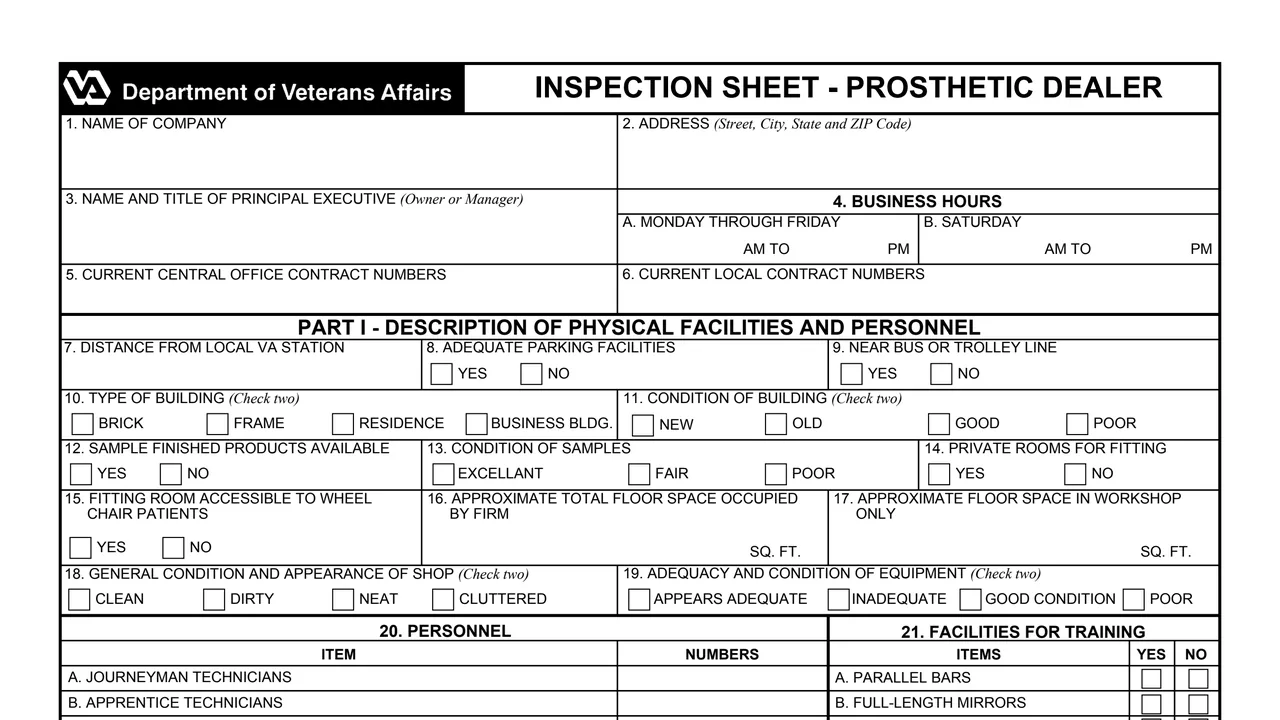
Company name and address, name and title of the principal executive, business hours Monday through Friday and Saturday, and current Central Office and local contract numbers.
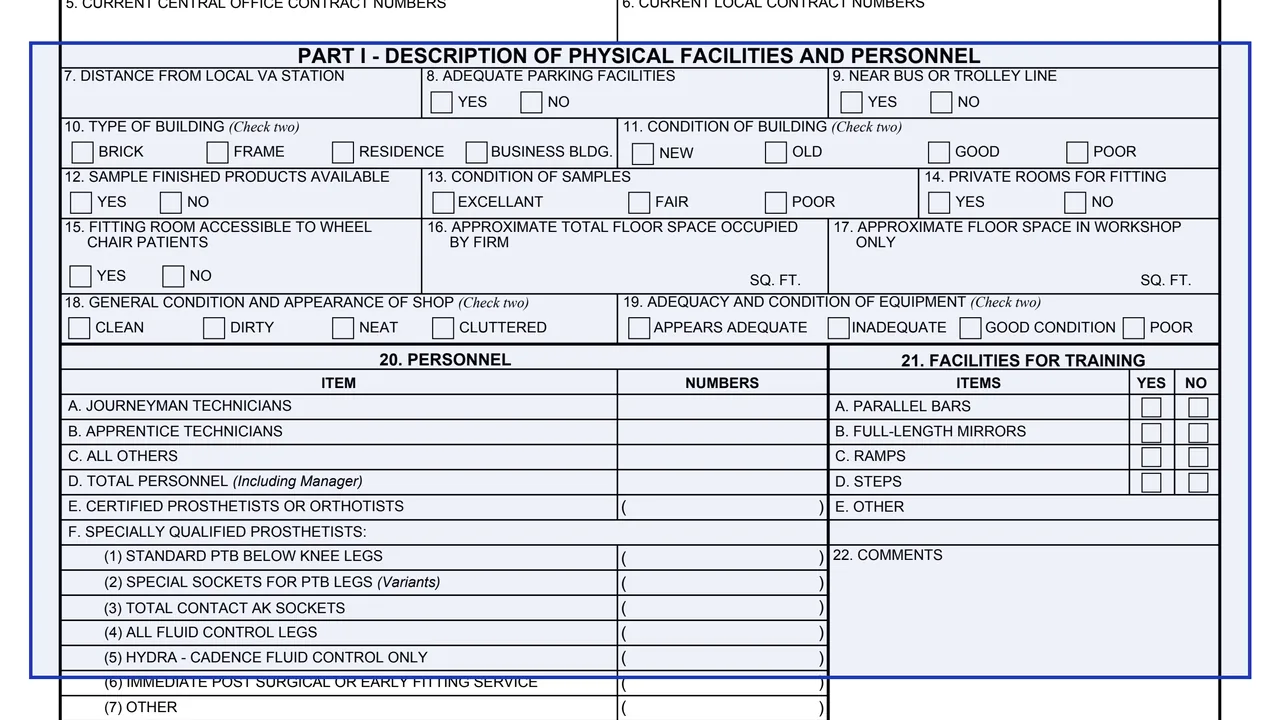
Distance from the local VA station, parking, transit, type and condition of building, samples, private fitting rooms, wheelchair access, floor space, shop condition, equipment, staff counts including certified prosthetists or orthotists, and training facilities such as parallel bars, mirrors, ramps and steps.
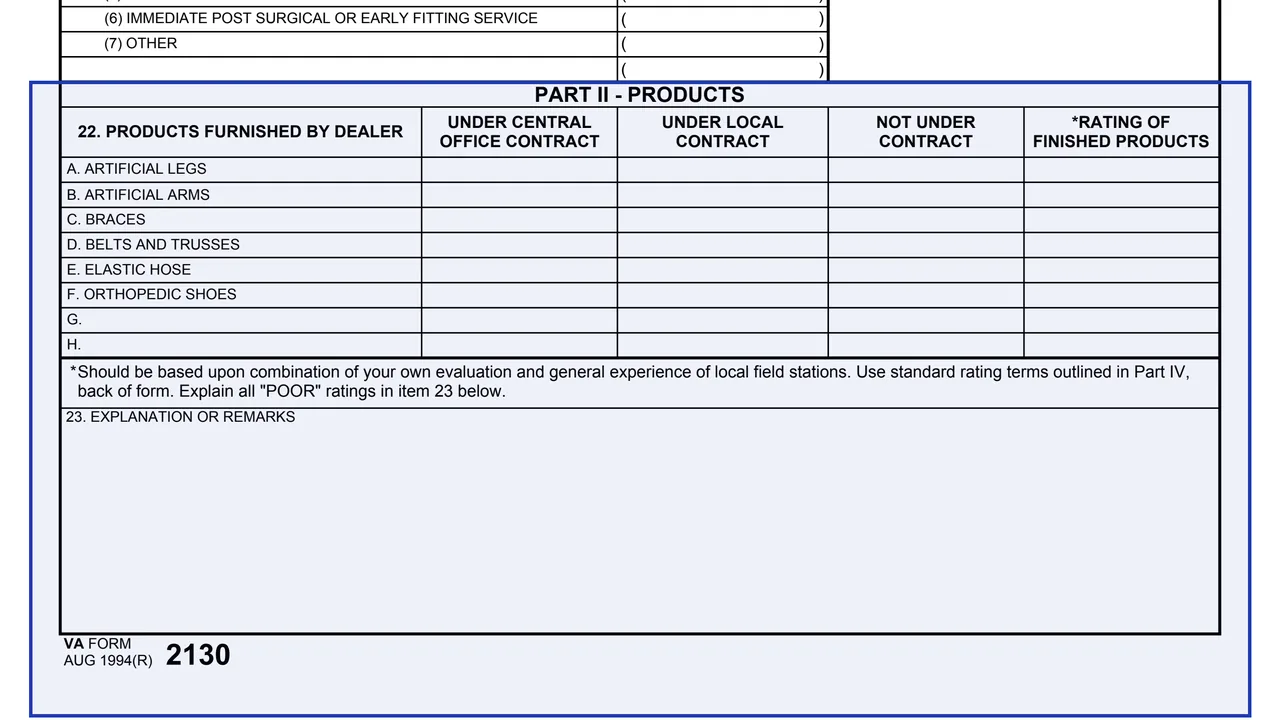
Products furnished by the dealer, from artificial legs and arms to orthopedic shoes, marked as under Central Office contract, under local contract or not under contract, with a rating of finished products. Item 23 explains all POOR ratings.
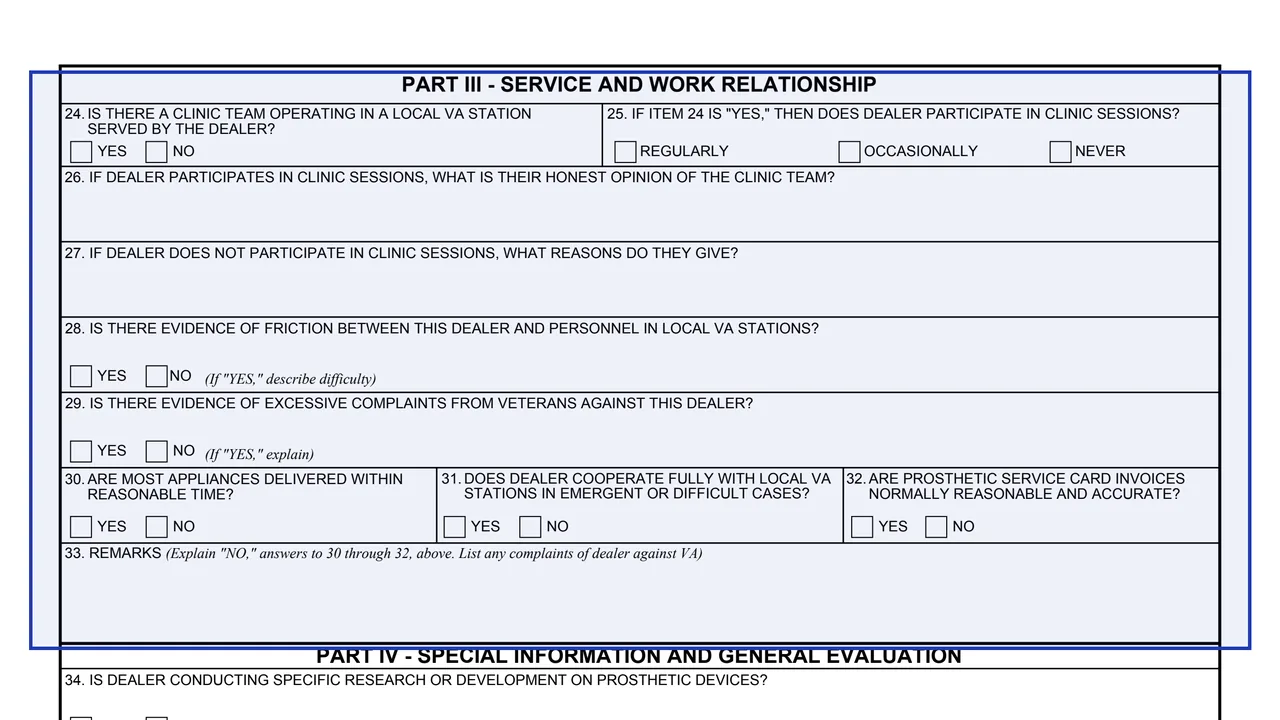
Items 24 to 33 cover clinic team sessions, any friction with local VA stations, excessive complaints from Veterans, delivery times, cooperation in difficult cases and whether prosthetic service card invoices are reasonable and accurate.
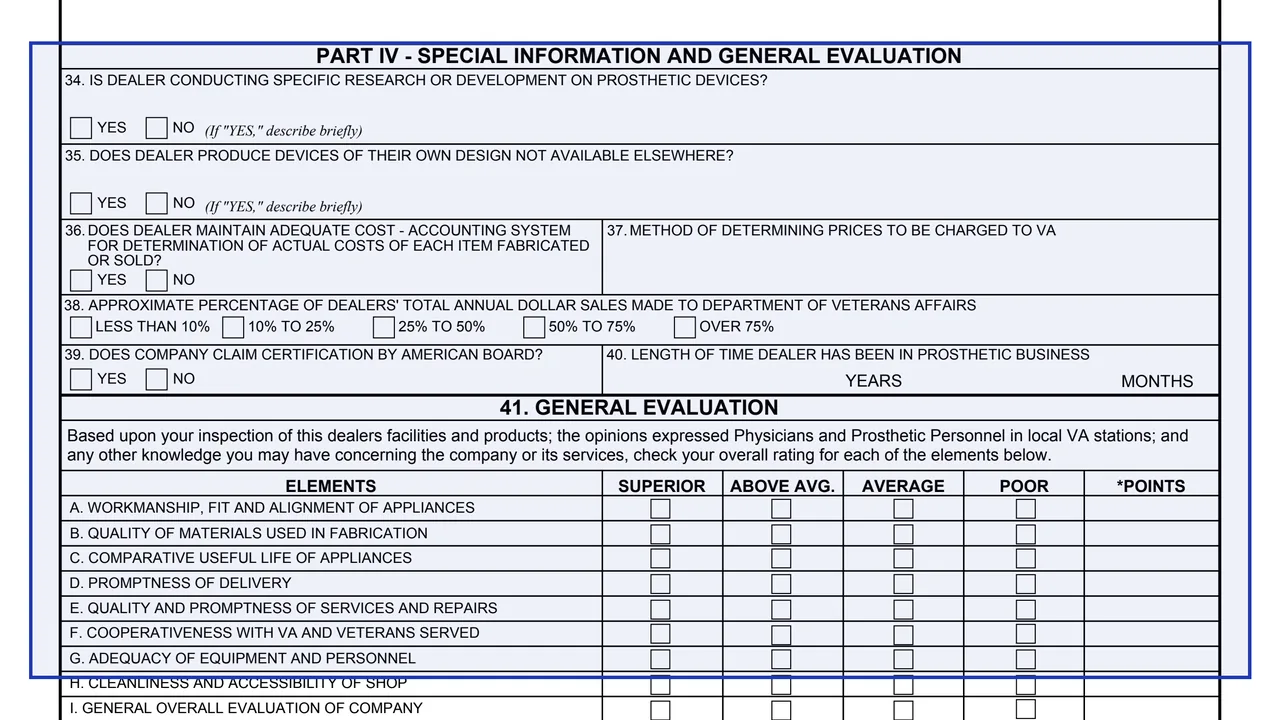
Items 34 to 40 ask about research or development, devices of the dealer's own design, the cost accounting system, how prices charged to VA are set, the share of annual sales made to VA, American Board certification and time in the prosthetic business.
Nine elements, from workmanship, fit and alignment to the general overall evaluation of the company, each rated superior, above average, average or poor, then general remarks and the signature.
Fill in Items 1 to 6 with the dealer's details, hours and contract numbers.
Complete Part I. Items 10, 11, 18 and 19 say to check two boxes.
The form says product ratings should be based upon a combination of your own evaluation and the general experience of local field stations, and to explain all POOR ratings in Item 23.
Answer Items 24 to 32. Item 33 is for explaining No answers to Items 30 to 32 and listing any complaints of the dealer against VA.
Answer Part IV and rate each element in Item 41, leaving the points column for Central Office. Item 42 says to attach an additional sheet if more space is required.
The reporting official signs with title in Item 43 and enters the date of inspection and date of report.
You get the real form, filled in a browser tab, with nothing standing between you and the finished PDF.
Neither the form nor VA's page prints a mailing address or submission instructions. The points column in Item 41 is marked for Central Office use only.
Item 43 is the signature and title of the reporting official.
The PDF reads VA FORM AUG 1994(R) 2130, matching the August 1994 revision date on VA's page. The form prints no OMB number.
The form is written for the person inspecting the dealer, not for the dealer or for Veterans.
No tool matches that search.
It is an inspection sheet on a prosthetic dealer, covering its facilities and personnel, products, work relationship with local VA stations and a general evaluation.
The reporting official who inspects the dealer. Item 43 holds that official's signature and title, with the dates of inspection and report.
No. The form has no fields for a Veteran's request. It records an inspection of a dealer that furnishes prosthetic and orthotic products.
Item 41 rates nine elements, including workmanship, fit and alignment, quality of materials, promptness of delivery and repairs, cooperativeness with VA and Veterans, and cleanliness and accessibility of the shop.
Neither the form nor VA's page prints an address or submission instructions. The form marks the Item 41 points column for Central Office use only.