SF75

Request for Preliminary Employment Data

Agency
GSA
Revision
Revised August 1998
Fillable fields
229
Pages
4
Official source
GSA form page
Checked
October 20, 2026
Fill SF75 online
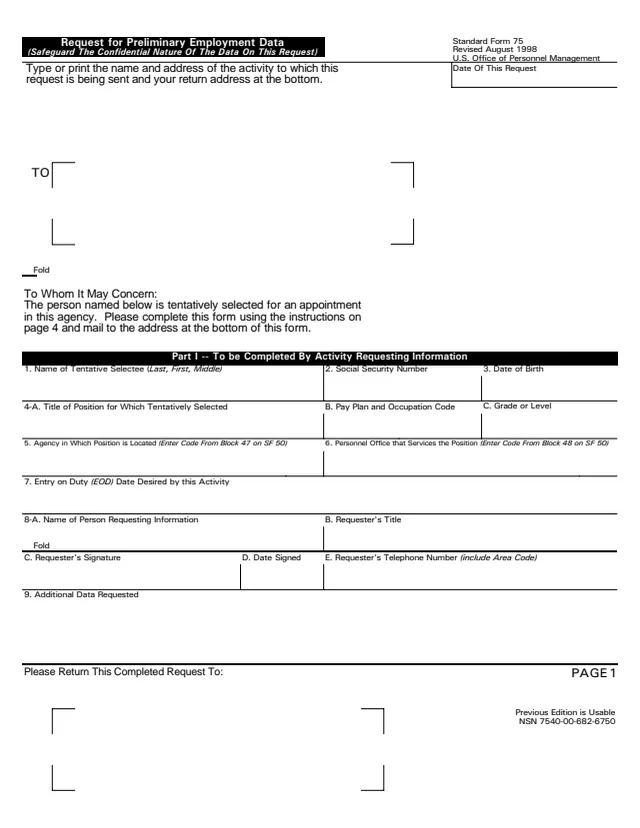
Page 1 of form SF75

Standard Form 75 (SF 75): Request for Preliminary Employment Data

Standard Form 75 (SF 75), Request for Preliminary Employment Data, is a U.S. Office of Personnel Management (OPM) form, Revised August 1998. GSA hosts a copy in its forms library. Its header asks to safeguard the confidential nature of the data on the request.

The instructions say an agency uses SF 75 to obtain pre-employment information when the applicant's Official Personnel Folder (OPF) or Merged Records Personnel Folder (MRPF) is not available for review, which most often happens when the applicant works for a different agency. The activity requesting information completes Part I, and the activity giving information completes Part II.

Part II runs from Section A to Section N, covering SF 50 data, retirement, grade and pay, performance, appointment, probation, unfavorable data, FEHB, security, service obligations, payroll and Thrift Savings Plan, and release date. You can fill it out free in your browser on this page and download the result without an account.

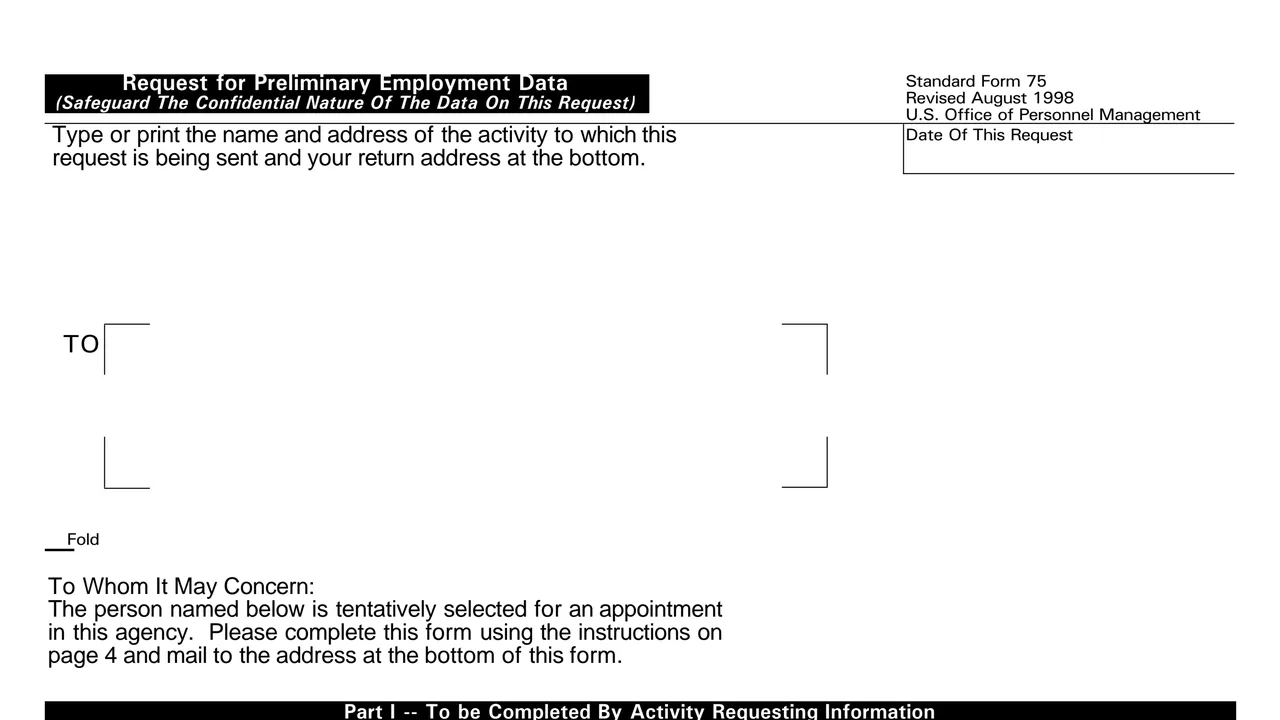
Top of page 1 of Standard Form 75 (SF 75): Request for Preliminary Employment Data, as printed by GSA

What's on SF 75

Part I: the request

Name, Social Security Number and date of birth of the tentative selectee, position title, pay plan and grade, agency and personnel office codes from SF 50, desired entry on duty date, requester details and additional data requested.
Sections A to C: identification and SF 50 data

Identification on personnel records, employment status, location of the OPF/MRPF, position, pay, tenure, FEGLI, retirement plan, duty station, education, citizenship and veterans status.

Sections D to F: retirement, grade, pay and performance

Military retirement and creditable service, FERS coverage, grade and step history, within-grade increases, grade or pay retention, highest previous salary and ratings of record.

Sections G to J: appointment, probation, unfavorable data and FEHB

Appointment actions and authorities, career tenure, probationary periods, whether files contain adverse actions or other unfavorable information, and health benefits enrollment status.

Sections K and L: security and service obligations

Most recent investigation and clearance level, any pending investigation, a security officer contact, and obligations from training, a recruitment or relocation bonus, a paid move or student loan repayment.

Sections M and N: payroll, TSP and release

Payroll office, year-to-date pay and deductions, leave without pay, Thrift Savings Plan data and loans, the losing agency's view of the entry on duty date, and the name and signature of the person giving information.

How SF 75 is completed

  1. 1

    Address the request

    Type or print the name and address of the activity the request is sent to, and your return address at the bottom of page 1.

  2. 2

    Complete Part I and mark what is needed

    When requesting by mail, the form says to complete Part I and circle the items in Part II that are needed. Extra needs, such as dates of a detail, go in item 9.

  3. 3

    Ask early enough

    The instructions say to request SF 75 information sufficiently in advance of the projected date of the action, by telephone or by mail.

  4. 4

    Answer from the records

    The giving office uses the most recent SF 50 for Sections A and B, reviews both the right and left sides of the OPF/MRPF, and contacts the payroll office.

  5. 5

    Record the disclosure

    The form says agencies prepare an accounting of disclosure for release outside the agency unless the employee gave prior written consent, and puts it on the right side of the OPF/MRPF.

  6. 6

    Sign and return it

    The person giving information completes item 72 with name, address, title, signature, date and telephone, then returns the form to the address at the bottom of page 1.

Why fill Form SF75 on indox

You get the real form, filled in a browser tab, with nothing standing between you and the finished PDF.

  • Fill the form right in your browser, no software to install
  • Free to fill and free to download, with no account
  • The official blank straight from the GSA, not a copy someone retyped
  • Works on a phone, tablet or computer

Where it goes and what the form says

Where it goes

The completed request goes back to the address the requesting activity enters under Please Return This Completed Request To on page 1.

What the information is for

The form says it is used to verify information on the application, make decisions about eligibility for appointment, pay and benefits, and complete the processing necessary.

Uses not allowed

The form says SF 75 may not be used for any other purposes, such as to obtain references or to voucher a prospective employee.

Consent example

If the gaining office has the employee's written consent, the form says no accounting of disclosure is needed, and it gives OF 306 as an example of a form with that consent.

Edition

Page 1 says the previous edition is usable and prints NSN 7540-00-682-6750.

Who fills out SF 75?

  • The activity requesting information

    The office that has tentatively selected someone for an appointment completes Part I, items 1 to 9, and its requester signs item 8-C.

  • The activity giving information

    The office holding the person's records completes Part II, using the most recent SF 50, the OPF/MRPF, the Employee Performance Folder and agency security and suitability files.

  • The payroll office

    The instructions say to contact the payroll office to complete Part II as well. Section M asks an official to certify the Thrift Savings Plan information in item 70.

  • The tentative selectee

    The person named in Part I, item 1, is the subject of the request. The form says they are tentatively selected for an appointment in the requesting agency.

  • The personnel specialist

    After the requesting office receives the information, the form says to follow agency procedures to refer it to the personnel specialist who will effect the appointment.

SF 75 passes between two agency offices. The person it is about does not complete it.

Official sources and the blank

Do it all with indox

View all 94 tools

Questions about Form SF75

Who issues SF 75?

The form is printed as a U.S. Office of Personnel Management form, Revised August 1998. GSA hosts a copy in its forms library.

When is SF 75 used?

The instructions say it is used when the applicant's OPF or MRPF is not available for review, for example when the applicant works for a different agency, gets personnel service from another office, or the folder has been retired to the National Personnel Records Center (NPRC).

Does the applicant fill out SF 75?

No. The requesting activity completes Part I and the activity giving information completes Part II. The applicant is the person named in Part I, item 1.

Can SF 75 be used to check references?

The form says it may not be used for any other purposes, such as to obtain references or to voucher a prospective employee.

Can the information be given by phone?

The instructions say SF 75 information may be requested by telephone or by mail, and the receiving office may complete and return the form or provide the information by telephone before the effective date.

What does the accounting of disclosure say?

The form says it need only be a statement that SF 75 information on the named employee was disclosed to the named agency and address on a given date.