SF1190

Foreign Allowances Application, Grant and Report

Agency
GSA
Revision
Rev. 07/2009
Fillable fields
199
Pages
2
Official source
GSA form page
Checked
October 20, 2026
Fill SF1190 online
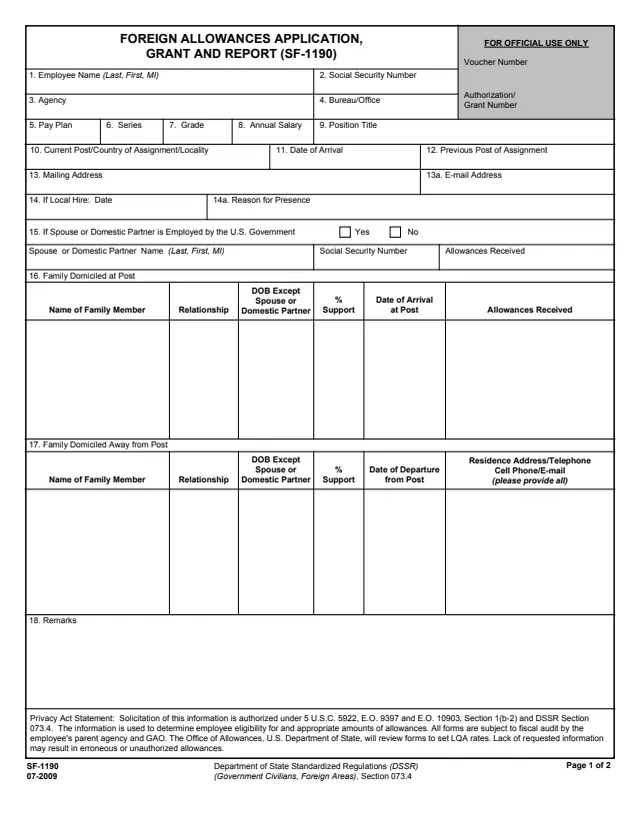
Page 1 of form SF1190

Standard Form 1190 (SF 1190): Foreign Allowances Application, Grant and Report

Standard Form 1190 (SF 1190) is the Foreign Allowances Application, Grant and Report. Its footer cites the Department of State Standardized Regulations (DSSR) (Government Civilians, Foreign Areas), Section 073.4, and GSA's page lists DSSR Section 073.4 as its authority or regulation. GSA hosts a copy in its forms library.

The Privacy Act statement says the information is used to determine employee eligibility for and appropriate amounts of allowances, that all forms are subject to fiscal audit by the employee's parent agency and GAO, and that the Office of Allowances, U.S. Department of State, will review forms to set LQA rates.

Page 1 asks for the employee's position, post and family members at and away from post. Page 2 lists the allowances and differentials claimed with their DSSR sections, any advances, payment details and accounting classification, then the signatures of the employee, an approving or reviewing official when required and a certifying official. The footer prints the edition as 07-2009. You can fill it out free in your browser on this page and download the result without an account.

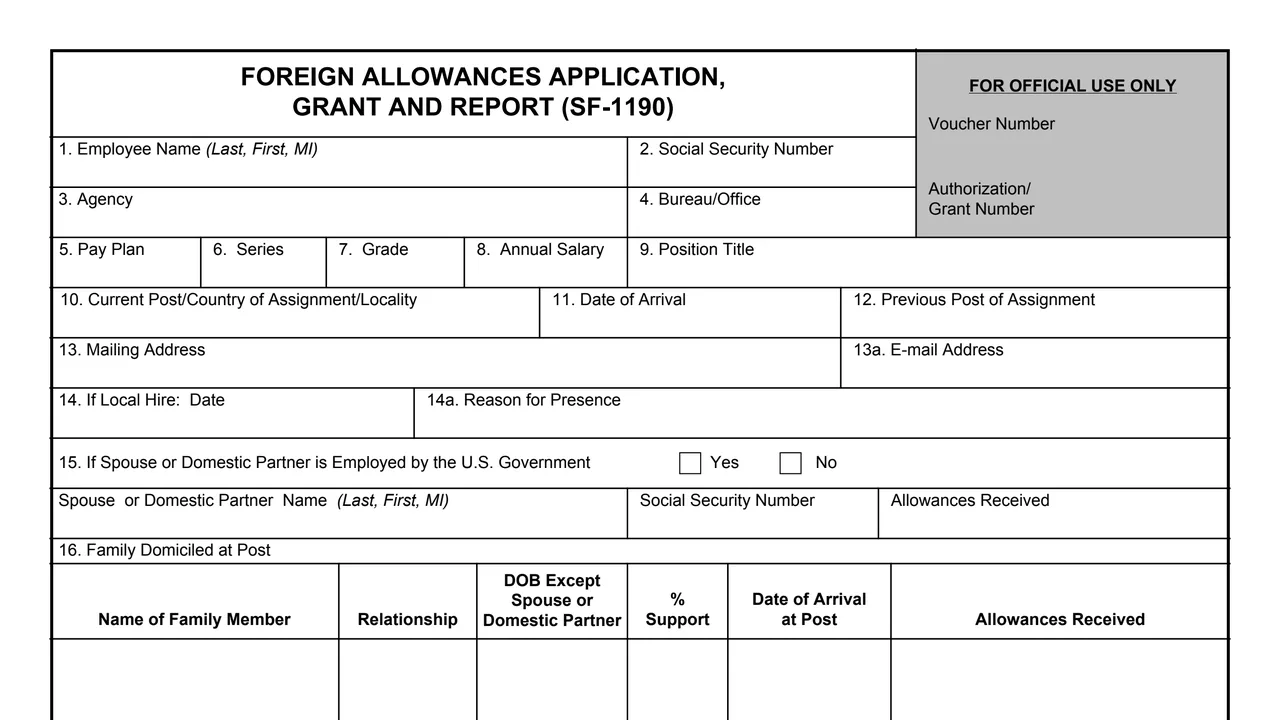
Top of page 1 of Standard Form 1190 (SF 1190): Foreign Allowances Application, Grant and Report, as printed by GSA

What's on SF 1190

Items 1 to 14a: employee and post

Name, Social Security number, agency, bureau or office, pay plan, series, grade, annual salary, position title, current post, country of assignment or locality, date of arrival, previous post, mailing and e-mail address, and for a local hire the date and reason for presence.

Items 15 to 18: family and remarks

A spouse or domestic partner employed by the U.S. Government, family members domiciled at post and away from post with relationship, date of birth except spouse or domestic partner, percent support and dates, and remarks.

Item 21a: payments

Boxes for TQSA, LQA, Repair Allowance, EQA, Post Allowance, Transfer Allowance, SMA, TSMA, Education Allowance or Travel, Post (Hardship) Differential, Service Need Differential and Danger Pay, each with its DSSR section, and a total amount claimed.

Item 21b: advances

LQA advances with dates and number of months, U.S. dollar or foreign currency payment, Transfer Allowance portions, Advance of Pay (DSSR 850) with the number of pay periods to repay it, and the travel authorization or PCS number.

Items 22 and 23: payment and accounting

Electronic Funds Transfer to a checking or savings account, with the financial institution, routing number and account number, or a mailing address for a check, and the accounting classification.

Items 24 to 26: statement and signatures

The employee statement and signature, a spouse or domestic partner signature for SMA, the approving or reviewing official when required, and the certifying official.

Two pages with items 1 to 26. Boxes for a voucher number and an authorization or grant number are marked for official use only.
How to complete SF 1190

  1. 1

    Identify the employee and post

    Fill in items 1 to 14a, and repeat the employee name and Social Security number in items 19 and 20 on page 2.

  2. 2

    List the family

    Complete items 15 to 17. For family away from post, item 17 asks for residence address, telephone, cell phone and e-mail, and says please provide all.

  3. 3

    Check the payments claimed

    Item 21a says to check box(es) and, for calculations, to see DSSR chapter exhibits. Enter beginning and end dates where the form asks for them.

  4. 4

    Add advances and payment details

    Complete item 21b for any advances, then item 22a for Electronic Funds Transfer or item 22b for a check, and item 23 for the accounting classification.

  5. 5

    Sign and route it

    The employee signs and dates item 24. Items 25 and 26 are for the approving or reviewing official, when required, and the certifying official.

Why fill Form SF1190 on indox

You get the real form, filled in a browser tab, with nothing standing between you and the finished PDF.

  • Fill the form right in your browser, no software to install
  • Free to fill and free to download, with no account
  • The official blank straight from the GSA, not a copy someone retyped
  • Works on a phone, tablet or computer

Where it goes and what the form says

Where it goes

The PDF prints no filing address. The employee statement refers to the authorizing office, and items 25 and 26 are signed by an approving or reviewing official and a certifying official.

Changes in conditions

In item 24 the employee states they understand they are obligated to notify the authorizing office immediately of any change in conditions which may affect the amount of allowances and/or differential authorized.

Advances

The statement says that if employment is terminated prior to liquidation of any of these advances, any outstanding amount is due and payable immediately.

Penalties printed on the form

The statement says false statements may lead to criminal penalties under 18 U.S.C. 287 and 1001 and/or civil penalties under 31 U.S.C. 3729 or administrative penalties under 31 U.S.C. 3802.

Privacy

Solicitation is authorized under 5 U.S.C. 5922, E.O. 9397 and E.O. 10903, Section 1(b-2) and DSSR Section 073.4. The form says lack of requested information may result in erroneous or unauthorized allowances.

Who uses SF 1190?

  • The employee

    Items 1 to 14a ask for the employee's name, Social Security number, agency, bureau or office, pay plan, series, grade, annual salary, position title and post. The employee signs the statement in item 24.

  • A spouse or domestic partner

    Item 15 asks whether a spouse or domestic partner is employed by the U.S. Government. Item 24 has a signature line for the spouse or domestic partner, if applying for SMA on their behalf.

  • An approving or reviewing official

    Item 25 is the approving or reviewing official's signature and date, when required.

  • A certifying official

    Item 26 reads: The Above Request is Certified as Correct and Proper for Payment, with the authorized certifying official's signature and date.

  • Reviewers and auditors

    The Privacy Act statement says the Office of Allowances, U.S. Department of State, will review forms to set LQA rates, and that all forms are subject to fiscal audit by the employee's parent agency and GAO.

The form names the employee and the officials who sign it. It is an employee and agency form, not one for the public.

Official sources and the blank

Do it all with indox

View all 94 tools

Questions about Form SF1190

Who issues SF 1190?

The footer cites the Department of State Standardized Regulations (DSSR) (Government Civilians, Foreign Areas), Section 073.4, with the edition 07-2009. GSA hosts a copy in its forms library, and GSA's page lists DSSR Section 073.4 as its authority.

Who signs SF 1190?

The employee signs item 24. A spouse or domestic partner signs there too if applying for SMA on their behalf. An approving or reviewing official signs item 25 when required, and a certifying official signs item 26.

Which allowances does SF 1190 list?

Item 21a lists TQSA, LQA, Repair Allowance, EQA, Post Allowance, Transfer Allowance, SMA, TSMA, Education Allowance or Travel, Post (Hardship) Differential, Service Need Differential and Danger Pay, each with its DSSR section.

Does SF 1190 show allowance rates?

No. Item 21a says that for calculations, see DSSR chapter exhibits. The form itself prints no rates.

Who reviews SF 1190?

The Privacy Act statement says the Office of Allowances, U.S. Department of State, will review forms to set LQA rates, and that all forms are subject to fiscal audit by the employee's parent agency and GAO.

How is the payment made?

Item 22a covers Electronic Funds Transfer to a checking or savings account, with the routing and account numbers. Item 22b takes a mailing address if paid by check.

What if conditions change after approval?

In item 24 the employee states they understand they are obligated to notify the authorizing office immediately of any change in conditions which may affect the amount of allowances and/or differential authorized.