Header
Reporting office (region or central office), report period (month and year) and Reports Control Symbol FS-185.
GSA1577
Performance Analysis Report
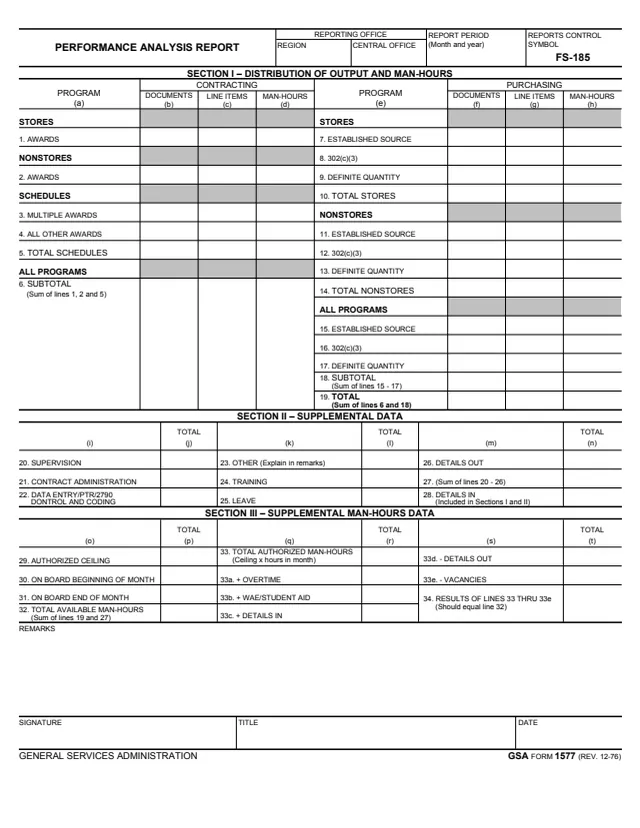
GSA Form 1577, Performance Analysis Report, is a General Services Administration form, Rev. 12-76, with Reports Control Symbol FS-185. GSA hosts it in its forms library.
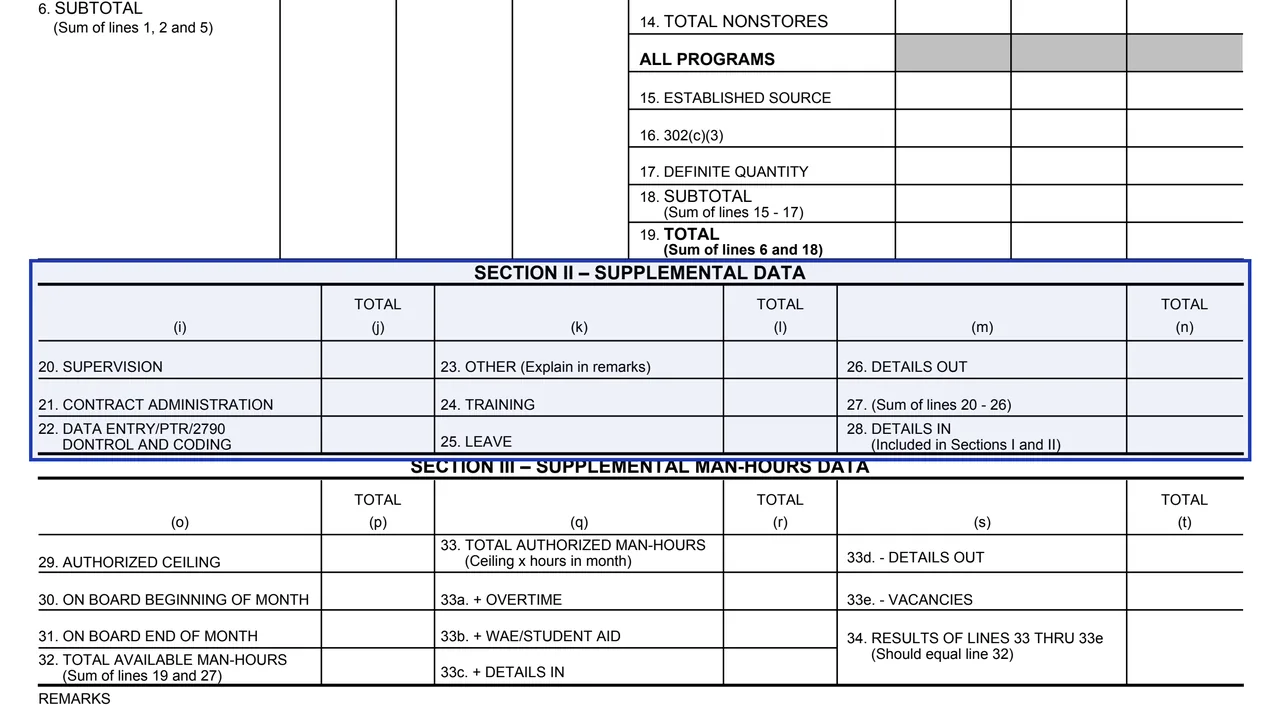
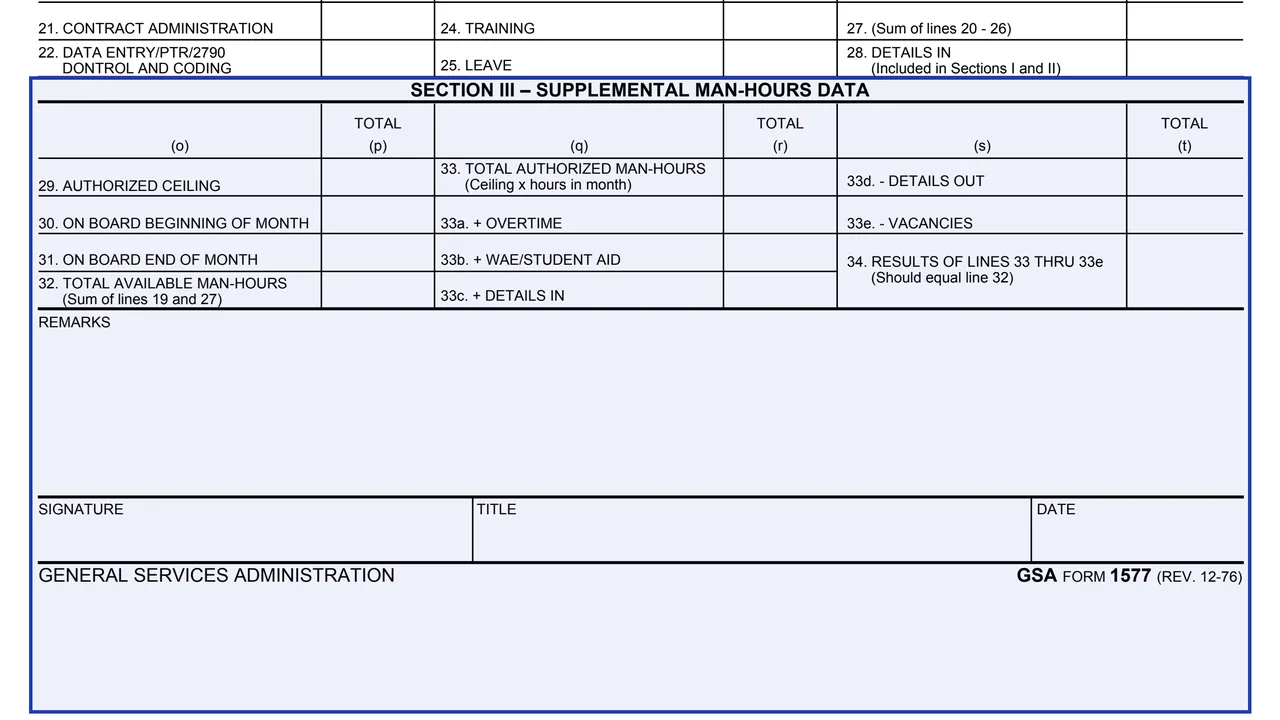
A reporting office, marked as a region or the central office, uses it to report output and man-hours for a report period given as month and year. Section I splits documents, line items and man-hours between contracting and purchasing programs. Section II adds supplemental data such as supervision, training, leave and details out and in, and Section III reconciles authorized and available man-hours.
The form ends with remarks and a signature, title and date. It prints no instructions, filing address or OMB number, and it is an internal report, not a form the public files. You can fill it out free in your browser on this page and download the result without an account.
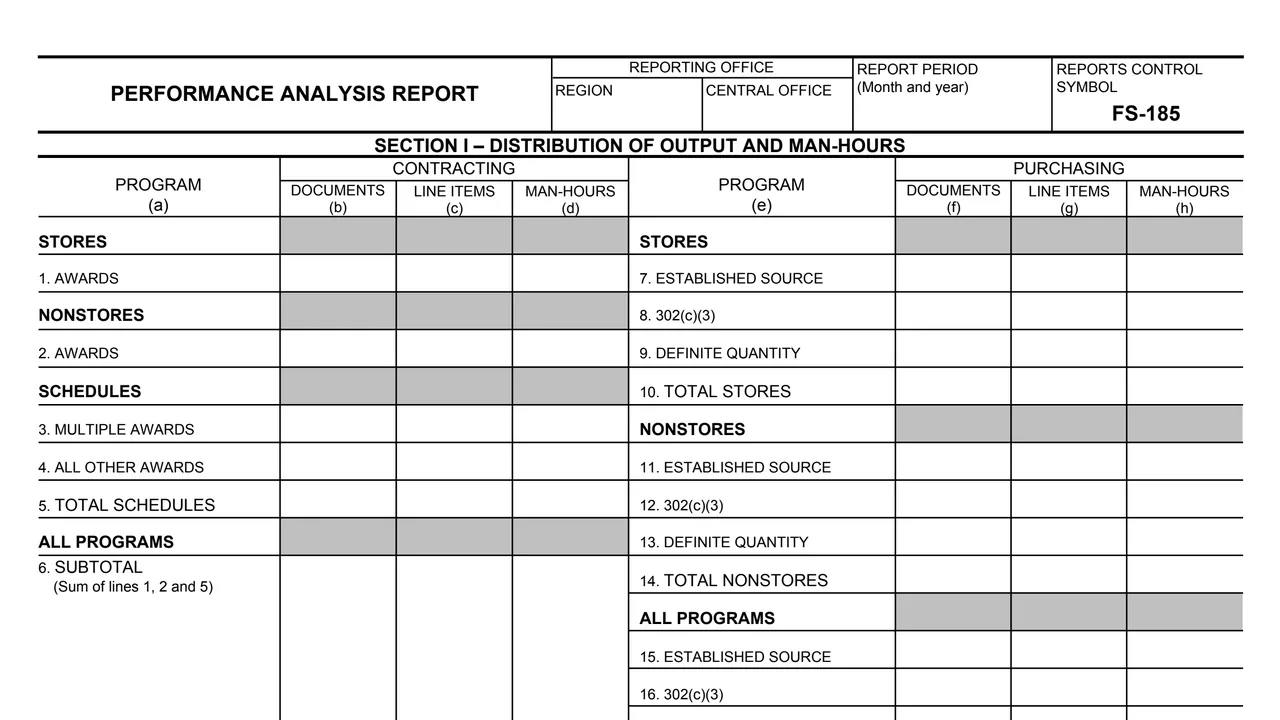
Reporting office (region or central office), report period (month and year) and Reports Control Symbol FS-185.
Documents, line items and man-hours for stores and nonstores awards, schedules (multiple awards and all other awards), and a subtotal of lines 1, 2 and 5.
Established source, 302(c)(3) and definite quantity for stores, nonstores and all programs, a subtotal of lines 15 to 17, and a total of lines 6 and 18.
Supervision, contract administration, data entry and coding, other (explained in remarks), training, leave, details out, a sum of lines 20 to 26, and details in.
Authorized ceiling, on board counts at the beginning and end of the month, total available man-hours, total authorized man-hours with overtime, WAE/student aid, details and vacancies, and the result of lines 33 thru 33e.
A remarks area, then signature, title and date.
Mark region or central office, and enter the report period as month and year.
In Section I, enter documents, line items and man-hours for each contracting and purchasing line. Line 6 is the sum of lines 1, 2 and 5, and line 19 is the sum of lines 6 and 18.
In Section II, enter hours for lines 20 to 26 and their sum on line 27. Line 23, Other, is explained in remarks, and line 28 shows details in.
In Section III, line 32 is the sum of lines 19 and 27, and line 33 is the ceiling x hours in month. The form says line 34, the result of lines 33 thru 33e, should equal line 32.
Explain any line 23 entry in remarks, then sign and add a title and date.
The form gives no written steps. These follow the totals printed on its lines.
You get the real form, filled in a browser tab, with nothing standing between you and the finished PDF.
The PDF gives no filing address or recipient. It carries Reports Control Symbol FS-185.
Line 34, the result of lines 33 thru 33e, should equal line 32, the form says.
The footer reads General Services Administration, GSA Form 1577 (Rev. 12-76). GSA's page lists the current revision date as 12/1976.
The form prints no instructions, OMB number or Privacy Act statement.
The form prints no instructions. These are the offices and signers its header and footer name.
No tool matches that search.
The form is printed as a General Services Administration form, GSA Form 1577 (Rev. 12-76), with Reports Control Symbol FS-185. GSA hosts a copy in its forms library.
The header asks for a report period as month and year, and Section III asks for on board counts at the beginning and end of the month.
Section I has a contracting side (lines 1 to 6) and a purchasing side (lines 7 to 19). Each records documents, line items and man-hours.
Line 32 is the sum of lines 19 and 27. Line 33 is the ceiling x hours in month, adjusted on lines 33a to 33e, and the form says line 34 should equal line 32.
The form prints one signature line with title and date. It does not name the signer's position or the office that receives the report.