Section 1: Reason for applying
New enrollee, reactivation, voluntary termination, change of information or revalidation, with a table of the sections each type of change requires.
CMS-20134
Medicare Enrollment Application - Medicare Diabetes Prevention Program (MDPP) Suppliers
Form CMS-20134 is the Medicare Enrollment Application for Medicare Diabetes Prevention Program (MDPP) Suppliers from the Centers for Medicare & Medicaid Services. The form says any organization that wants to furnish MDPP services submits a Medicare enrollment application to become an MDPP supplier, including organizations already enrolled in Medicare, and that it is also used to change existing enrollment information. It lists three supplier types: in-person, in-person with distance learning, and online.
The application has 17 sections, with Sections 9 to 12 reserved for future use. They cover the reason for applying, identifying information and CDC recognition status, final adverse legal actions, MDPP locations, owners and managing control, the coach roster, billing agency, contact person, penalties for falsifying information, certification signatures, delegated officials and a supporting documents checklist.
The form says the completed application, with original signatures and all required documentation, goes to the Medicare Administrative Contractor (MAC) that services the supplier's State, and notes that the online PECOS system can be used instead. You can fill it out free in your browser on this page and download the result without an account.
New enrollee, reactivation, voluntary termination, change of information or revalidation, with a table of the sections each type of change requires.
Supplier type, legal business name as reported to the IRS, tax ID, other names, proprietary or non-profit status, organizational structure, CDC recognition status with organizational code and dates, and a correspondence address.
Final adverse legal actions such as convictions within the preceding 10 years and exclusions, revocations or suspensions; administrative locations and community settings, a special payments address and medical record storage.
Organizations and individuals with 5 percent or more ownership, a partnership interest or managing control, with dates and any final adverse legal actions. Individuals give name, date of birth and Social Security Number.
Each coach's name, Social Security Number, date of birth and NPI with a start, change or end date, and any billing agency the supplier contracts with to prepare and submit claims.
Contact person, penalties for falsifying information, the certification statement signed by authorized officials, optional delegated officials, and the supporting documents checklist.
Sections 9 to 12 are marked for future use and not applicable.
The form's process says the MDPP supplier and its coaches obtain National Provider Identifiers before completing and submitting the application. It points to NPPES.cms.hhs.gov.
Check one reason in Section 1A. For a change of information, Section 1B lists which sections to complete for each kind of change.
The form says to type or print legibly, not in pencil, and to copy and complete a section for each additional entry, such as more locations, owners or coaches.
The form says only an authorized official signs an initial or revalidation application. Signatures are original and in ink (blue preferred); stamped, faxed or copied signatures are not accepted.
Section 17 lists a copy of the MDPP preliminary or full DPRP recognition certificate or letter, IRS confirmation of the tax ID where applicable, and Form CMS-588 for electronic funds transfer, among others.
Mail the package to the MAC that services the State; the form points to CMS.gov/medicare/enrollment-renewal/providers-suppliers for addresses. It says the contractor may request fingerprints, conducts a site visit and gives its decision in writing.
You get the real form, filled in a browser tab, with nothing standing between you and the finished PDF.
To the designated MAC that services the supplier's State. The form gives CMS.gov/medicare/enrollment-renewal/providers-suppliers for the mailing address and notes that PECOS can be used online instead.
The form's supplier standards say changes of ownership, changes to the coach roster and final adverse legal action history are reported within 30 days, and all other changes within 90 days.
The form says the fee-for-service contractor may ask for more documentation at any time during enrollment, to be provided within 30 days of the request.
The form says Medicare issues payments by electronic funds transfer. Form CMS-588 is not required if the supplier already receives payments electronically and is not changing its banking information.
MDPP suppliers revalidate every five years, the form says, and a revalidation application is not submitted until the contractor makes contact.
The information goes into PECOS. Giving it, including Social Security Numbers, is voluntary, but the form says everything except sections marked optional is required to enroll as an MDPP supplier.
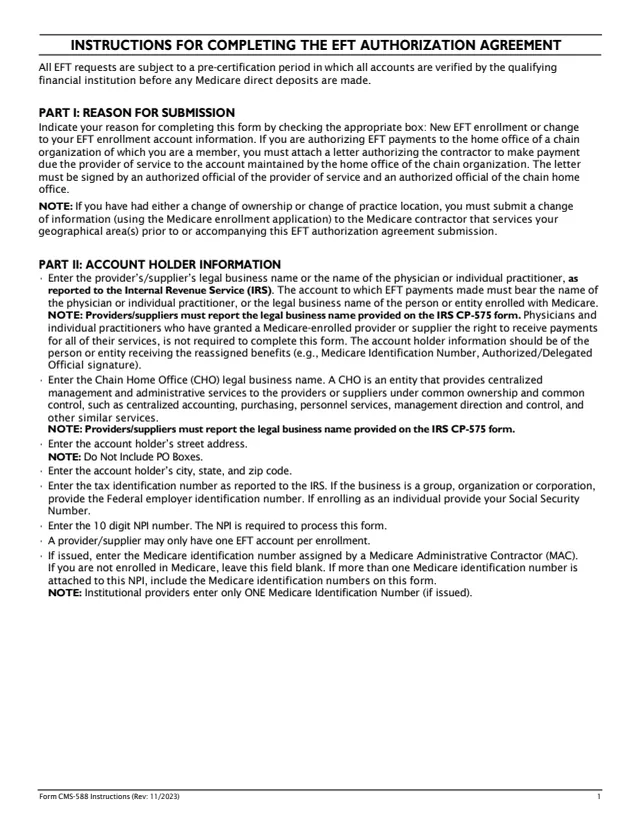
CMS-588
39 fields, 4 pages
CMS-855B
960 fields, 54 pages
CMS-855I
513 fields, 26 pages
CMS-855A
1,236 fields, 72 pages
CMS-855O
174 fields, 11 pages
CMS-855S
1,031 fields, 39 pages
The form is for organizations, not for people with Medicare. It names the situations it covers.
No tool matches that search.
The form says any organization that wants to furnish Medicare Diabetes Prevention Program services submits it to become an MDPP supplier, including organizations already enrolled in Medicare. Enrolled MDPP suppliers also use it for changes.
The form says to send it, with original signatures and all required documentation, to the Medicare Administrative Contractor that services the supplier's State. Addresses are at CMS.gov/medicare/enrollment-renewal/providers-suppliers.
The form notes that the online Provider Enrollment, Chain and Ownership System (PECOS) can also be used to apply or change MDPP enrollment information.
Section 17 lists a copy of the MDPP preliminary or full DPRP recognition certificate or letter, IRS confirmation of the tax ID where applicable, and Form CMS-588, plus other documents if they apply, such as an IRS non-profit determination letter.
The form says only an authorized official can sign the initial or revalidation application. A delegated official, named by an authorized official in Section 16, can sign changes and updates.
The form says the supplier and its coaches obtain NPIs before the application is submitted, and the Section 7 coach roster marks the NPI as required.
The supplier standards on the form say within 30 days for changes of ownership, coach roster changes and final adverse legal action history, and within 90 days for all other changes.