W-4

Employee's Withholding Certificate (Russian Version)

Agency
IRS
Revision
2026
Fillable fields
48
Pages
5
Official source
IRS form page
Checked
October 21, 2026
Fill W-4 online
Page 1 of form W-4

Form W-4 (ru): Employee's Withholding Certificate, Russian Version (2026)

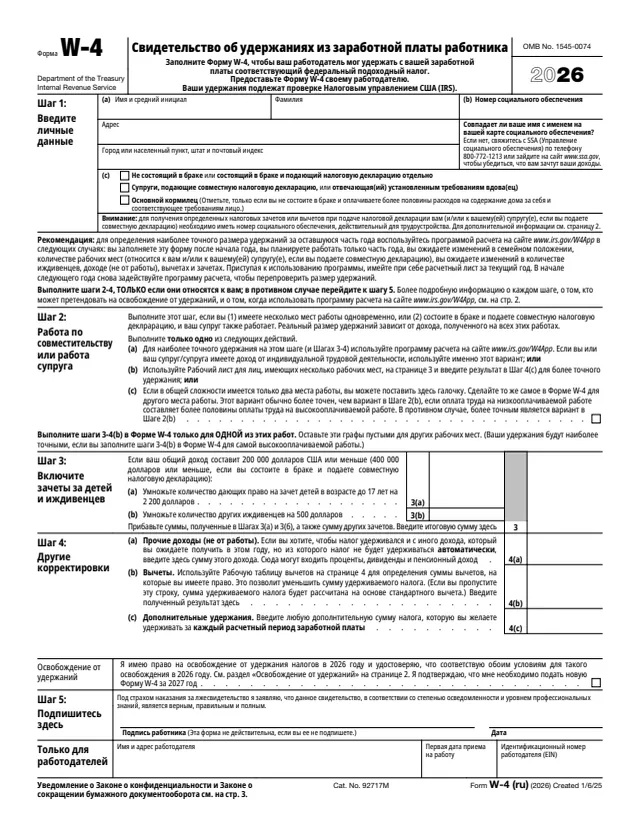
Form W-4 (ru) is the Russian version of the 2026 Form W-4, Employee's Withholding Certificate. The five-page PDF is in Russian under the title "Свидетельство об удержаниях из заработной платы работника". The IRS made it for employees who read Russian. The agency name, the OMB number and the catalog line at the bottom of page 1 stay in English. It writes dollar amounts in Russian style, such as 200 000 долларов США.

An employee fills it out so the employer can withhold the correct federal income tax from pay. Page 1 holds Steps 1 to 5, the box to claim exemption from withholding and a section only the employer completes. Page 2 holds the general and specific instructions, pages 3 and 4 hold the Multiple Jobs Worksheet and the Deductions Worksheet, and page 5 holds the tables the Multiple Jobs Worksheet uses.

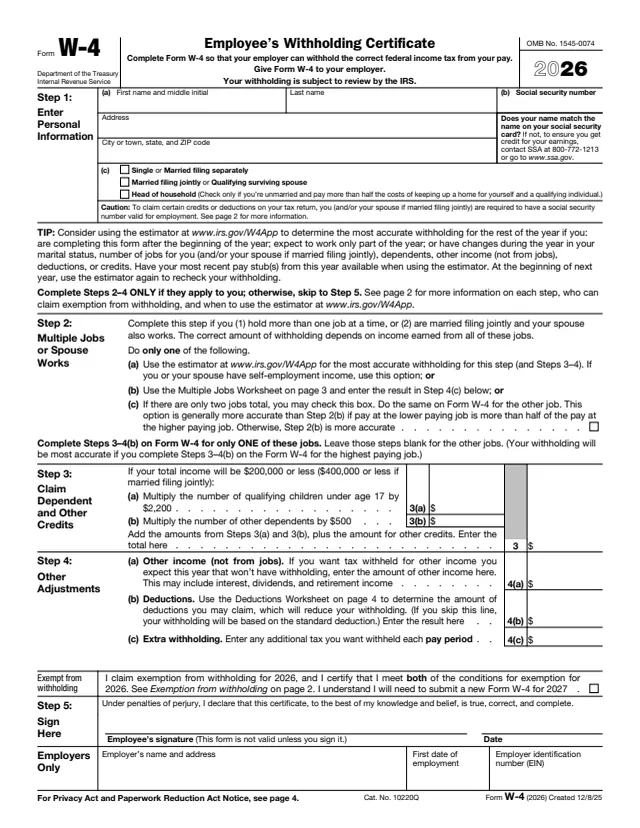
The form says to give it to your employer and that your withholding is subject to review by the IRS. The English edition, Form W-4, has its own page. You can fill out this Russian PDF free in your browser on this page and download it without an account.

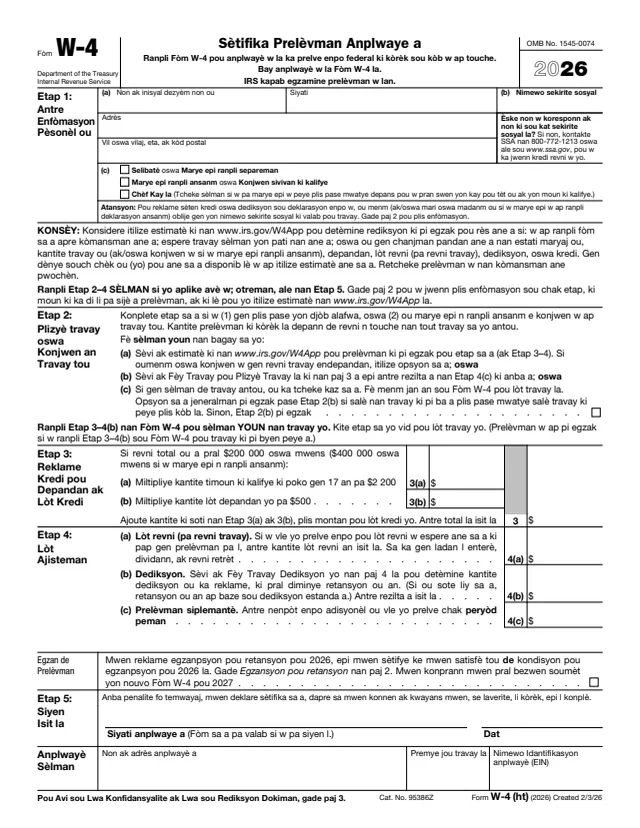
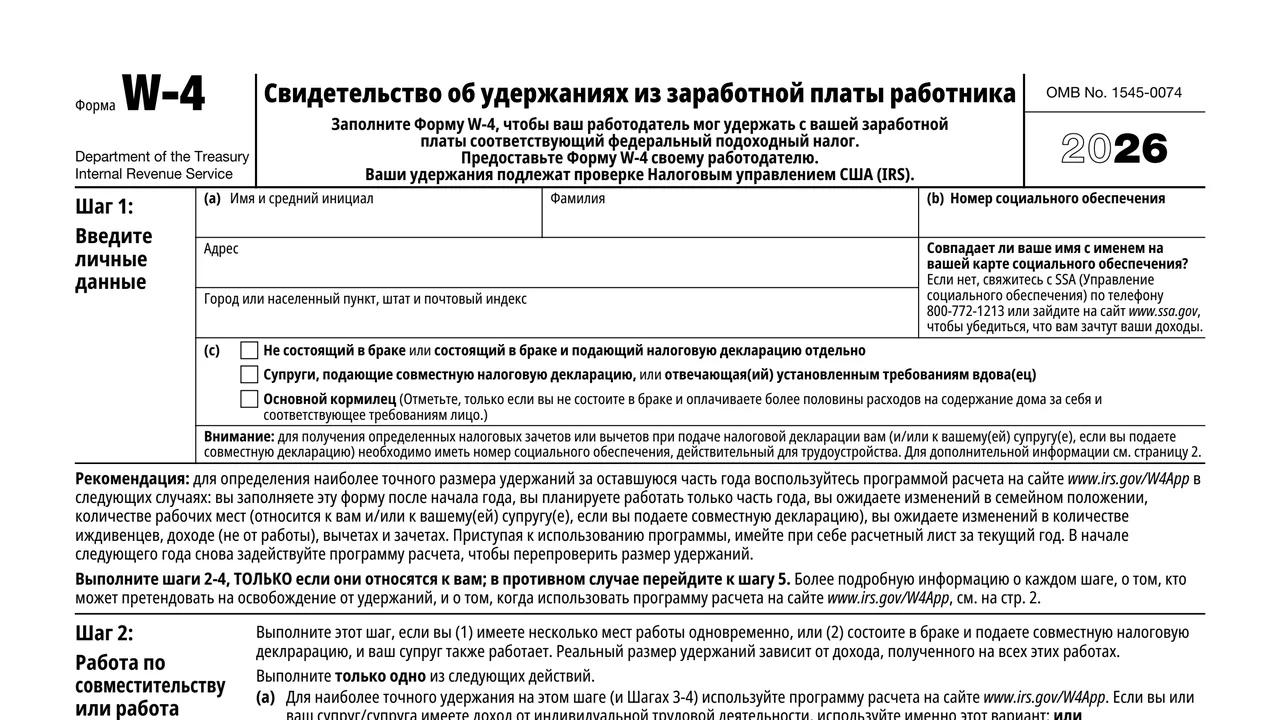
Top of page 1 of Form W-4 (ru): Employee's Withholding Certificate, Russian Version (2026), as printed by IRS

What's on Form W-4 (ru)

Step 1: personal information

First name and middle initial, last name, address and Social Security number, plus three filing status boxes: single or married filing separately, married filing jointly or qualifying surviving spouse, and head of household.
Step 2: multiple jobs or spouse works

Three options, of which you take only one: the online estimator, the Multiple Jobs Worksheet on page 3, or a checkbox when there are only two jobs in total.

Step 3: dependents and other credits

For total income of $200,000 or less ($400,000 or less if married filing jointly): line 3(a) for qualifying children under 17, line 3(b) for other dependents, and a total that adds other credits.

Step 4: other adjustments

Line 4(a) for other income not from jobs, line 4(b) for deductions from the Deductions Worksheet, and line 4(c) for extra withholding each pay period.

Exemption, Step 5 and the employer section

The exemption box, the employee's signature and date under penalties of perjury, and the employer's name, address, first date of employment and EIN. The form says it is not valid unless you sign it.

Pages 2 to 5

Instructions on page 2, the Multiple Jobs Worksheet on page 3, the Deductions Worksheet on page 4 and the tables on page 5. The worksheets are marked to keep for your records. The privacy notice is on page 3.

How to fill out Form W-4 (ru)

  1. 1

    Step 1

    Enter your name, address and Social Security number and check one filing status. If your name does not match your Social Security card, the form says to contact the Social Security Administration at 800-772-1213 or www.ssa.gov.

  2. 2

    Steps 2 to 4 only if they apply

    Otherwise go to Step 5. In Step 2, take only one option. The form says to use the estimator at www.irs.gov/W4App if you or your spouse have self-employment income. If you check box 2(c), check it on the other job's W-4 too.

  3. 3

    Step 3

    Multiply the number of qualifying children under 17 by $2,200 and other dependents by $500, add other credits, and enter the total. The instructions say a qualifying child is under 17 at December 31 and has the required Social Security number.

  4. 4

    Step 4

    Enter other expected income in 4(a), not income from jobs or self-employment. For 4(b), complete the Deductions Worksheet on page 4, whose line 15 carries to Step 4(b). Enter any extra tax to withhold each pay period in 4(c).

  5. 5

    Multiple jobs

    Complete Steps 3 to 4(b) on the W-4 for only one job and leave them blank for the others. The form says withholding is most accurate on the W-4 for the highest paying job. The Multiple Jobs Worksheet uses the tables on page 5 and carries its result to Step 4(c).

  6. 6

    Exemption and Step 5

    To claim exemption, check the box and complete only Steps 1(a), 1(b) and 5. Then sign and date the form.

Why fill Form W-4 on indox

You get the real form, filled in a browser tab, with nothing standing between you and the finished PDF.

  • Fill the form right in your browser, no software to install
  • Free to fill and free to download, with no account
  • The official blank straight from the IRS, not a copy someone retyped
  • Works on a phone, tablet or computer

Where it goes, timing and what to know

Where it goes

The form says to give it to your employer. Your employer uses it to withhold federal income tax, and the form notes that your withholding is subject to review by the IRS.

When to complete a new one

The instructions say to complete a new Form W-4 when changes to your personal or financial situation would change your entries.

Exemption renewal

The exemption box covers 2026. The form says you will need to submit a new Form W-4 by February 16, 2027.

Withholding estimator

The form points to the estimator at www.irs.gov/W4App, for example if you complete the form after the start of the year, expect to work only part of the year, or have changes during the year.

If you give no form

The privacy notice says that if you do not give a properly completed form, you are treated as a person who is not married and has no other entries on the form.

Latest developments

For legislation or other changes after the form was published, the form points to www.irs.gov/FormW4Ru.

Who fills out Form W-4 (ru)?

  • Employees who read Russian

    Every step, instruction and worksheet on this PDF is in Russian. The same certificate in English is Form W-4.

  • Employees setting or updating withholding

    The form says to complete it so your employer can withhold the correct federal income tax from your pay, and to complete a new one when changes to your personal or financial situation would change your entries.

  • More than one job or a working spouse

    Step 2 is for employees who hold more than one job at a time, or who are married filing jointly with a spouse who also works.

  • Employees claiming exemption

    A box below Step 4 is for employees who certify they meet both conditions for exemption from withholding for 2026.

  • Nonresident aliens

    The form tells nonresident aliens to read Notice 1392, Supplemental Form W-4 Instructions for Nonresident Aliens, before completing it.

  • Employers

    The section for employers only asks for the employer's name and address, the first date of employment and the employer identification number (EIN).

The employee completes the form, signs Step 5 and gives it to the employer. The employer fills in only the section marked for employers.

Official sources and the blank

Do it all with indox

View all 94 tools

Questions about Form W-4

What language is Form W-4 (ru) in?

The PDF is in Russian. The agency name, the OMB number and the catalog line at the bottom of page 1 are in English. This page describes it in English.

Do I send Form W-4 (ru) to the IRS?

The form says to give it to your employer. It notes that your withholding is subject to review by the IRS.

Where are the instructions?

They are printed in Russian on page 2 of the PDF. The worksheets are on pages 3 and 4 and the tables on page 5.

Can I claim exemption from withholding?

The form says you can claim exemption for 2026 if you had no federal income tax liability in 2025 and expect none in 2026. You then complete only Steps 1(a), 1(b) and 5, and submit a new form by February 16, 2027.

What if I have two jobs?

Use Step 2 and take one option: the estimator, the Multiple Jobs Worksheet, or the checkbox for only two jobs, which is checked on both forms. Steps 3 to 4(b) go on only one of the forms.

What happens if I do not give my employer a W-4?

The privacy notice says you are treated as a person who is not married and has no other entries on the form.