GSA873A_21

Annual Attendance Record (Part-Time Employees) - 2021

Agency
GSA
Revision
Rev. 6/2021
Fillable fields
1215
Pages
2
Official source
GSA form page
Checked
October 20, 2026
Fill GSA873A_21 online
Page 1 of form GSA873A_21

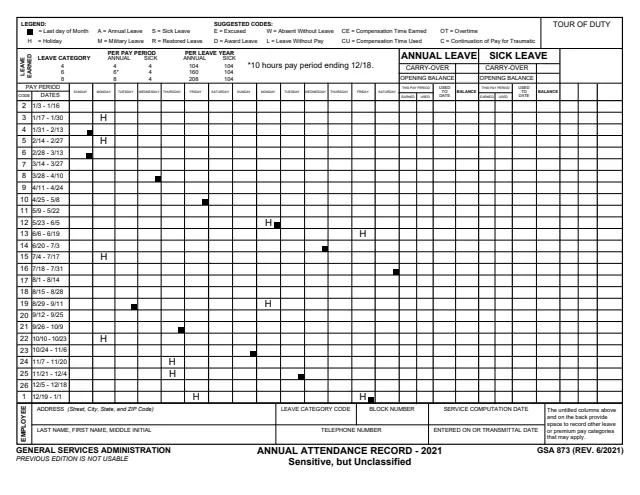
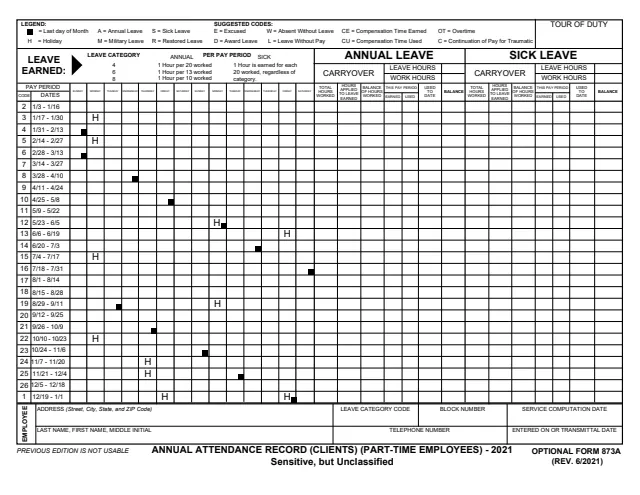
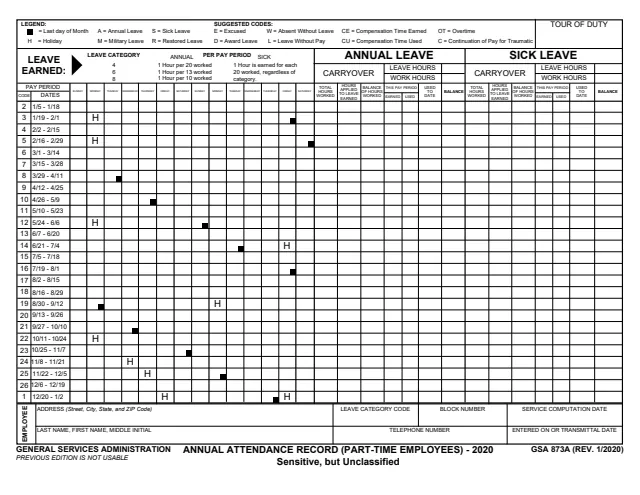
GSA Form 873A: Annual Attendance Record (Part-Time Employees) - 2021

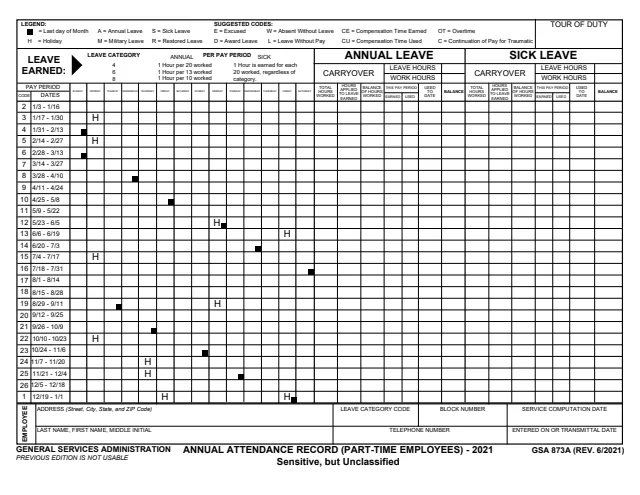
GSA Form 873A, Annual Attendance Record (Part-Time Employees) - 2021, is a U.S. General Services Administration (GSA) form, Rev. 6/2021, and GSA hosts it in its forms library. The front is marked Sensitive, but Unclassified.

The form says it is an optional form for timekeepers to use in recording daily and bi-weekly pay and leave activity, and that it is a record of what SHOULD BE recorded into the official payroll system. The front holds a daily grid for the 26 pay periods of 2021, the leave earning rates for leave categories 4, 6 and 8, and running annual and sick leave balances. The back has untitled columns for other leave and premium pay categories.

You can fill it out free in your browser on this page and download the result without an account.

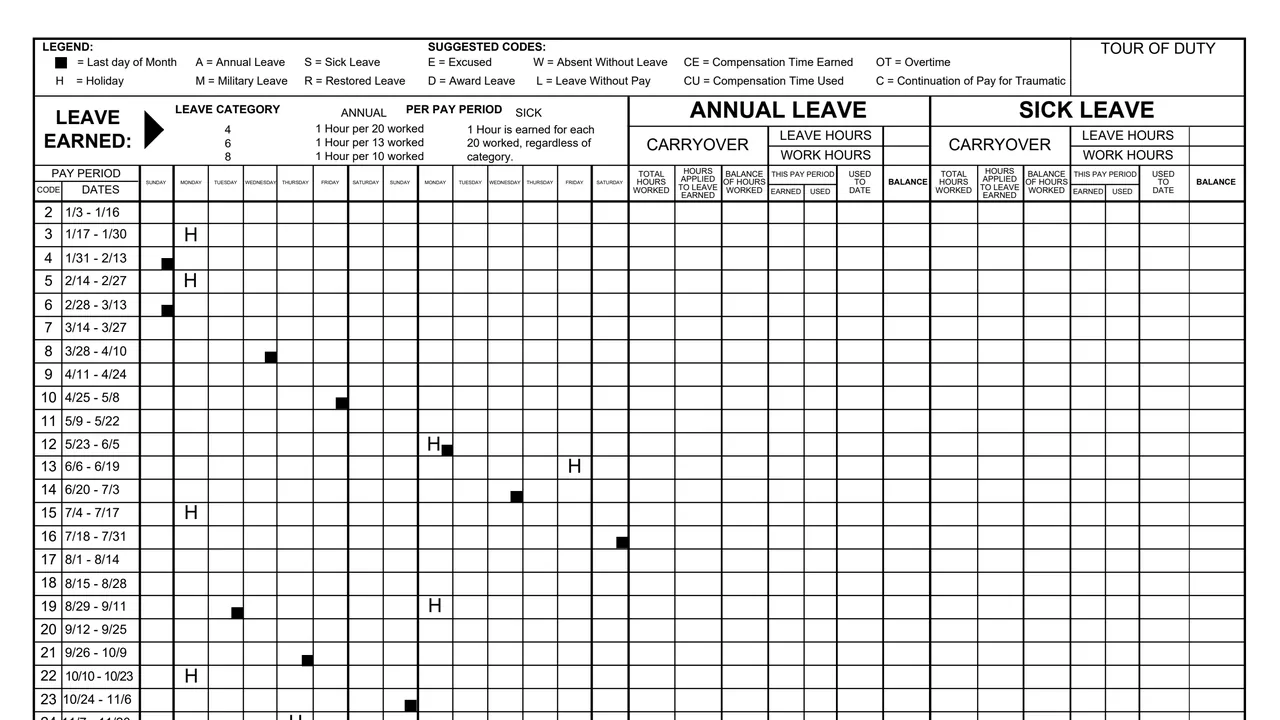
Top of page 1 of GSA Form 873A: Annual Attendance Record (Part-Time Employees) - 2021, as printed by GSA

What's on GSA Form 873A

Legend and suggested codes

A black square marks the last day of each month and H marks a holiday. The suggested codes are A for Annual Leave, S for Sick Leave, E for Excused, W for Absent Without Leave, M for Military Leave, R for Restored Leave, D for Award Leave, L for Leave Without Pay, CE for Compensation Time Earned, CU for Compensation Time Used, OT for Overtime and C for Continuation of Pay for Traumatic, as printed.
Leave earned box

For leave categories 4, 6 and 8 the form prints annual leave earned per pay period of 1 hour per 20, 13 and 10 hours worked. For sick leave it says 1 hour is earned for each 20 worked, regardless of category.

Daily pay period grid

Rows for pay periods 2 to 26, from 1/3 - 1/16 to 12/5 - 12/18, then pay period 1, 12/19 - 1/1. Each row has 14 day boxes, Sunday to Saturday twice.

Annual leave and sick leave columns

Each section has a carryover box, leave hours and work hours, and per pay period columns for total hours worked, hours applied to leave earned, balance of hours worked, earned and used this pay period, used to date and balance.

Employee block and tour of duty

Address, last name, first name and middle initial, leave category code, block number, telephone number, service computation date, and the entered on or transmittal date. A tour of duty box sits at the top right.

Back page: other leave categories

Untitled columns for each pay period. The form lists examples such as Shared (Donated), Restored, Award, Family Friendly, Military, Compensatory Leave and Credit Hours, plus premium pay such as Night Differential and Overtime.

How to complete GSA Form 873A

  1. 1

    Fill in the employee block

    Enter the employee's name, address and telephone number, the leave category code, block number, service computation date and the entered on or transmittal date. The tour of duty box is at the top right.

  2. 2

    Enter the carryover balances

    Each of the annual leave and sick leave sections starts with a carryover box for the balance brought into the year.

  3. 3

    Mark each day with a code

    Use the suggested codes in the legend for the day boxes of each pay period. Holidays are already marked H on the 2021 grid.

  4. 4

    Total each pay period

    Record total hours worked, hours applied to leave earned, balance of hours worked, leave earned and used this pay period, used to date and balance. For leave categories 4, 6 and 8 the form prints annual leave earned per pay period of 1 hour per 20, 13 and 10 hours worked. For sick leave it says 1 hour is earned for each 20 worked, regardless of category.

  5. 5

    Track other leave on the back

    The form says the untitled columns on the back may be used to keep usage and balances for any leave and premium pay categories that apply to the employee.

  6. 6

    Compare with payroll reports

    The form says the Earnings and Leave Statement, the Supervisor's Time and Attendance Report and the Premium Pay Report should agree with the data on this form.

Why fill Form GSA873A_21 on indox

You get the real form, filled in a browser tab, with nothing standing between you and the finished PDF.

  • Fill the form right in your browser, no software to install
  • Free to fill and free to download, with no account
  • The official blank straight from the GSA, not a copy someone retyped
  • Works on a phone, tablet or computer

Where it goes and what the form says

Where it goes

The PDF gives no filing address and no signature line. It describes itself as an optional form for timekeepers and a record of what SHOULD BE recorded into the official payroll system.

Year covered

This edition covers 2021: pay period 2 starts 1/3 - 1/16, pay period 26 ends 12/5 - 12/18, and pay period 1 is 12/19 - 1/1.

Markings on the form

The front is marked Sensitive, but Unclassified and says PREVIOUS EDITION IS NOT USABLE.

Authority listed by GSA

GSA's page for this form lists ADM 5440.708 as its authority or regulation and 06/2021 as the current revision date. The PDF itself prints no OMB number, Privacy Act statement or burden estimate.

Who uses GSA Form 873A?

  • Timekeepers

    The form says it is an optional form for timekeepers to use in recording daily and bi-weekly pay and leave activity.

  • The part-time employee on the record

    Each copy is for one employee. The employee block holds the name, address, telephone number, leave category code and service computation date.

  • Offices that compare payroll reports

    The form says the bi-weekly Earnings and Leave Statement, the Supervisor's Time and Attendance Report and the Premium Pay Report reflect what IS in the official payroll system, and should agree with the data on this form.

  • An internal record, not a public filing

    The form is printed by GSA, marked Sensitive, but Unclassified, and has no signature line or filing address. It is a timekeeping record kept for the employee.

The note on the back of the form says who it is for and how it relates to the payroll system.

Official sources and the blank

Do it all with indox

View all 94 tools

Questions about Form GSA873A_21

Who issues GSA Form 873A?

The form prints GENERAL SERVICES ADMINISTRATION at the bottom left and the footer GSA 873A (REV. 6/2021). GSA hosts it in its forms library.

Who fills out GSA Form 873A?

The form says it is an optional form for timekeepers to use in recording daily and bi-weekly pay and leave activity. Each copy records one part-time employee, named in the employee block.

How is leave earned on the form?

For leave categories 4, 6 and 8 the form prints annual leave earned per pay period of 1 hour per 20, 13 and 10 hours worked. For sick leave it says 1 hour is earned for each 20 worked, regardless of category.

What do the letter codes mean?

The legend lists H for a holiday and the suggested codes A for Annual Leave, S for Sick Leave, E for Excused, W for Absent Without Leave, M for Military Leave, R for Restored Leave, D for Award Leave, L for Leave Without Pay, CE for Compensation Time Earned, CU for Compensation Time Used, OT for Overtime and C for Continuation of Pay for Traumatic, as printed.
Is GSA Form 873A the official payroll record?

No. The form says it is a record of what SHOULD BE recorded into the official payroll system, while the Earnings and Leave Statement, the Supervisor's Time and Attendance Report and the Premium Pay Report reflect what IS in it. Those reports should agree with the form.

Which pay periods does the 2021 form cover?

Pay periods 2 to 26 run from 1/3 - 1/16 to 12/5 - 12/18, and pay period 1 is listed last as 12/19 - 1/1.

Can an earlier edition be used?

The front of the form says PREVIOUS EDITION IS NOT USABLE. This edition is Rev. 6/2021, printed in the footer as GSA 873A (REV. 6/2021).