Items 1A to 3: submission and agency
Date submitted, submitted by, start date (6 positions) and reporting agency code (FIP 95, 4 positions).
GSA3672
Federal Procurement Data System (FPDS) Contracting Office Code Report
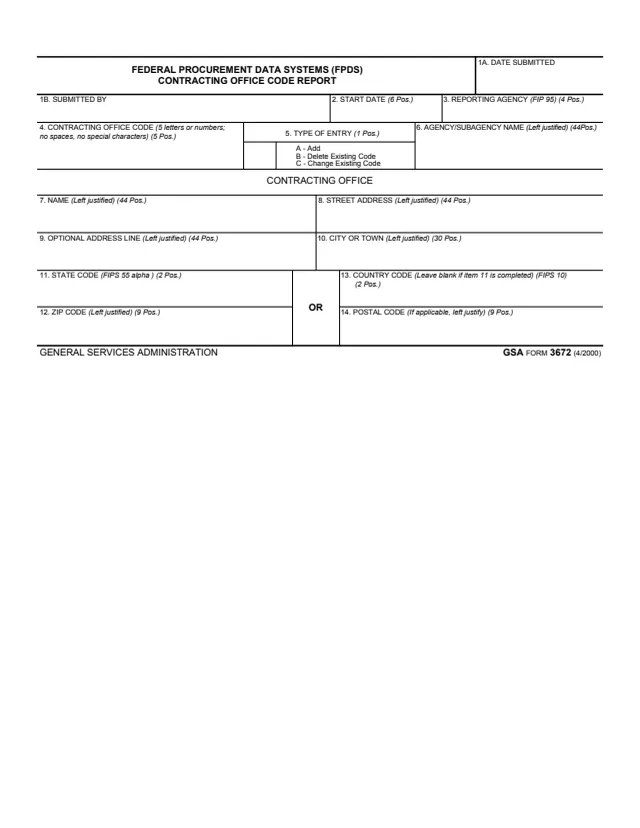
GSA Form 3672, Federal Procurement Data Systems (FPDS) Contracting Office Code Report, is a one-page GSA form. The footer reads GENERAL SERVICES ADMINISTRATION and GSA FORM 3672 (4/2000), and GSA hosts it in its forms library.
The form reports one contracting office code. Item 5 sets the type of entry: A to add, B to delete an existing code or C to change an existing code. The rest of the form records who submitted it and when, a start date, the reporting agency and agency or subagency name, and the contracting office's name and address, with the number of positions each box allows. It has no signature line and no instructions beyond the notes printed in each box.
You can fill it out free in your browser on this page and download the result without an account.
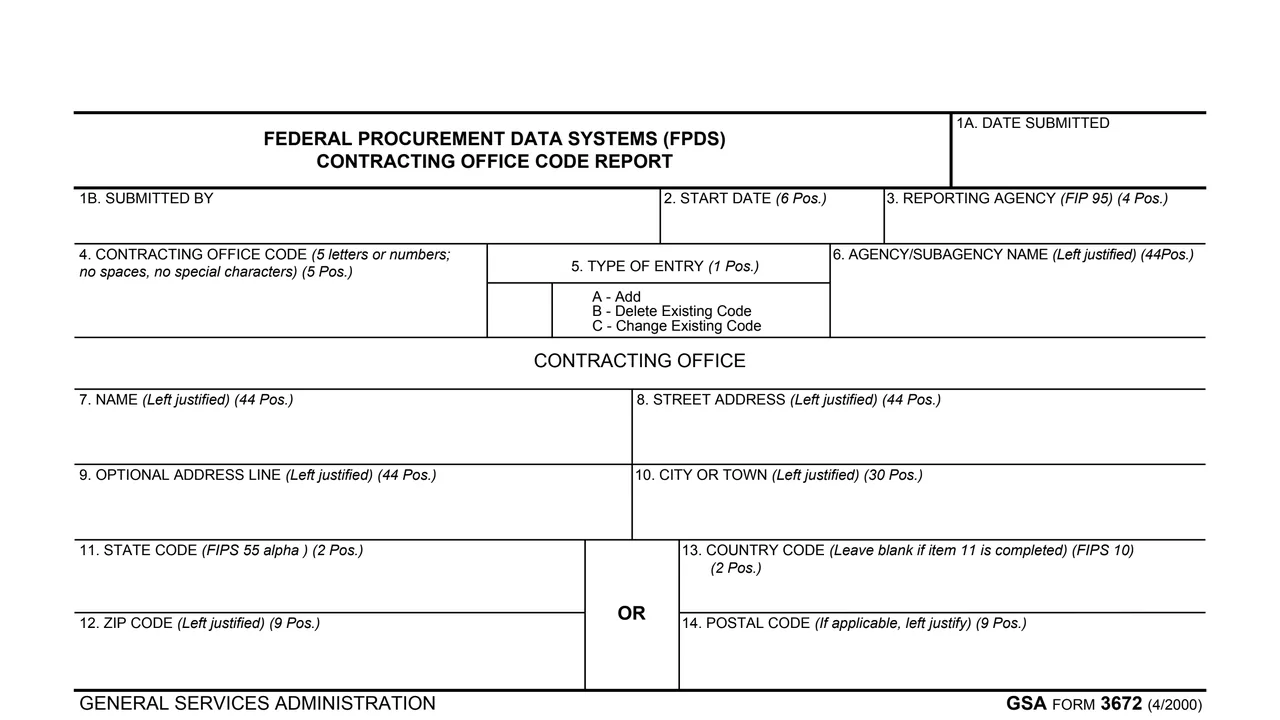
Date submitted, submitted by, start date (6 positions) and reporting agency code (FIP 95, 4 positions).
5 letters or numbers, with no spaces and no special characters.
One position: A for Add, B for Delete Existing Code, or C for Change Existing Code.
The agency or subagency name, left justified, in up to 44 positions.
Contracting office name, street address and an optional address line, each up to 44 positions, and city or town up to 30, all left justified.
Either a state code (FIPS 55 alpha, 2 positions) and ZIP code (9 positions), or a country code (FIPS 10, 2 positions) and postal code (9 positions).
Each box prints the number of positions it allows.
In item 5, enter A to add a code, B to delete an existing code or C to change an existing code.
Item 4 takes 5 letters or numbers. The form says no spaces and no special characters.
Enter the start date in item 2, the reporting agency code (FIP 95) in item 3 and the agency or subagency name, left justified, in item 6.
Fill in items 7 to 10 left justified, then a U.S. state code and ZIP code, or a country code and postal code. The form prints OR between the two pairs.
Complete item 1A, Date Submitted, and item 1B, Submitted By.
These steps follow the notes printed in each box.
You get the real form, filled in a browser tab, with nothing standing between you and the finished PDF.
The PDF prints no address or recipient. It records only who submitted it and the date submitted.
FIP 95 for the reporting agency, FIPS 55 alpha for the state code and FIPS 10 for the country code.
Each box shows its maximum number of positions, from 1 position for the type of entry to 44 positions for names and address lines.
The PDF prints no signature line, no Privacy Act statement, no burden statement and no separate instructions.
The form names no filer by title. These are the parties its boxes describe.
No tool matches that search.
The footer reads GENERAL SERVICES ADMINISTRATION and GSA FORM 3672 (4/2000). GSA hosts the form in its forms library.
The PDF title reads Federal Procurement Data Systems (FPDS) Contracting Office Code Report. GSA's page lists it as Federal Procurement Data System (FPDS) Contracting Office Code Report.
Item 5 lists A for Add, B for Delete Existing Code and C for Change Existing Code, in one position.
The form says 5 letters or numbers, with no spaces and no special characters.
The form offers a country code (FIPS 10) and a postal code as an alternative to the state code and ZIP code. It says to leave the country code blank if item 11 is completed.
The PDF prints no signature line. It has a Submitted By box and a Date Submitted box.