Header
Reports Control Symbol PB-39, region, month, and page of pages.
GSA159
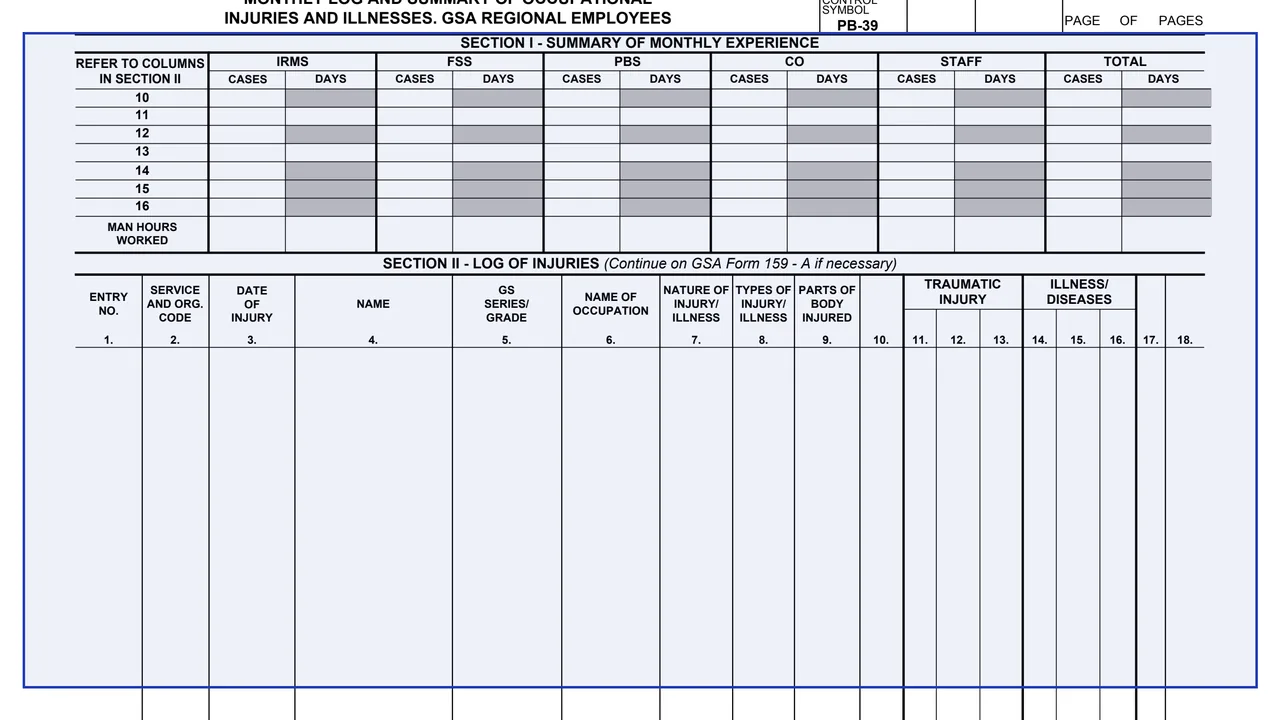
Monthly Log and Summary of Occupational Injuries and Illnesses, GSA Regional Employees
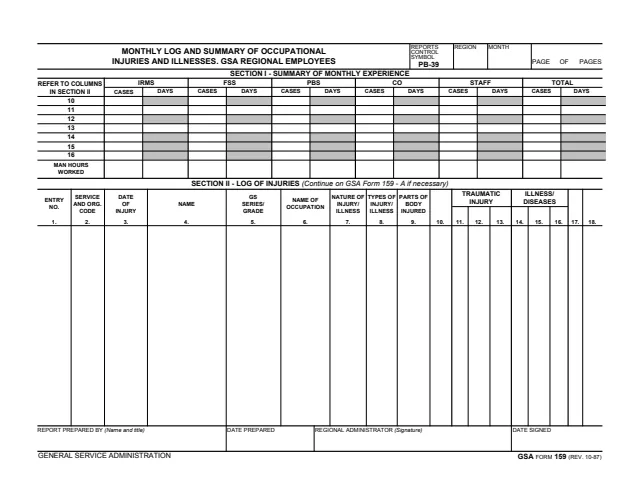
GSA Form 159, Monthly Log and Summary of Occupational Injuries and Illnesses, GSA Regional Employees, is a General Services Administration form, Rev. 10/1987 (printed REV. 10-87), and GSA hosts it in its forms library. The footer reads GENERAL SERVICE ADMINISTRATION. The header shows Reports Control Symbol PB-39, and GSA's page lists no authority or regulation.
The one-page landscape form has a header for region, month and page count. Section I, Summary of Monthly Experience, gives cases and days for IRMS, FSS, PBS, CO and Staff, with a total, on rows that refer to columns 10 to 16 of Section II, plus man hours worked. Section II, Log of Injuries, lists each case in columns 1 to 18 and says to continue on GSA Form 159 - A if necessary. The Regional Administrator signs it. It prints no instructions, OMB number or privacy statement.
You can fill it out free in your browser on this page and download the result without an account.
Reports Control Symbol PB-39, region, month, and page of pages.
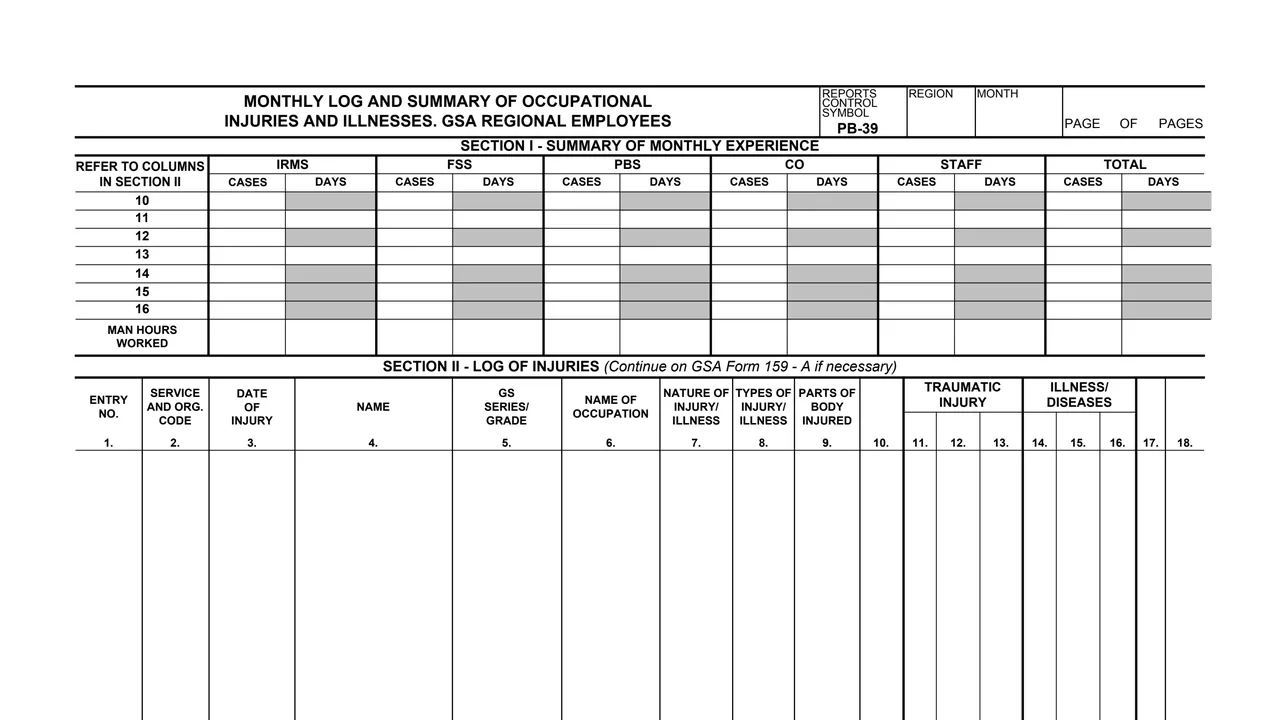
Cases and days for each group and in total, on rows that refer to columns 10 to 16 of Section II. The days cells are shaded on every row except 11 and 13.
A Section I row for man hours worked in each group and in total.
Entry number, service and organization code, date of injury, name, GS series and grade, and name of occupation.
Nature of injury or illness, types of injury or illness, and parts of body injured.
Numbered columns, with 11 to 13 grouped under Traumatic Injury and 14 to 16 under Illness/Diseases. Columns 10, 17 and 18 carry no printed heading.
Enter the region, the month and the page numbers.
Add one Section II row per entry, using columns 1 to 9 for the employee, the date of injury and the injury or illness.
Fill in columns 10 to 18 for each entry. The form prints no instructions for these columns.
Enter cases and days by group in Section I on the rows that refer to Section II columns 10 to 16, and enter man hours worked.
Section II says to continue on GSA Form 159 - A if necessary.
The preparer enters a name, title and date prepared, and the Regional Administrator signs and enters the date signed.
You get the real form, filled in a browser tab, with nothing standing between you and the finished PDF.
The form prints no address. It ends with the Regional Administrator's signature and the date signed.
The header prints Reports Control Symbol PB-39.
The footer reads GSA FORM 159 (REV. 10-87). GSA's page lists a current revision date of 10/1987 and no authority or regulation.
Section II names GSA Form 159 - A for entries that do not fit.
The form covers GSA regional employees. Its blocks show these roles.
No tool matches that search.
The footer reads GENERAL SERVICE ADMINISTRATION and GSA FORM 159 (REV. 10-87). GSA hosts it in its forms library. The header shows Reports Control Symbol PB-39.
The Regional Administrator signs and dates it. The person who prepared the report gives a name, title and date prepared.
The title says GSA Regional Employees. Each Section II entry has the person's name, GS series and grade, and occupation.
Cases and days for IRMS, FSS, PBS, CO, Staff and a total, on rows that refer to columns 10 to 16 of Section II, plus man hours worked.
Section II says to continue on GSA Form 159 - A if necessary.
The PDF prints none, and it prints no OMB number or privacy statement. GSA's page lists no authority or regulation.