Name and social security number
The name(s) shown on the return and the filer's social security number, at the top of the form.
2120
Multiple Support Declaration
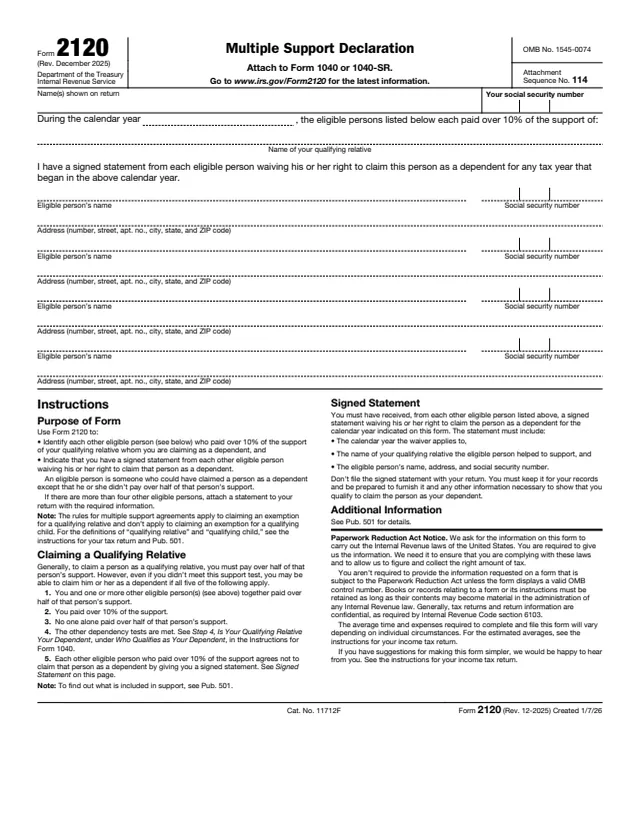
Form 2120, Multiple Support Declaration, is attached to Form 1040 or 1040-SR. The form says it is used to identify each other eligible person who paid over 10% of the support of a qualifying relative being claimed as a dependent, and to indicate that the filer has a signed statement from each of those people waiving the right to claim that person as a dependent.
The form defines an eligible person as someone who could have claimed a person as a dependent except that he or she didn't pay over half of that person's support. It also notes that the rules for multiple support agreements apply to a qualifying relative and don't apply to a qualifying child.
The signed statements stay with the filer and are not sent with the return. You can fill out Form 2120 free in your browser on this page and download it without an account.
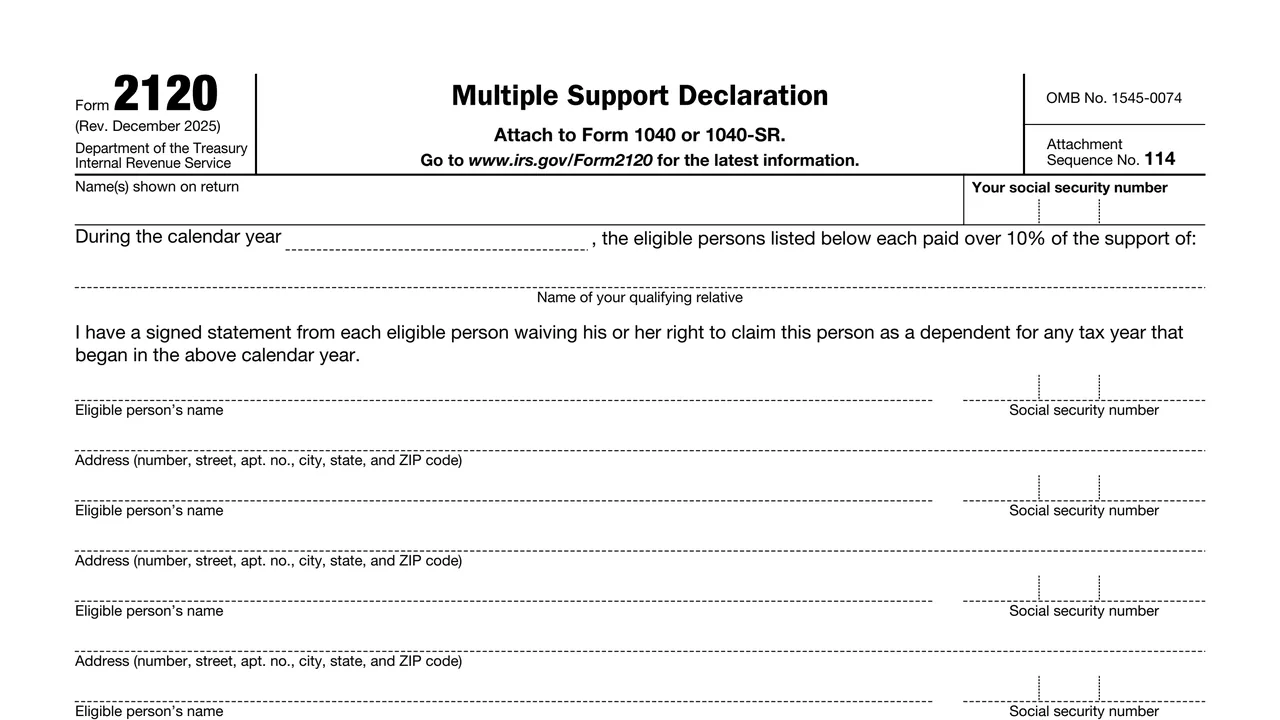
The name(s) shown on the return and the filer's social security number, at the top of the form.
The calendar year and the name of the qualifying relative whose support the listed eligible persons each paid over 10% of.
A printed statement that the filer has a signed statement from each eligible person waiving the right to claim this person as a dependent for any tax year that began in that calendar year.
Each block holds an eligible person's name, social security number and address (number, street, apt. no., city, state, and ZIP code).
The lower half of the page carries the purpose of form, claiming a qualifying relative, the signed statement rules and where to find more information.
Enter the name(s) shown on Form 1040 or 1040-SR and the filer's social security number.
Enter the calendar year during which the listed eligible persons each paid over 10% of the support.
Enter the name of the qualifying relative being claimed as a dependent.
For each other eligible person who paid over 10% of the support, enter the name, social security number and full address. Attach a statement if there are more than four.
The form says each statement includes the calendar year the waiver applies to, the name of the qualifying relative, and the eligible person's name, address and social security number.
Attach Form 2120 to Form 1040 or 1040-SR. The form says not to file the signed statements with the return.
You get the real form, filled in a browser tab, with nothing standing between you and the finished PDF.
The form says to attach it to Form 1040 or 1040-SR. It carries attachment sequence number 114.
The form says not to file the signed statements with the return, and to keep them for your records and be prepared to furnish them and any other information needed.
The form lists five conditions, including that the filer and other eligible persons together paid over half of the support, the filer paid over 10%, and no one alone paid over half.
Form 2120 prints no separate due date. It is filed with the return it is attached to.
The form points to Pub. 501 for details, including what is included in support.
The form is completed by the taxpayer who claims the qualifying relative and is attached to that taxpayer's Form 1040 or 1040-SR.
No tool matches that search.
The taxpayer who claims the qualifying relative as a dependent attaches it to Form 1040 or 1040-SR. The other eligible persons are listed on it but don't file it.
No. The form says don't file the signed statement with your return. It says to keep it for your records and be prepared to furnish it.
The form lists the calendar year the waiver applies to, the name of the qualifying relative the eligible person helped to support, and the eligible person's name, address and social security number.
The form says that if there are more than four other eligible persons, attach a statement to the return with the required information.
No. The form says the rules for multiple support agreements apply to a qualifying relative and don't apply to a qualifying child.
The form says to see Pub. 501 to find out what is included in support.