Lines 1 and 2: taxpayer
The taxpayer's name and address (street, city, state, ZIP code) and taxpayer identification number (EIN or SSN).
13751
Waiver of Right to Consistent Agreement of Partnership Items and Partnership-Level Determinations as to Penalties, Additions to Tax, and Additional Amounts
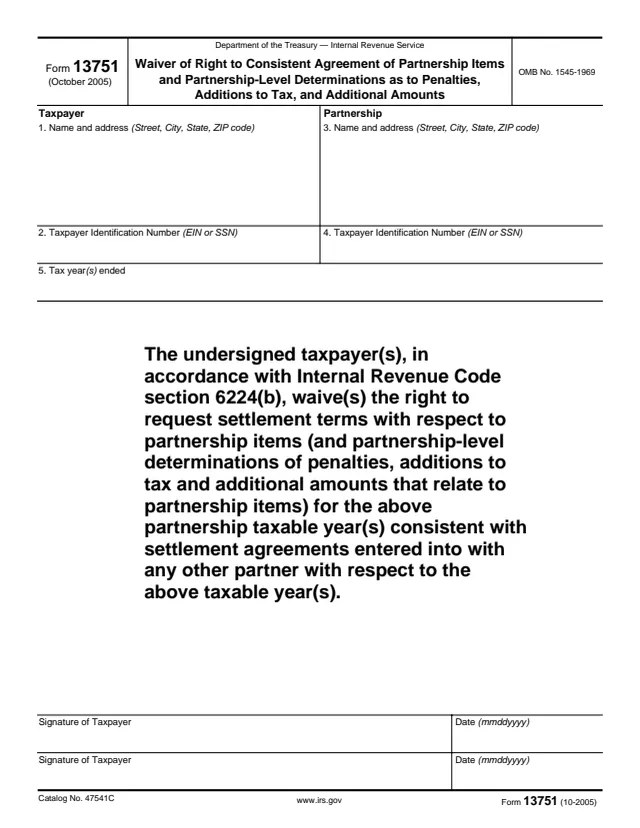
Form 13751 is the Waiver of Right to Consistent Agreement of Partnership Items and Partnership-Level Determinations as to Penalties, Additions to Tax, and Additional Amounts. It is a one-page IRS form with a taxpayer section, a partnership section, the tax years involved, a waiver statement and signature lines.
The statement on the form reads that the undersigned taxpayer(s), in accordance with Internal Revenue Code section 6224(b), waive(s) the right to request settlement terms with respect to partnership items (and partnership-level determinations of penalties, additions to tax and additional amounts that relate to partnership items) for the listed partnership taxable year(s) consistent with settlement agreements entered into with any other partner for those years.
The form prints no instructions, mailing address or deadline. This is the October 2005 edition, OMB No. 1545-1969. You can fill it out free in your browser on this page and download the result without an account.
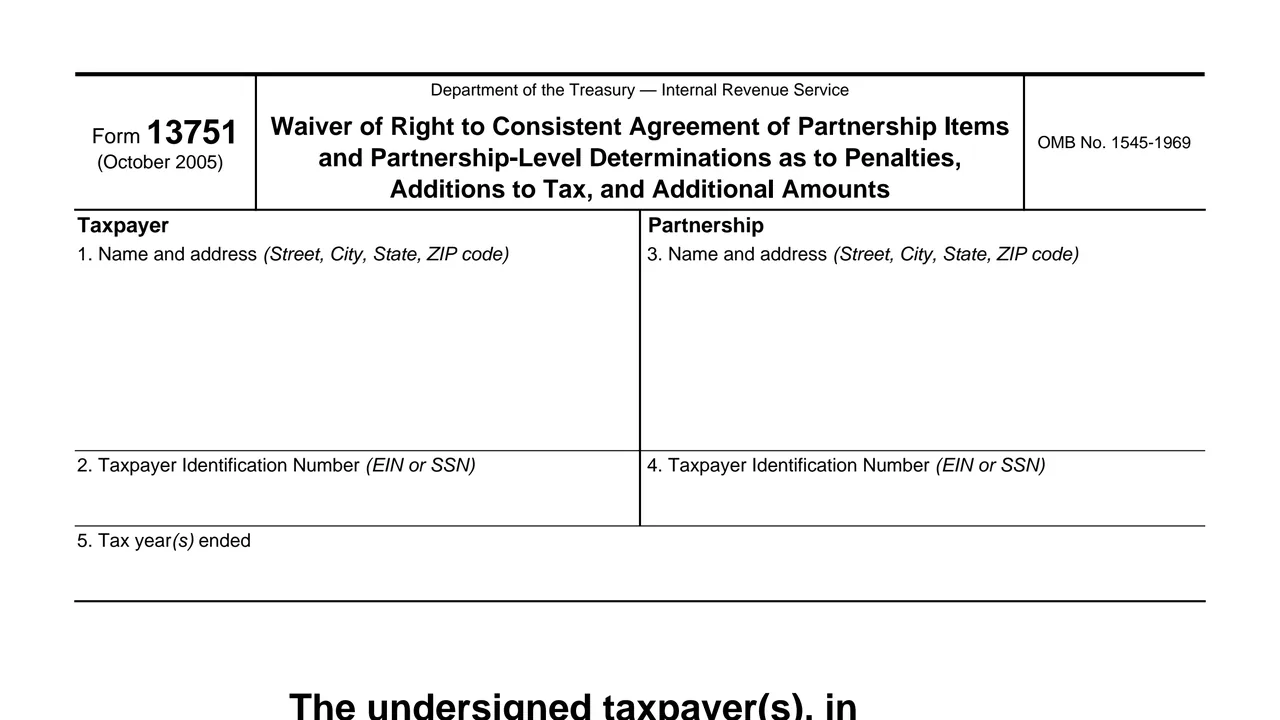
The taxpayer's name and address (street, city, state, ZIP code) and taxpayer identification number (EIN or SSN).
The partnership's name and address (street, city, state, ZIP code) and taxpayer identification number (EIN or SSN).
The tax year or years ended that the waiver covers.
The text that waives the right to request settlement terms consistent with settlement agreements with any other partner, under section 6224(b).
Two lines for the signature of the taxpayer, each with a date in mmddyyyy format.
Enter the taxpayer's name and address, including street, city, state and ZIP code.
Enter the taxpayer's identification number, either an EIN or an SSN.
Enter the partnership's name and address, and the partnership's taxpayer identification number.
Enter the tax year or years ended that the waiver applies to.
Read the waiver text, which covers partnership items and the partnership-level determinations of penalties, additions to tax and additional amounts that relate to them.
Sign on the Signature of Taxpayer line and enter the date as mmddyyyy. A second taxpayer uses the second line.
You get the real form, filled in a browser tab, with nothing standing between you and the finished PDF.
The form prints no instructions, no mailing address and no deadline. Its only reference is www.irs.gov.
The waiver statement cites Internal Revenue Code section 6224(b).
Each signature line has a date box marked mmddyyyy.
The form is dated October 2005 and carries OMB No. 1545-1969 and Catalog No. 47541C.
The form is signed by the taxpayer giving the waiver. It identifies the partnership but has no signature line for it.
No tool matches that search.
The form says the taxpayer waives the right to request settlement terms for partnership items, and related partnership-level determinations, consistent with settlement agreements entered into with any other partner for the same years.
Internal Revenue Code section 6224(b).
The form says it covers partnership-level determinations of penalties, additions to tax and additional amounts that relate to partnership items.
The form has two Signature of Taxpayer lines, each with its own date, and its statement refers to "taxpayer(s)."
The form does not print a mailing address, a deadline or any instructions.