Header
Name of entity, EIN, street address, room or suite, city, state or province, country, and ZIP or foreign postal code.
8924
Excise Tax on Certain Transfers of Qualifying Geothermal or Mineral Interests
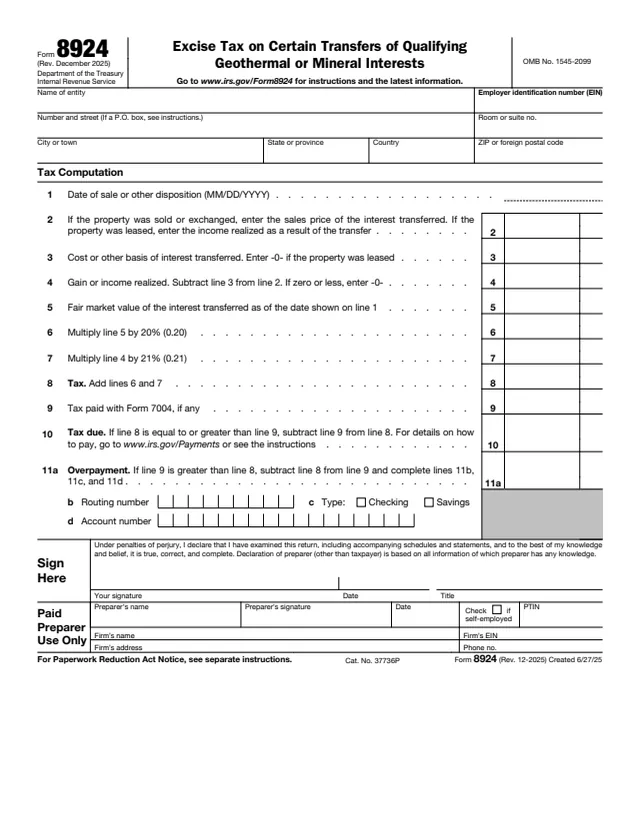
Form 8924, Excise Tax on Certain Transfers of Qualifying Geothermal or Mineral Interests, is filed in the name of an entity. The IRS About page says to use it to report and pay the excise tax on certain transfers of qualifying geothermal or mineral interests.
The form starts with the date of the sale or other disposition. It then works out the gain or income realized: the sales price for a sale or exchange, or the income realized for a lease, minus the cost or other basis. The tax on line 8 is 20% of the fair market value of the interest transferred plus 21% of that gain or income.
The return is signed under penalties of perjury, with a paid preparer section below the signature. You can fill out the PDF free in your browser on this page and download it without an account.
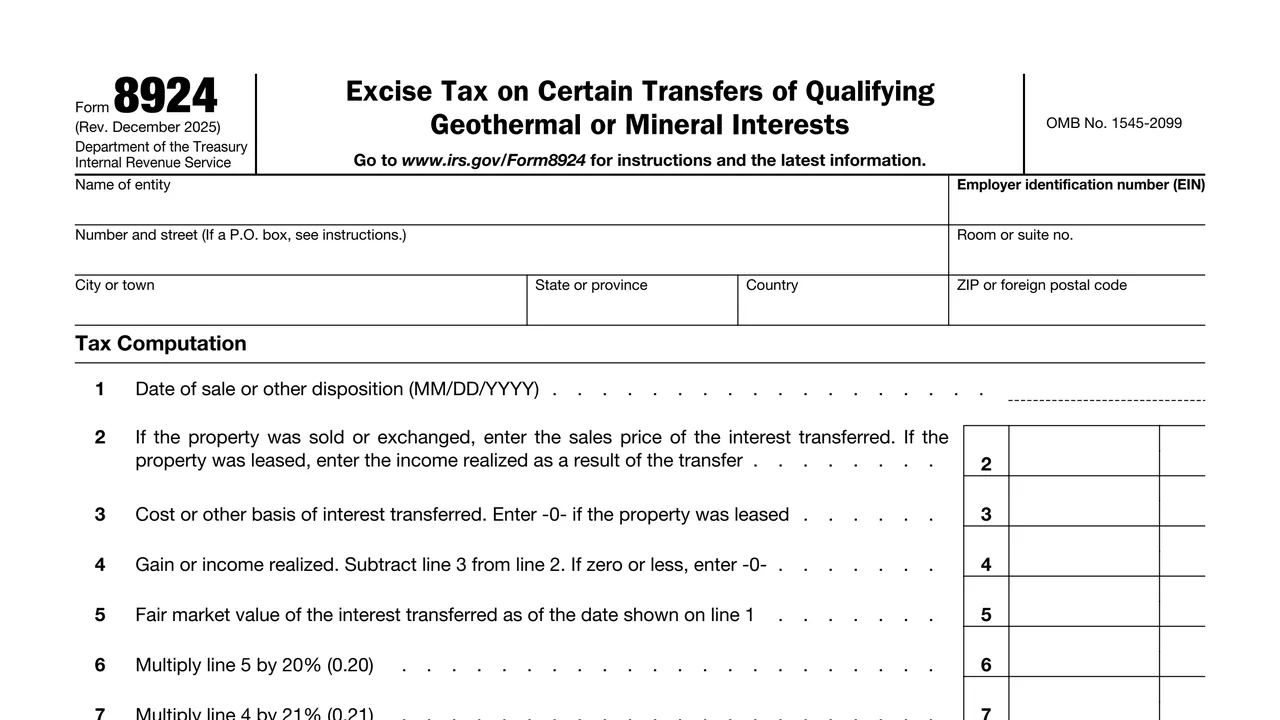
Name of entity, EIN, street address, room or suite, city, state or province, country, and ZIP or foreign postal code.
Date of the sale or other disposition, the sales price or lease income, cost or other basis, and gain or income realized.
Fair market value of the interest transferred, 20% of that value, 21% of the gain or income, and the total tax.
Tax paid with Form 7004, tax due, and an overpayment with routing number, account type and account number.
The signature, date and title under the penalties of perjury statement, then the Paid Preparer Use Only section.
Enter the entity's name, EIN and address. For a P.O. box, the form says to see the instructions.
Enter the date of the sale or other disposition in MM/DD/YYYY format.
Enter the sales price, or the income realized if the property was leased. Enter the cost or other basis, or -0- for a lease. Subtract line 3 from line 2, and enter -0- if zero or less.
Enter the fair market value of the interest transferred as of the line 1 date. Multiply line 5 by 20% (0.20) and line 4 by 21% (0.21), then add lines 6 and 7.
Enter any tax paid with Form 7004. If line 8 is equal to or greater than line 9, enter the tax due on line 10. If line 9 is greater, enter the overpayment on line 11a and complete lines 11b, 11c and 11d.
Sign, date and enter a title. A paid preparer also completes the preparer section.
You get the real form, filled in a browser tab, with nothing standing between you and the finished PDF.
The form says to go to www.irs.gov/Form8924 for instructions and the latest information. The Paperwork Reduction Act notice is in the separate instructions.
Line 10 says that for details on how to pay, go to www.irs.gov/Payments or see the instructions.
Line 9 reports tax paid with Form 7004, if any. The About page lists Form 7004 as a related item.
The form itself does not print a due date or a mailing address, so this page does not list one. The form points to the instructions at www.irs.gov/Form8924.
An overpayment on line 11a comes with a routing number, a checking or savings choice and an account number on lines 11b to 11d.
The form is completed in the name of an entity, with its employer identification number. The About page describes it as the form to report and pay this excise tax.
No tool matches that search.
The IRS About page says to use it to report and pay the excise tax on certain transfers of qualifying geothermal or mineral interests.
Line 6 is 20% of the fair market value of the interest transferred, line 7 is 21% of the gain or income realized, and line 8 adds the two.
The form says to enter the income realized as a result of the transfer on line 2 and -0- on line 3.
Line 10 says that for details on how to pay, go to www.irs.gov/Payments or see the instructions.
Yes. The header has fields for state or province, country, and ZIP or foreign postal code.
The form says to go to www.irs.gov/Form8924 for instructions and the latest information.